Learn Online: 3 Free Adobe Resources
For someone who relies on Adobe on a ongoing basis, physical distancing and the lack of access to our Digital Innovation Hubs has affected me quite a bit. I know it has for a lot of Toronto Public Library customers, too. It's also given me a opportunity to try out some of the more accessible Adobe products that are available.
Here are just a few Adobe programs and websites that you can access for free. All you need to do is create an Adobe account at Adobe.com.
Adobe Spark
My favourite place to start is Adobe Spark.
Spark is a web-based platform that allows users to create fun social media content. This includes graphic-heavy posts, inspirational quotes and more. You can upload your own photos and easily draw up a design using several templates in a quick fashion.
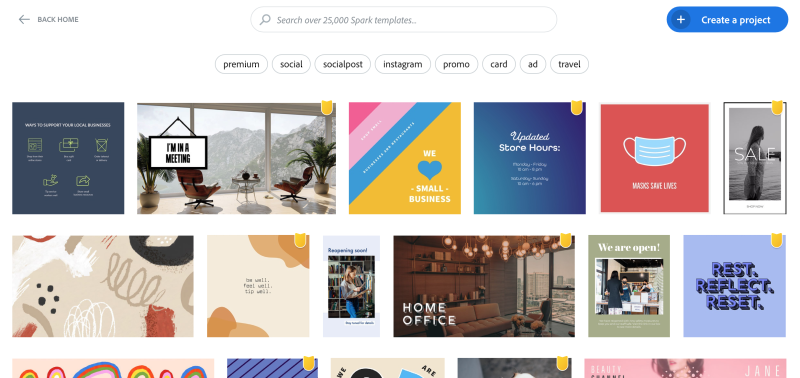
In addition, Spark has you covered if you're looking to venture into video and web page creation.
For video content, you can just drag your files into a timeline and mess around with music, transitions and titles. Go give your video some flair!
Creating web pages can be tiresome. You might have to learn a bit of coding in the process, but the web page creation tools in Spark are quick and easy.
If you want to create a singular page with photos, content and more, then Spark is a program for you. The sites look similar to blogs in style, but are certainly clean and neat for your users.
Sure it's free and with the free basic Adobe account, there might be some limitations. But it’s a chance to play around and design some fun content with ease. You can also explore these great tools using your mobile devices.
Adobe XD
Adobe XD is another one of those freebies that you can download and start exploring right away.
It’s used for prototyping user experiences and interactions within programs, websites, mobile apps and games.
Using it is very fun and easy. With wire frame tools, you can map out how customers can go from page to page with a click of a button.
Adobe Color
Last but not least is Adobe Color, a web app that allows users to explore colour palettes and trends to help inspire their latest designs.
Extract colour from an image or simply create your own themes and use them for your next project.
Library Resources to Learn About Adobe
You can learn more about the aforementioned Adobe tools by watching tutorials on Lynda.com. This online resource is free to use with a Toronto Public Library card. The tutorial descriptions below are all from Lynda.com.
Telling A Story With Adobe Spark
Learn how to create graphics for print or web with Spark Post, create dynamic web pages and presentations with Spark Page, and build short video stories with Spark Video.
[This course] provides an overview of the features and functionality in this design and prototyping tool, as well as how it can help you design compelling digital experiences.
Adobe Color Essential Training
Learn how "to create themes using the online color wheel, edit themes with color rules, participate in the Adobe Color community, and use your themes in Illustrator and Photoshop.
I hope you have fun with these great resources and get a chance to try them out on your own!
2 thoughts on “Learn Online: 3 Free Adobe Resources”
Thanks, Greg. But, unless you know something we don’t, these aren’t free, just available on a trial basis. ie week, month, two. But do make more posts like this when you have a chance 🙂
Hi LaiLa,
Thanks for checking out the post.
Adobe plans can get a little confusing but generally there are some hidden gems and great resources at your disposal. Absolutely if you don’t read the fine print, you can easily think that these programs will need to be part of some paid Creative Cloud subscription.
Spark has multiple subscription plans but if you sign up for the Starter Plan, you have access to templates, photos and other design elements. There are limitations with the free plan, including an AdobeSpark watermark but its still a great tool.
Adobe XD also has a free Starter Plan that allows anyone to download and use XD for personal use which does include all design and prototyping features. Paid plans will unlock more resources, a lot of them related to collaboration, team use and hosting.
Thanks,
Greg