Adding Pinterest to your business social media toolkit

By now most people are used to seeing the wide range of logos associated with social media and sharing information. The most common – Facebook, Twitter, Linked In, Tumblr – now have a new member of the club – Pinterest.
Pinterest, if you are not familiar with it, is a site where members can "pin" images, videos of things that they love or are interested in. How could this be used by a business, you might ask yourself. Well, in a number of different ways.
Two new books that we recently added to the collection – Teach Yourself Visually Pinterest by Janet Majure (which by the way is a great introduction to the site and this series uses many screen shots to assist you) and Pinterest Power by Jason Miles and Karen Lacey offer some great insight for using this tool for business use. Some tips they offer include the following:
Some categories are a natural fit for using Pinterest – the seven most popular categories of pins include:
food and drink, do it yourself and crafts, home decor, women's apparel, weddings and events, hair and beauty, hair and beauty and kids. If your business addresses any of these, then perhaps you should consider Pinterest in your social media campaigning.
A few reasons to market your business with Pinterest include:
- Take advantage of potential customers discovering you visually rather than by search engines
- Your content doesn't have to be actively managed – the promotion happens with repins
- Set up is relatively easy and low overhead is required to maintain a Pinterest prescence.
Some strategies to consider:
- Add a "pin it" button to your site, next to images that you would like to have pinned.
- Add a follow button to your site. You can encourage visitors to your site to become followers on Pinterest. This can lead users back to your website or your profile on Pinterest, increasing traffic to your site.
- Even if your website is not visual, you can still use Pinterest by pinning images related to your business and then edit the links to go to your website. You can search for public domain images using wikimedia or flickr (especially images that are part of its commons collection).
- You could also add a guest board to your Pinterest page – thinking of a topic that your customers might like to contribute to. Create a board on the topic and invite users to contact you.
- Conduct a contest.
Check out the two titles listed above as well as a few of the new titles that we have on this social media product:


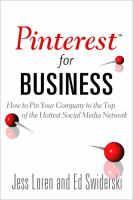

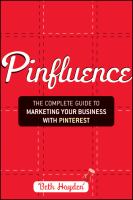

And don't forget to have a look at Toronto Public Library's Pinterest page!
Comments