Finding industry information on Research Monitor
Research Monitor is a reference resource that offers an introduction to Euromonitor International's industry and country research with reports for 80 countries and daily articles and opinions from industry and country experts. Coverage is global with an equal depth of research for every country. Research Monitor can be accessed in any Toronto Public Library branch or from your home or office with a valid library card.
When first using this online resource browse the list of subjects by clicking on Subject Search:

- Next click on a product or service and scroll down to the bottom of the page
- Click on Add Geographies to choose a country
- Click on a country from the list
- When finished click on Go to Results

SEARCH RESULTS
- By default, industry review will be the first item in the list
- If any articles are available on the industry they will be listed below
- to view, click on the title of the article
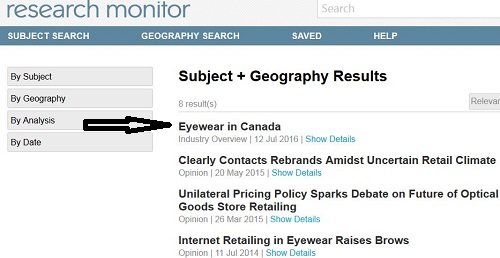
- A typical report looks like the one below
- To view a specific section within the report click on the title in the table of contents

PRINTING, SAVING AND ADDITIONAL FEATURES
Above the table of contents within the report you are viewing, you will see the options below:

- The icon on the left adds or removes the table of contents
- The second icon allows for machine translation into seven other languages such as Spanish, Portuguese, Chinese and Japanese but not French
- The next icon which resembles an arrow pointing down allows you to download the report in PDF format
- The next icon allows you to print the item
Comments