How to use Chilton’s Auto Repair
What is Chilton’s Auto Repair?
Chilton’s Auto Repair is an online database of information about car and truck maintenance and repair. It provides vehicle-specific information in the following four categories, though not all categories are available for all vehicles:
- repair
- labour estimating
- maintenance
- bulletins/recalls
How to access Chilton’s
- Start from the Chilton’s Auto Repair page on the Toronto Public Library website.
- Click the Access Online button.
- Sign in with your library card number and PIN/password.
How to search for your vehicle
Use the Vehicle Selector menu to choose the year, make, and model of your car or truck.
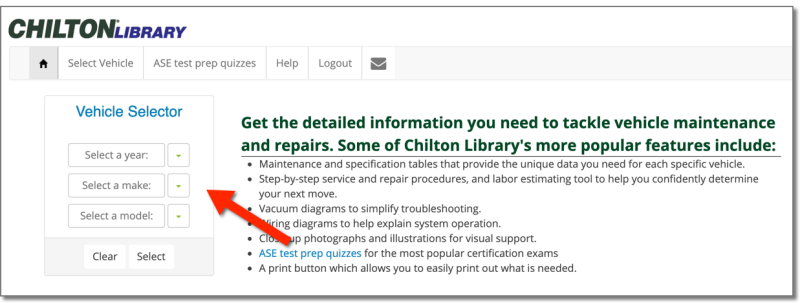
Click Select.
Next, choose the type of information you want from the menu.
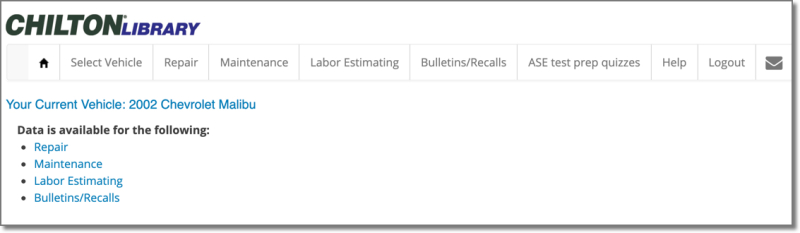
Types of information available
Repair
This section contains repair manuals for different vehicle parts and systems. By drilling down through the menus (e.g., Brakes > Hydraulic System > Cleaning, Inspection, and Adjustment), you can find detailed instructions and diagrams for specific parts of the vehicle.
Maintenance
Click on “Maintenance” to get maintenance schedules in either of two ways.
- Use the Vehicle Configuration Filter to specify the vehicle.
- Click on “full chart list.” Select a configuration by clicking on View Chart. Then select an operating condition (at the bottom) to get to the chart.
Enter mileage in the search box above the maintenance chart or click on “Look ahead” to advance to the next maintenance period. This feature isn’t available for all vehicles.
Comments