38 Ways to Use the Library from Home
This post is no longer being updated. Visit our eBooks & Online Content page for digital books, movies, magazines and more! – August 17, 2022
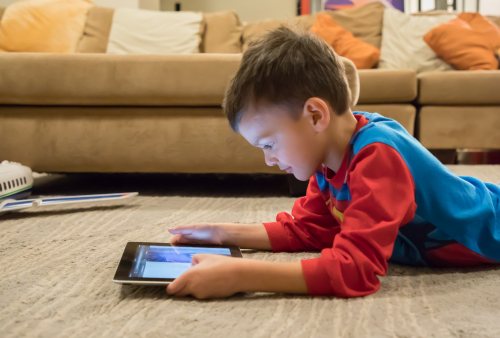
Here's a quick guide to all of the online services you can use with your library card. And now, if you don't have a library card, you can register online for a Digital Access Card that gives you access to everything listed below!
For Kids
Need ideas for songs, games, stories, crafts, activities – and help with schoolwork? We've got you covered.
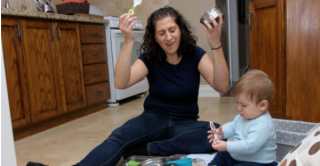
We've created a collection of songs, stories, activities and games to help your little ones aged 0-5 develop their early literacy skills.
Fun polls, contests, jokes and riddles, and a Wonder Wall of kid-submitted questions and answers for school-aged children. Plus: check out the blog for recommended reading and fun activities, written for kids by our librarians!
From story times to maker activities, our kids' YouTube channel has fun, educational online programs for kids aged 0-12.
TPL Kids' Programs on Crowdcast
Catch live puppet shows, virtual book clubs, STEM programs and much more — or watch the recordings later!
Ideas and resources for paren'ts on developing a love of reading in kids, by TPL librarians.
An amazing collection of ebooks and educational videos – including readalong books with audio, books in sign language, and more.
French-language ebooks for kids of all ages.
Watch fun and educational videos, including Sesame Street, Franklin and Friends, and more.
Select "Kids" at the top of the Hoopla page to browse only kid-friendly music, movies and comics. You get 8 Hoopla plays per library card per month.
Free, live online tutoring for students from kindergarten to Grade 12.
Children's stories in over 16 languages, available over the phone. Dial 416-395-5400.
TD Summer Reading Club Activities
Canada’s biggest, bilingual summer reading program for kids of all ages, interests, and abilities. Their site has jokes, colouring sheets, trivia and more that you can enjoy all year 'round!
Online Books
If you don't have enough books at home, here's an easy way to stock up:
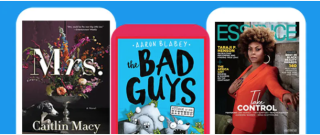
OverDrive eBooks & eAudiobooks
This is the best place to start: a massive collection of ebooks, audiobooks and videos. Includes collections for kids and teens, as well as small collections in Chinese, Russian, Spanish and Portuguese. Borrow up to 30 items at a time; place up to 30 holds.
Pro tips:
- For most readers, the easiest way to use the OverDrive collection is with the Libby ereader app on your phone or tablet.
- Want to read something right away? Browse the "Always Available Audiobooks" and "Best Bets – 7 Day Loan" collections. Or choose a collection to browse, and select the "Available Now" filter.
French-language ebooks and eaudiobooks available from Franco-Ontarian, Québecois and international publishers.
O'Reilly Learning (formerly Safari Tech books)
The latest ebooks and videos from major technology and business publishers. Always available – no holds required.
Self-published ebooks by local and international indie authors.
Online Book Clubs
Discover new books, have fun, connect with your fellow readers.

Download our challenge and read 12 books in 12 categories. Join your fellow readers to discuss what you're reading in our Facebook Group.
A variety of live, online book discussion groups for adults and teens, all interests. Registration required.
Movies and Music
If you get tired of reading (as if!), it's always good to have something to watch or listen to as a backup.

Stream from a great collection of classic films, world cinema, documentaries and popular movies. You get up to eight plays per month, per library card.
Current and popular movies and music. 8 plays per library card per month.
Streaming Theatre Video Collection
Includes videos from the Royal Shakespeare Company, the National Theatre (featuring Benedict Cumberbatch as Frankenstein!) and more.
BBC Literary Adaptations in Video
BBC TV series based on literary classics. Yes, it includes the Pride and Prejudice with Colin Firth as Darcy (AND the Hamlet with Sir Patrick Stewart as Claudius).
Stream unlimited classical and jazz concerts, ballets, operas, music documentaries and musical master classes from around the world.
Music spanning medieval to modern in three distinct collections: classical, jazz, and world music. (Note: Naxos can accommodate 100 users at a time. If you're turned away, try again in a little while.) Download the apps for music on the go!
Newspapers and Magazines
Stay current on the news or find magazines that support your favourite hobby. (Or your celebrity addiction – we won't judge).

Current and recent issues of popular magazines including The Economist, the New Yorker, Cosmopolitan, and many more.
Full-page images of current and recent newspapers and magazines from over 100 countries, in over 60 languages. Includes the Toronto Star, the Los Angeles Times, and the Guardian.
Current news and archived articles from the New York Times.
Current issues of popular magazines including The Atlantic, Maclean’s, Chatelaine and more. (Note: some titles have limited availability; if the one you want isn't available, wait a little while and try again.)
Business and finance news from the Wall Street Journal.
Comics
Did you know we have digital comics too? All kinds: single-issue comics and original graphic novels.

DC and Marvel superhero comics, Archie comics, Harlequin Romance comics, and many more. Borrow up to 30 at a time; place up to 30 holds.
Always-available comics including Marvel, DC, Dark Horse and more. As of March 20, we have increased your Hoopla credits to 8 items per library card per month.
Online Learning
Keep your brain occupied! Feed your interests or take the time to learn a new skill.

LinkedIn Learning for Library (formerly known as Lynda.com)
Video courses on software development, business, design, photography and more.
O'Reilly Learning (formerly Safari Tech and Business Books Online)
Video courses and ebooks on technology and business topics. (Note: O'Reilly can accommodate 45 users at a time. If you're turned away, try again in a little while.)
Streaming video provides lectures, case studies and interviews with experts in the fields of business, management, psychotherapy, and nursing.
Lectures with slide presentations by leading experts on business, management, and biomedical and life sciences.
Instructor-led, 6-week courses on accounting, college readiness, creative writing, American Sign Language, and much more.
Interactive courses in 71 different languages, including English as a Second Language.
Brainfuse Adult Learning Centre
Live, one-on-one help with academic and career goals, including high school equivalency preparation, résumé writing, citizenship test prep and more.
Audiobook collections of university-level lectures on a huge range of topics, delivered by professors.
Research Tools
Archive of articles from scholarly journals for arts, sciences, social sciences and humanities.
Instant access to rare historical photos, maps, books and more.
Genealogy Research
Additional resources for genealogical research, always available from home. Includes over 500 databases representing more than 60 countries.
More genealogical research resources, including military records and much more.
Personal Finance Research
A financial database featuring rankings of over 6,000 large to mid-cap stocks, 18,000 mutual funds, and more. Stock quotes are updated daily
Financial and operational information on Canada's top 450 publicly traded companies.
Podcasts
Need something new to listen to while puttering around the house? These podcasts were created and curated by library staff.
Live Mic: The Best of TPL Conversations
Curated discussions and interviews with some of today's best-known and yet-to-be-known writers, thinkers and artists, recorded on stage at one of Toronto Public Library's 100 branches.
Join library staff for discussions with writers, public figures, library workers and other notable people.
A biweekly series produced and curated by Toronto Public Library, celebrating 40 years of the Toronto International Festival of Authors (TIFA). Episodes feature recorded on-stage interviews, readings or panel discussions with some of the 20th century's best-known writers and thinkers.
Online Programs
Want to see your favourite authors, learn something new or connect with other readers? We have online programs!

Live & Online Program directory
From author talks to book clubs to webinars to story times, this is the place to find live and recorded online programs from your library.
Over 500 videos of past onstage interviews with today's leading writers and thinkers.
Catch a live discussion, or watch recordings of past programs. We have collections of programs for kids and youth, programs on culture and innovation, and more.
Need help? Have questions? You can contact our Answerline service by email, at answerline@tpl.ca or by phone at 416-397-5981. Did you know that Toronto Public Library has permanently ended late fines for everyone?
Edit: Online Book Clubs added, Mar. 19, 2020
Edit: Let's Learn Tech Online removed (temporarily unavailable) Mar. 23, 2020
Edit: Libby and OverDrive app links added Mar. 25, 2020
Edit: Ancestry and JSTOR added Mar. 26, 2020
Edit: Time limit added to Kanopy Kids April 1, 2020
Edit: Answerline email added April 7, 2020
Edit: Kanopy promotion expiry dates updated April 9, 2020
Edit: Ancestry promotion expiry date updated April 9, 2020
Edit: Temporary digital Overdrive card added April 15, 2020
Edit: Online Programs added May 11, 2020
Edit: Streaming Theatre Collection added May 15, 2020
Edit: Ancestry Library Edition home access extended May 19, 2020
Edit: Ancestry Library Edition home access extended, some expired services removed June 23, 2020
Edit: Safari Tech Books name changed to O'Reilly for Public Libraries, June 24, 2020
Edit: Added SAGE videos, July 7, 2020
Edit: Ancestry Library Edition home access extended; Online Programs section revised, July 14, 2020
Edit: Added TD Summer Reading Club, Naxos Jazz and Naxos World Music, July 23, 2020
Edit: Added Summer Wonder, July 27, 2020
Edit: Expiry dates for various databases (Ancestry, SAGE, Streaming Theatre Collection) adjusted, August 14, 2020
Edit: Updated to reflect reopening plans, August 17, 2020
Edit: Updated information about fines and returning books, August 24, 2020
Edit: Added online book clubs, updated summer kids' program links, added kids'/paren'ts' blogs, added Answerline phone number, extended Ancestry home access, updated cover image, September 25, 2020
Edit: RBdigital Audiobooks removed (they've migrated to OverDrive!), October 21, 2020
Edit: Replaced Summer Wonder videos and Storytime videos entries with TPL Kids' Youtube Channel, October 26, 2020
Edit: Removed references to Instant Digital Card, November 9, 2020
Edit: Added reference to new permanent Digital Access Card, November 12, 2020
Edit: Extended Ancestry.com's at-home access to March 31st, 2021
Edit: Updated Reading Challenge, added One eRead Canada, December 23, 2020
Edit: Added links to Crowdcast channels, January 4, 2021
Edit: Added note about RBDigital Magazines' migration to OverDrive, January 12, 2021
Edit: Removed One eRead Canada and RBDigital Magazines, added Seniors Tech Help, January 28, 2021
Edit: Added BBC Literary Adaptations in Video; changed O'Reilly for Public Libraries to O'Reilly Learning, Feb. 8, 2021
Edit: Extended Ancestry Library Edition to June 30th; added links to Heritage Quest and Fold3 genealogy databases. Added links to personal finance databases. Mar. 1, 2021
Edit: Updated expiry for Seniors' Tech Help program, Mar. 15, 2021
Edit: Added LinkedIn Learning info, Apr. 22, 2021
Edit: Ancestry home access extended, May 20, 2021
Edit: Removed the beginning sentence "While Toronto is under lockdown, we want to make sure that you're stocked up with things to read, watch, listen to, learn and do.", January 7, 2022
Edit: Updated the 2020 Reading Challenge image to the 2022 image, January 7, 2022
Edit: Removed Seniors Tech Help, Ancestry Library Edition and OverDrive app. Updated section on fines forgiveness, Medici.tv and link to online book clubs. Added The Wall Street Journal info, July 21, 2022
83 thoughts on “38 Ways to Use the Library from Home”
Useful and timely post, thanks for sharing!
can I connect with help-line to help with overdrive on my libra ereader?
We love the library. Thank you.
Great post! Thank you for putting all the resources together!
Hi, Harvey! You can email answerline@tpl.ca for support. I hope that helps!
Can you sign up online now?
Hi Dianne! Unfortunately, we aren’t equipped to sign people up for library cards online while branches are closed.
If you had a card in the past and it expired, you might be able to renew it online, if it’s still in our system: http://localhost:5000/digital-services/2019/04/new-renew-your-library-card-online.html
Thanks for this great list! I didn’t know I could sign up for instructor-led courses until today – time to learn a new skill!
I just read the following on TechHive which I believe is an American site dated March 18: Updated shortly after publication to report that Hoopla has bumped the limit on content that patrons of participating libraries can check out to 25 items per month (streaming videos, music, and audobooks, as well as ebooks). Kanopy, which is available to participating library patrons as well as college students and staff, has increased its streaming-movie limit to 15 titles per month.
Do you know if this will apply to the Toronto Public Library as well?
I just read the above and I wholeheartedly support a temporary increase. For those of us stuck at home the current limet of 4 borrows are used up in less than a day.
Hi Nel,
We checked with the vendor, and apparen’tly that post is based on a misinterpretation. Hoopla isn’t making more plays available, but one library system was able to reallocate its budget to purchase more credits.
But we have some good news: while we can’t afford 25 credits per month for every cardholder in Toronto, we have just increased the number of Hoopla credits to 8 plays per card per month! With that plus Kanopy’s 8 credits and its special collection of 30 unlimited items, you get 46+ plays of premium content in a month – and remember, you get unlimited plays on OverDrive video, too, plus unlimited access to Kanopy Kids.
Great. The TPL offers the best service. Thank you.
Hey Wendy: Thanks so much for this great resource list. And thank you and your colleagues for maintaining this robust online presence. There’s no reason not to have a library card!
Thanks, Marie! 🙂
My credits are increased but I can no longer borrow anything from Hoopla or Kanopy as my card is no longer authorized to use either services. Is this because I have so many items overdue? There’s no way to return them as far as I know while libraries are closed.
Thanks for the rundown, and extras on Hoopla. Is there a link to the Kanopy list of unlimited streams? Can’t see anything about that at their website or on the Android app – the Great Courses have been unlimited for a while but is there something else?
Hi Tania,
It sounds like your account might be blocked, if you have a lot of items that were overdue before the libraries closed (we’re not charging fines now, so items you borrowed more recently wouldn’t count). Would you mind emailing answerline@tpl.ca to get help? You’ll need to include your library card barcode number and a description of the problem you’re having. Hope this helps!
Wendy
Hi JB,
Thanks for the heads-up – I’ve just added a link to the collection to that section. (People will have to log in via that page – let me know if it’s giving you any trouble).
To save you some scrolling, here’s the link: https://www.kanopy.com/category/48060
To correct myself – they’ve just put the collection up on their main page, too. If you’re logged in, it’s the first collection of movies on the page, under the caption “Credit-free viewing”. (The link I gave you should work too, though.)
Thank you for the quick replies – yup, there’s a new top row on the Android app, which is what we use for Chromecasting. Best regards, JB
This is great information. I’m new to TO and want to get a library card but the website says you have to go into the branch. Can I sign up electronically? TIA. Best Melany
Hi Melany,
Sorry, but at this point we’re not equipped to sign people up for library cards online. You can still access the podcasts, video events and Dial-a-Story service without a card; and you can check out free public domain ebook resources, like https://standardebooks.org/ebooks/ and https://openlibrary.org.
Hi there, thanks for the amazing summary.
I didn’t see ‘Libby’ listed.
Are Libby and TPL still a thing? Or is that no longer in play?
Hi John,
Thanks for this comment! We do still use Libby – very much so! I forgot to include it because I think of it as part of OverDrive. But you’re right – it would be helpful to mention it. I’ll update that section with a link to download the Libby app. Thanks again!
Thank you for this, dear TPL. You’re amazing – as always.
I was wondering if there was any way to allow cardholders to access TPL’s Ancestry account from our home computers?
Keep well, Lorraine
Thank you, Lorraine!
That’s a timely question. Please stay tuned to our blogs for an announcement within the next day or so! 🙂
Update: yes, you can now access Ancestry from home: http://localhost:5000/local-history-genealogy/2020/03/ancestry-library-edition-now-available-from-home.html
The past two weeks, libraries have been closed to the public because they are seen as places where the Covid-19 virus can spread through close contact. The health and safety of both employees and clients has priority.
Not only are the branches closed, but also their depositories. I’ve borrowed a few books from the library to read for an unprecedented longer period of time, including those helping me learn Spanish. I’ve been taking courses in intermediate Spanish the past year or two. The longer I have those books out, the more I learn from them.
Thanks Wendy. I find these lists helpful in terms of outlining the Digital services we have at TPL.
100 users, across the whole city, for Naxos Music Library seems woefully low. Any plans to increase this? Thank you for these wonderful resources and services.
Hi Sebastian,
To clarify: that’s 100 users at any given moment, which could be several hundred per day. But please let us know, either here or at answerline@tpl.ca, if you’re running into problems listening to music on Naxos! If it looks like people aren’t getting in, we can see about trying to increase access. Thanks!
– Wendy
Very, very useful. Thank you very much.
Hello! I’m so glad you’re now allowing free use of Ancestry during this time. I was wondering if there is a way for you to offer access to FamilySearch as well? I had been coming to the library before the closure to do genealogical research but have no way of accessing FamilySearch now as the full database is only available to research centres/libraries and Ancestry unfortunately does not have the records I need to view on their site.
Unfortunately, I do not seem to be able to download an ebook or audiobook from OverDrive or RBDigital to my laptop computer which is a Dell purchased new in mid-2017. I don’t have a functioning tablet and I think the phone is too small for books. I now notice that I have been using Adobe Digital 3.0 which may not be the most recent. Do you have any suggestions for me? Thanks.
Hi Meg, I’m passing your request on to the relevant department. Thanks!
Hi Laurel,
In OverDrive, when you click “Borrow”, it should then show you an option to “Read now in browser” (for ebooks) or “Listen now in browser” (for audiobooks). Either of those should work pretty well on your laptop. If that doesn’t work, you can contact our Answerline service via email at answerline@tpl.ca for more tech support. I hope we can get you up and reading soon!
Hey,
Is there no way to temporarily use the services without a library card?
Not at the moment, but we’re working on it – stay tuned.
More instructions: if you’re trying to read a book that you’ve already borrowed, you’ll want to select the “Go to loans” button next to the book, and then “Read now in browser”.
Thanks for compiling and organizing this!
Would there be a reason that I can’t log on to Lynda if I use my library card and am a resident in Toronto?
This is absolutely wonderful. Thank you so much. TPL has been invaluable to me.
Is the Toronto Public Library working on creating digital library cards for individuals who do not have access to Overdrive? Some libraries have set up digital library cards through phone numbers as a result of Covid-19 (Seattle Public Library and Vancouver Public Library).
Indeed we are. We’re hoping to make an announcement soon – keep watching tpl.ca and our social media channels for more info over the next week or so.
Hi Maite,
I can’think of a couple of reasons – one might be if Lynda.com is too busy at any given time. In that case, you would just wait a little while and then try again (please let us know if that’s it!)
Another reason could be if there’s something that needs to be fixed in your library account (in that case, you might have trouble accessing other services as well). If you suspect it might be your account, please email answerline@tpl.ca with your library card number and a description of the problem – they should be able to help.
Thank you Wendy!
I am currently a user of Libby. My library card needs to be renewed soon. Will you be able to give me an extension?
Hi Nelima,
All expiring and expired library cards between January 1 and May 31, 2020 have been extended until the end of June so that you can continue to enjoy uninterrupted access to all digital resources.
You’re right – I haven’t hit this limit yet, so it seems to be okay. Thank you!
I don’t see it listed–are there ways to ask librarians questions? I have some topics I’d like to read about but finding material on those topics would be easier with the skills of a librarian.
Is there any provisions during Covid-19 for people who got regular delivery of the talking books for the blind?It is horrible to be alone in a retirement home blind with no one allowed to visit and your books have stopped coming. They have no ability to access the internet or any other method of reading a book from the library.
Hi William,
For now, you can contact answerline@tpl.ca. We’re constantly working on new ways to get services online, so there may be other ways, too, in the future. (Thanks for the reminder – I should have put Answerline in the post!)
Hello,
Is access to Lynda limited to one month? I understand that only 150 persons can use it at any one time, but can I access it indefinitely, signing in each time with my library card?
thanks! (and I’m so grateful for the TPL!)
Hi B.,
Yes, you can access it indefinitely for as long as you like, signing in each time. Thank you!!
Hi Janet,
I forwarded your question to the relevant department at the library. Here’s their reply:
Thank you for reaching out. As you know, all Toronto Public Library branches are currently closed in an effort to curb the spread of the COVID-19 virus. As a result of these closures, all programs, room rentals and mobile library service ̶ which includes Home Library Service ̶ are cancelled.
This decision wasn’t taken lightly and we know how many people rely on us, and the impact that these closures will have. During this challenging time, we are taking our direction from the City of Toronto and Public Health, and are focused on doing everything we can’to ensure the safety of our staff and customers.
We’re continuing to monitor the situation and hope to be able to reinstate our services such as Home Library Service ̶ which, as you pointed out, is a valued service for so many ̶ as soon as possible.
I’ve heard that libraries are being used for local food banks and I’d like to volunteer if needed. After a quick look, I don’t see anything about this on your site. Can you tell me where to look if there are details online?
Hi Michael,
Thanks so much for your kind offer! We’re referring anyone interested in volunteering at a food bank to 211. You can call 211 or visit this site for more information: https://covid19.211central.ca/
Hi Wendy,
Can l read a,library book on line?
Hi
I’m downloading the Libby app and they are asking for a campaign code.
Do you know what that is?
Thanks
Jac
This is fabulous. Can you provide instruction on how to access video in Overdrive – I can not find a link on your site for Overdrive video. Thank you
Hi Claire,
That’s a good question – it’s a bit hard to find. To browse OverDrive video, go to https://tpl.ca/overdrive, click “Collections” at the top of the screen, and look under “More Collections” to the far right of the menu – you’ll see “Streaming Video” as the first option.
Is there a vanity URL for this page of resources, we’d love to promote to our workforce?
Hi Wendy,
I’m using Libby. I’ve never had trouble before downloading a hold once I get the email it’s available. Until now. I haven’t been able to download this is book. I’ve put in my library card and password but it tells me I don’t have any holds. Something is not connected. I’m frustrated because I have 3 days to get it and today is day 2. Can you help me?
Thanks, Meg! The short URL for this post is https://tpl.ca/onlineservices .
Hi Elaine,
Sorry to bounce you around like this, but can I ask you to email answerline@tpl.ca? You’ll want to give them your library card number and let them know what the problem is. If you still have the email telling you that the hold came in, you should forward that to Answerline as well. I hope you’ll get your hold!
First time it’s happened to me, but the NY Times is blocking access with this message:
“NYTimes.com Pass Limit Reached
The NYTimes.com Passes provided by your organization are all in use. Please try again soon.”
Don’t know how the TPL’s allocation works, e.g. fixed number of multi-day passes or fixed number of current site visitors, but hope it can be increased to meet what’s probably increased use by patrons.
Hi JB,
Thanks for letting us know – I’ll pass that along to the people responsible for the NYTimes subscription. I know we just increased the number of passes, but we might need even more with increased usage right now. In the meantime, if you try again in a little while, you’ll probably get in. Thanks again!
Good afternoon all,
I didn’t see this question asked before but thought it may be helpful for others
I am so happy to see the selection of ebooks and audio books on the TPL! Regarding readers, it looks like support for Kindle is not available, with the best alternative being a Kobo
Is this expected to change anytime soon? Planning which ereader to get 🙂
Thank you,
Roberto
Hi Roberto,
Thanks, that’s a good question! Unfortunately, Amazon doesn’t make Kindles compatible with library ebook software (at least in Canada), and that’s not likely to change any time soon.
A Kobo will work, especially one that’s wifi enabled – but it’s best to opt for a Kobo if you already have a library card, as they can present challenges when you’re signing up for the temporary Instant Digital Card.
A lot of people read on their phone or tablet, which works seamlessly with the Libby app and presents no problems with the Instant Digital Cards. I hope this helps with your decision!
I CAN’T FIGURE OUT HOW TO ORDER BOOKS (FROM NEWSPAPER REOMMENDATIONS)
DOES NOT MENTION ANYWHERE HOW TO DO IT.
I don’t have any of those things mentioned like HTML etc.
Hi Elizabeth,
Do you want to order physical books to pick up from a library branch?
If so, here are instructions for pickup and drop-off service: http://localhost:5000/programming/drop-off-curbside-pickup-service.html#PickUp
The first step might not be clear, though, so here are some more details. We call ordering a book “placing a hold”. To do this, you need to have your library card ready. Then:
1. Go to https://www.tpl.ca
2. Search for the book you want (by title and author works best)
3. Select the blue “Place hold” button next to the book you want.
4. You might need to log in with the number on your library card and a PIN, which will be the last 4 digits of your phone number.
5. When the book is ready for you to pick up, you’ll get a phone call or email – whichever you asked for when you got your library card.
(Note that if it’s a popular book, you might need to wait several weeks – that’s why it’s good to place lots of holds, so you always have something coming in.)
I hope this helps! If you’re running into problems, you can call our Answerline service at 416-397-5981.
(By the way – when you get the call or email that your books are ready, you still have to make an appointment to pick them up! More info here: http://localhost:5000/programming/drop-off-curbside-pickup-service.html#PickUp
Hi, CAN I USE LIBRARY WI-FI AT HOME WITH MY LIBRARY CARD IN MY COMPUTER?
Hi, CAN I USE LIBRARY WI-FI AT HOME WITH MY LIBRARY CARD IN MY COMPUTER?
Hi there,
The library does have a program to let people borrow wi-fi hotspots (little devices that let you use wi-fi at home). But unfortunately, they’re all taken for this year: https://www.torontopubliclibrary.ca/using-the-library/computer-services/wifi-hotspots/#:~:text=Toronto%20Public%20Library's%20Wi%2DFi,the%20City's%20Community%20Coordination%20Plan.
We’re going to have more of them in 2021 – please check back then.
Nice blog
I downloaded an ePub book. Now where do I find it on my iPad?
Hi there David,
Congratulations on getting started with ebooks!
If you haven’t already downloaded the Libby eReader app onto your iPad, you’ll want to do so now. Here’s a guide to help you get up and running:
https://www.torontopubliclibrary.ca/content/books-video-music/downloads-ebooks/pdf/libbyapp.pdf
If you run into trouble, you can also contact the library during open hours for help – here’s info on how to do that: https://www.torontopubliclibrary.ca/contact/
I hope this helps!
Sorry, David—I forgot to mention an important step!
If you’ve already downloaded the Libby eReader app onto your iPad, you can open it up and select “Shelf”. Books you’ve downloaded will appear there.
If you haven’t downloaded the Libby app yet, you’ll want to do so now.
Is there a reason that Kanopy says my library card doesn’t exist? And trying to log on with Google or Facebook doesn’t work either.
Hi, Wendy,
The library branches I’m familiar with have shelves devoted to showcasing new and notable titles recently added to their collections. These same branches also have windows in which items are displayed. During periods when the interiors of the buildings aren’t publically accessible, is there any reason why the window displays couldn’t feature newly-arrived books, and make them available for loan?
This might mean constantly having to refresh the window displays. But that’s the case with ‘new books’ shelves anyway; and since library users are currently unable to browse the shelves, browsing the windows would be informative for them while helping to keep their selection pool up to date.
Hi Mark,
Thanks for the suggestion! I’ll pass your message along to the relevant department.