Creating A Mobile Website
More and more people are accessing information on the go. Just because you may have a website, doesn't mean that it can be read or it will open on a smart phone device. There are many complications that can arise based on browser on the phone and how the website was designed. By not conforming to these designs and layouts, you could be possibly losing in a pretty significant market.

Source: Nielsen Study, Image credit
There are lots of options one can pursue. The most common is adding a Mobile Stylesheet. This, however takes some serious know how and a programming background. If it was as simple as copy and paste, then I would highly recommend it. Some codes will automatically detect the device that the user is on and immediately alter the website to the new view. But lost in the translation can be a significant amount of content and graphics.
Lots of website will also offer templates for purchase, some as low as $29. You buy the template and input the data from the website to create a new and smaller mobile site. I haven’t come across any free templates at the moment, but I’ll keep my eyes posted.
Another option is finding a company that will take care of the conversion for you. For you, this is a quick and simple way to get it done. It doesn’t have to be expensive either. They’ll usually be a few options to choose from, but shop around for the best price.
I came across Duda Mobile. They take your existing site and in minutes you have a second mobile site. Based on a few options, the mobile site can be free. Have a look below at an example I drew up.

For example, I took Discount Home Painters webpage to try it out. Here is what their webpage looks like at the moment.

In this next window, I placed the url for the Discount Home Painters webpage in the window next to “Make My Site Mobile”.

In a span of 3 minutes, Duda Mobile examines the webpage and mor imporatnmyly extracts all the content from the website and builds a brand new webpage with a design and layout geared for any mobile device.
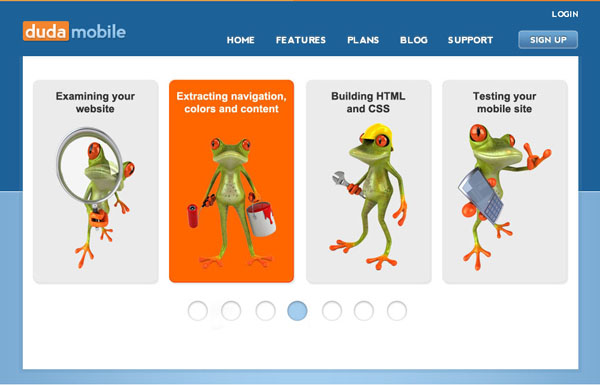
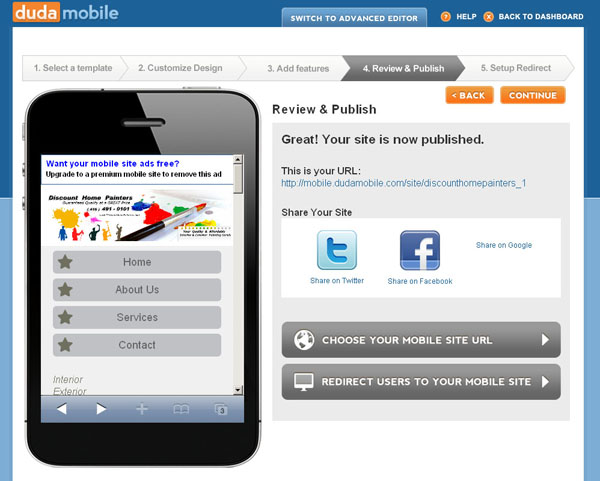
Within a few minutes, and a couple of clicks. You can see the mobile site, test it and make any changes you like. There are set templates you can purchase to make it stand out a bit more and you have options to personally change the URL and the appearance of banners on the mobile site page. If you are okay with advertising their service on your mobile website, then this whole process can cost you nothing.
Here is a screen capture of what the Discount Home Painters’ Mobile Site looks like. If you want to see the mobile site, Click Here.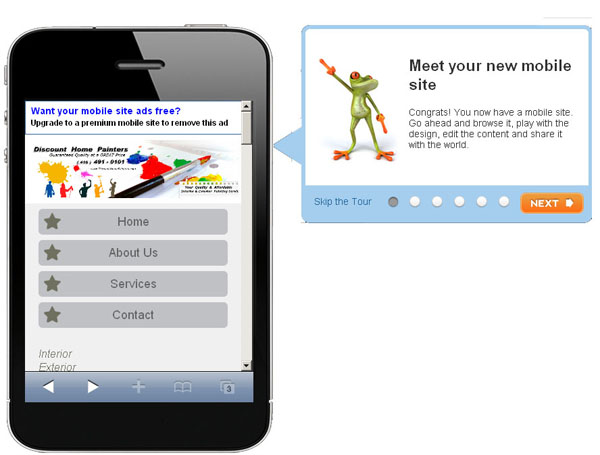
The last thing you need to do is to simply advertise it. You can post a link to the mobile site on the main website; advertise to your followers via Twitter and Facebook. Let everyone know that the mobile site is up and running.
If you’re up for playing around with the existing code of your website and want to create a Mobile StyleSheet for your own website. This webpage lays everything you need to do in the code of the website, and you will have to create a few CSS files to go with it.
Follow this link and follow the steps.
Thanks and have fun.
Greg
One thought on “Creating A Mobile Website”
You never fail to amaze me with Great free programs ..
Another Blog of information
.. that Hits it out of the Park ..
Way to Go ! Greg
This one’s a Super Good Score,
what a Incredible Find …
It’s Free and the Program does all the Hard Work
.. Outstanding ..
Wow .. 3 Minutes and like magic a website gone mobile
.. Cool .. all for .. Free ….
.. Well ..it don’t get better than this ..
Brilliant Stuff !