OCR (Optical Character Recognition)
Suppose you wanted to digitize a resume, essay,
article or a printed document. Spending
hours retyping the whole thing and making corrections isn’t the greatest time management. From any scanned image, in one of the popular
formats such as JPEG, TIFF, and PDF; you can convert the entire document in
minutes with any Optical Character Recognition software.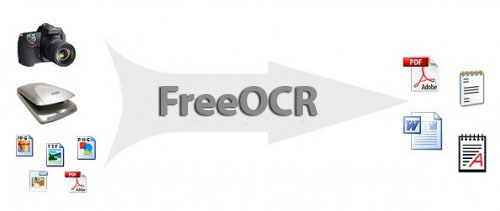
What is OCR
Optical Character Recognition, or OCR, is a technology that enables you to convert
different types of documents, such as scanned paper documents, PDF files or
images captured by a digital camera into editable and searchable data. Just
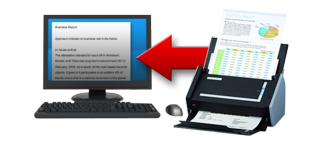
scanning an item doesn’t give you access to the content to edit it, make
changes. All a scanner can do is create
an image or a snapshot of the document that is nothing more than a collection
of black and white or colour dots, known as a raster image.
In order to extract and repurpose data from an
image file, you need to take advantage of the tools in any OCR software. The process would single out letters on the
image, put them into words and then – words into sentences, thus enabling you
to access and edit the content of the original document in programs such as:
Microsoft Word, WordPerfect and OpenOffice to name a few.
If you want to know more about what exactly OCR is, have a look at this great video:
Download for free the program called: FreeOCR
FreeOCR is a free Optical Character
Recognition Software for Windows and supports scanning from most Twain scanners
and can also open most scanned PDF's and multi page Tiff images as well as
popular image file formats. FreeOCR outputs plain text and can export directly
to Microsoft Word format. You can
download the program and get more information here:
http://www.paperfile.net/index.html
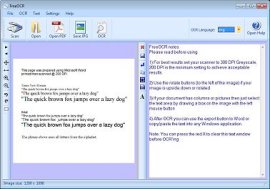
Free OCR is very simple to use and supports
opening multi-page tiff documents, Adobe PDF and fax documents as well as most
image types.
FreeOCR is a freeware OCR &
scanning software for Windows only. It's FREE, and you can do what you like with it including commercial
use. The included Tesseract OCR engine is distributed under the Apache V2.0
license.
Have fun!
Greg
2 thoughts on “OCR (Optical Character Recognition)”
Thanks for the Great Find ..
These Blogs are Great you get to find out about Free Programs you didn’t know you needed but sure glad you have them to make things easier. Sounds all good, a really time saver ..
FreeOCR Program (Optical Character Recognition)
Open Source Programs are so Great ..
Got to download this one for sure ..
thank you for sharing this information