Perfect Effects 4 Free
I think Photoshop is pretty amazing,
but from time to time I wish it did more and did it with a bit more ease. With Smartphones people can'take a picture and
apply an amazing effect quite easily with programs and Apps like Instagram. It would be amazing to be able to have a program
on the computer that can do the same.
But with advance photo editing
programs such as Photoshop, you need to play with combination of tools and effects
to match what it is you need. Not one tool
or filter will make the picture more stylistic, it will be a combination. The filter menu in Photoshop also has
potential, but unfortunately lacks that one-click option to apply an effect
that can enhance an image.
This is where onOneSoftware comes
in. They have introduced a wide variety
of Plug-ins, Filters and Layer Effects for Adobe Photoshop, Lightroom, Elements
and other photo programs. The programs
aren’t free, but they have a series of FREE applications, more like trial
software that won’t run out and isn’t time limited. It gives you an opportunity to build your effects
library up slowly and to try the program out.
The nice thing is the full program
itself isn’t that expensive, and the only difference between the two licenses
is the amount of filters and effects you have access to.
Perfect Effects 4
Free is the one program that I have been playing with a lot lately. Just mixing things and playing with some
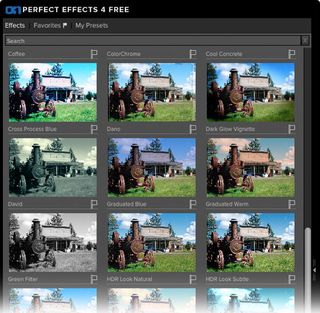
effects that can hopefully add a little excitement or elegance to some of my photos. I can choose from over 70 effects to enhance and
stylize my images, including effects to create the popular HDR and vintage
looks, textures to add depth and dimension, and borders to add a finishing
touch. Instantly add any effect with a single click or combine them to create a
look of your own.
Perfect Effects 4
Free can be used as a standalone or directly with Adobe Lightroom, Photoshop,
Photoshop Elements, or Apple Aperture. Create
images with impact using over 70 professional effects that help you enhance
detail, add contrast, evoke moods, and more. Perfect Effects 4 Free is part of a larger program
titled Perfect Photo Suite 7. Paying for
that program gives you unlimited access to all 7 programs and can run as a standalone
program all by itself. It runs for
$79.95 and is a much easier program to use then Photoshop.

Design a look all your own by combining
multiple effects and adjusting the strength of each effect. With the live
previews in Perfect Effects 4 Free, you can see what each effect will look like
on your photo before applying it. Your creative options are limitless and easy
to achieve with the easy-to-use tools in Perfect Effects 4 Free.
With a handy set of Basic Brushes, you
can solve some of your most common digital photography problems exactly where
you need. Use simple brush strokes to make areas darker, lighter or warmer. Add
detail, glow or more color. You can also reveal highlights and recover shadows.
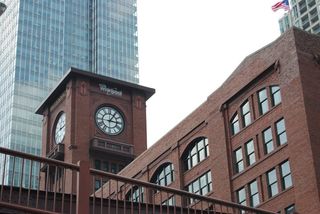
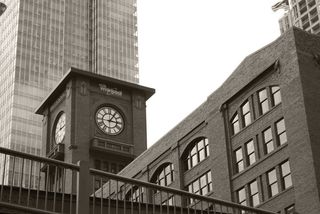
Blend effects to create amazing and
highly stylized looks in Perfect Effects 4 Free. By changing the Blending
Modes, you can control the brightness, contrast and color of the image to
dramatically alter the appearance. And, by adjusting the opacity, you can
control the strength of the effect.
Here's a great video showcasing what you can do with your photos using this program.
It’s a great
program for anyone getting started with digital photography. I highly recommending downloading some of the
applications for FREE to start, and hopefully you be pleasantly surprised.
Here are a sampling of some of my vacation photos over the years that I have played with. Click on them to enlarge the photo.

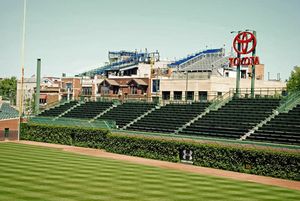
Before After

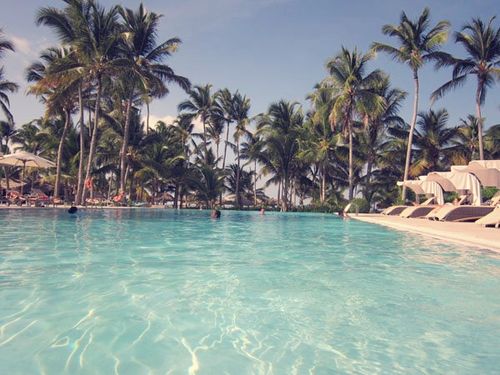
Before After
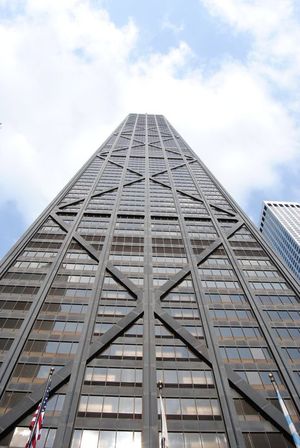
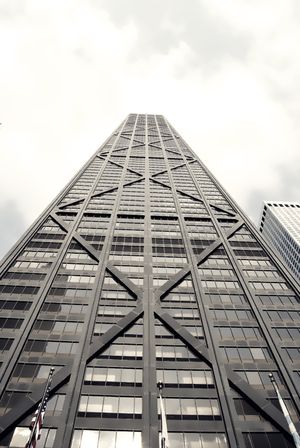
Before After
Other programs they have are listed below.
Perfect
Presets for Aperture quickly enhance and stylize your images and speed up
your workflow. Twenty-one presets are included to help you correct color or
tone, add creative effects, and much more. Apply these presets to your images
as they are or use them as a starting point to inspire your own creative
process.
Perfect Presets
for Lightroom 2 & 3 includes three volumes of presets for use in
Lightroom 2 & 3's Develop module so you can expand your creative
possibilities. Save time and speed up your workflow with these professionally
developed presets designed to correct color or tone, add creative effects, and
much more.
FocalPoint 2
creates realistic selective focus, blur, depth-of-field and vignette effects
that tell your viewers right where to look. Easily and quickly get a tilt-shift
effect with the intuitive Focus Bug and use the Focus Brush to apply the blur
right where you want it.
Have fun!!!
Greg
3 thoughts on “Perfect Effects 4 Free”
Great blog Greg!
I admit I’m an Adobe fan but it’s always interesting to see what kinds of free applications are out there. Thanks for the recommendation and the nice before + after shots!
D
Thanks for the nice comments. Definitely check out some of the plug-ins and free filters that you can add to your Photoshop library.
I’m glad you like the photos.
Cool effects with these filters from this program, Perfect Effects 4 Free. It makes it all so easy .. It makes it all look like I know what I am doing .. ha ha .. Great Find Greg ! Thanks