Photoshop’s Content-Aware Patch
There has always been an abundance of tools in Photoshop to fix
and repair an image. If you need to get rid
of dust, dirt, scratches, or the more complicated elements such as a person,
bird, car and so on. In the past, you
would use a couple of tools, mostly notably the Clone Stamp Tool or the Healing
Brush Tool.
Another tool that was overlooked, has since been re-tweaked in the new
version of Photoshop CS6. The Content-Aware Patch Tool now makes all of this as simple as Click and Drag. This tool is easy to use and can help
transform an image in mere seconds.
Bringing imaging magic to Adobe® Photoshop® CS6 software, the acclaimed
Content-Aware family of tools lets you retouch or recompose images with
astonishing ease, control, and speed. One of the newest of these
intelligent editing tools, Content-Aware Patch, was just introduced in
Photoshop CS6.
The
old Patch Tool on former versions of Photoshop was good, but not great. It did a decent job, but it didn’t do the
patch perfectly. We can patch up big areas now and get rid of larger amount of
content without anyone even knowing it was there.
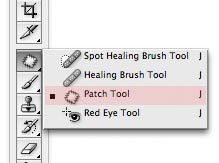
Content-Aware Patch is designed for times
when you want to remove unwanted content from a photo and then replace it with
a precise and seamless patch. The tool automatically creates the patch for you,
but only after you’ve shown it exactly which area of your image you’d like it
to sample from. And it uses Content-Aware technology to blend
the patch into the surrounding area.
To
achieve that, select the Patch tool and set its Patch to Content-Aware.
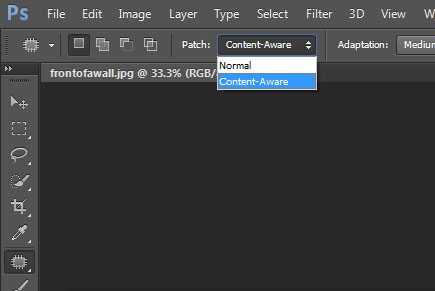
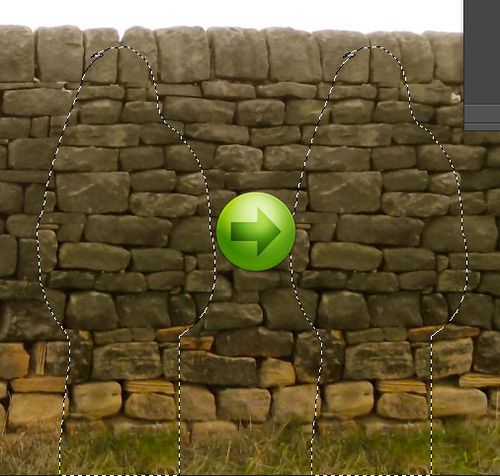
Select
around the object, try to include a bit of the background as well as shadows of
the object. This example I’m going to
get rid of the guy in front of the stone wall.
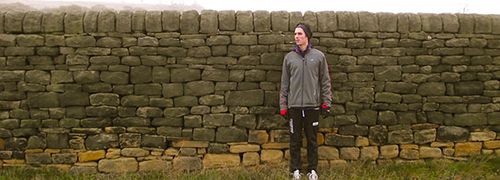
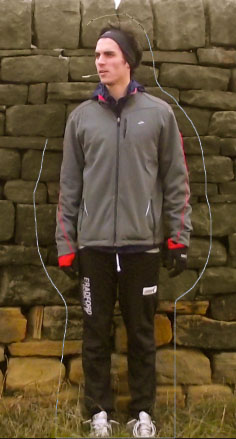
Now
just drag to any spot to find a perfect fill to replace the guy. The great thing is the replacement does not
have to be exact because Photoshop will take care of that. Just be sure you move it far enough away.
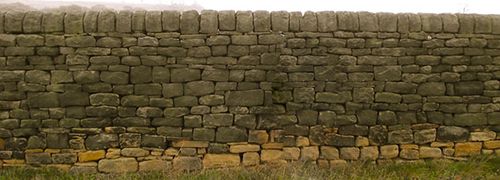
Upon letting go of the mouse, Photoshop now does the impossible
and makes the guy disappear.
Here’s another example of a photo that’s been touched up. Getting rid of a group of people sitting on
the lawn behind the couple. No more
excuse for a ruined photograph.


Adobe added a great 2 minute video showing you how easy the tool can be.
Have
fun!!
Greg
One thought on “Photoshop’s Content-Aware Patch”
Wow this New Photoshop tool Content-Aware Patch Tool sounds so Cool. makes you want you have Adobe Photoshop CS6 on your own computer and if that isn’t the case .. Well at least we can all go to and try it on the Reference Library Drop In Class to give it a spin .. Thanks for the tip and helping us to be up on the new stuff in the game .. We are so lucky to have this information and the great resources of our shining library to learn and develop the up to date skills. Digital Design Studio is just such a Gem in the Library System. We are fortunate to have this outstanding service.