Hard Drive Enclosures
My father-in-law has a pretty neat computer system, nice 27-inch
monitor and a new CPU tower that runs at a pretty fast speed. He’s an
accountant, and his old computer was starting to run very slow and it became an
issue for doing day to day things, like checking email, internet and of course
taking care of clients and their tax returns.
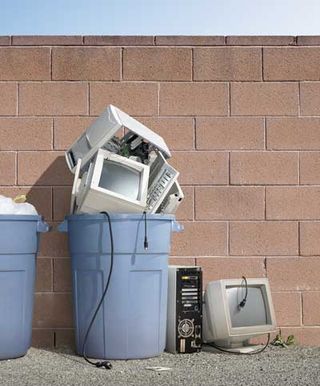
By moving to his new system, it meant saying goodbye to the
old. He was worried about discarding his
old computer because of the information he had on there was so sensitive. The old computer’s hard drive worked fine, it
was the motherboard that ultimately died on him.
So instead of ditching the entire computer along with the hard drive, we
kept the hard drive and bough him an enclosure. 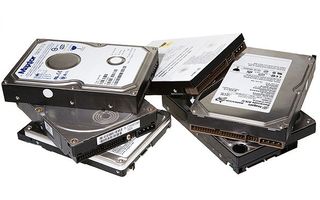
A hard drive enclosure is a specialized case that allows any
internal CPU hard drive to become remote.
It provides power to the hard drive so it can be read and a USB cord to
connect to another CPU. There not meant
to be bought for hard drives that are damage and are not working
correctly. But if your hard drive is
still functional, it can be additional storage you could be throwing away.
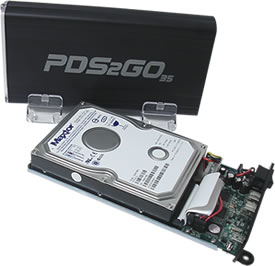
You might have to get your hands dirty removing the old hard
drive, but it’s a very easy process to move the one hard drive to the new
enclosure.

For people running multiple computers or wanting to keep
their old files as a backup, then this is a more solid solution. Enclosures don’t cost all that much and
certainly take up less space as well.
Here's a great video that shows just how easy it is to move your hard drive to the enclosure in a few minutes.
Remember, hard drives come in different shapes and sizes, so
be sure to get the right enclosure for your hard drive to ensure it works
correctly.
Have fun!!
Greg
One thought on “Hard Drive Enclosures”
What a Cool idea – reuse the old hard drive save the environment and some coin while getting use of more storage for more stuff on that computer and use it as a portable hard drive when you go mobile.
Check the following info on your hard drive before getting that enclosure : 2.5 inch or 3.5 inch wide which is the size of your hard drive therefore the size of the enclosure and if it’s an older hard drive check if it is IDE or the Newer SATA connection.(there are enclosures for both) Ideally it is better if it is an aluminum enclosure to keep the hard drive cooler – cheap ones are all plastic and may run hot – Cooler is Better –