Old Photographs: Re-Imagined
It’s always pretty special when you can'take a single
photograph and with a bit of energy and time, completely reshape it and give it
new life. Nothing can be truer with old
black and white photographs and adding colour to it.
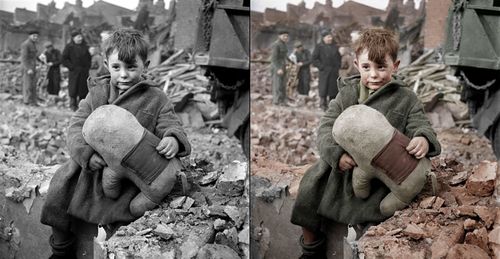
To tackle such a feat, you’ll have to use a combinations of
selection tools (i.e. quick selection, marquees, lassos and more) and colour
tools (hue, saturation, colour balance and more) to accomplish what some would
say is the impossible.
Here are some great videos that display all the necessary
steps/tools you'll need to correctly add colour to an image.
This is a great exercise to go through, as it really
utilizes a variety of tools in Photoshop.
In addition, a great finished product can make for a great gift for a
friend or family member or just a nice walk down memory lane.
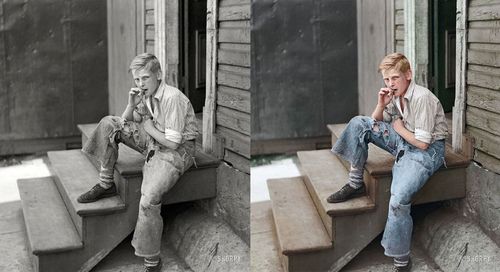
For more great images and a little inspiration, have a look at these photographs that have been colourized, click here.
Have fun!!
Greg
3 thoughts on “Old Photographs: Re-Imagined”
Thanks – this is an inspiration for Christmas presents this year. Really interesting work and topic.
Thanks for the reply. I am currently working on a photograph of my Grandparen’ts to give to my Mom possibly for Christmas as well. I think she’ll love it. Good luck with your project.
Wow this is Fantastic,sure beats colour pencils. lol Your addition of the instructional videos is a great punch to the how to, Thanks Greg, I know I’m going to have fun with practicing this super effect in Photoshop. Colorization bebe, here we go Technicolor happening in your old black & white photos. Taking the old & transform them to a totally NEW Always surpassing my expectations. Way to Go !! Any future blog, maybe, on 3D use in Photoshop?