Ardour – Audio Software
I happened to find out about a program
called Ardour through a colleague, and for me it worked extremely well. It’s an open source software with it primary
role to do audio editing. It’s very
comparable to ProTools, Garageband, Soundbooth and Audacity, another open
source software program.

I’m not a musician by any stretch,
but I was able to import multiple audio clips and edit them together to make my
own remix/mash-up. Another project I was
able to accomplish was to take existing files and tweak them using a wide range
of tools and plugins. If I had all the physical hardware like Microphones,
Guitars and an Audio Interface, I would be able to record live sound into the
computer and ultimately build my own home recording studio.
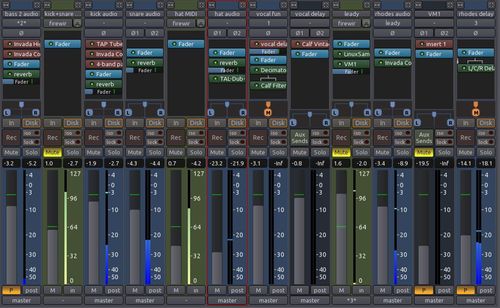
It uses existing material in a huge
variety of file formats (including but not limited to WAV, BWF, AIFF, CAF,
FLAC). On OS X, freely browse and use AppleLoops and Garageband loops.

You can also browse the enormous
Freesound.org library for free samples and import directly into your session.
Sound effects, instruments hits, atmospherics – more than 160,000 samples free
for you to discover and use.
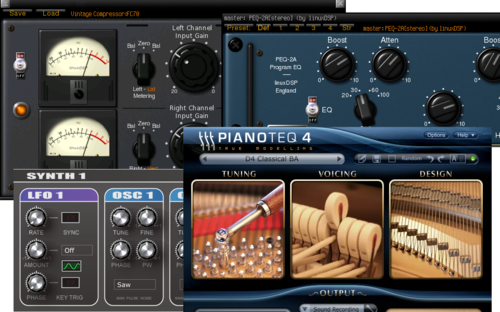
It’s not an easy software program to
navigate at first, but once you get started you can start to record, edit and
mix to as many channels as needed. They
also have provided a few options for download, a 100% open source version that’s
free of charge, but they’ll be some extensive prep to get started, another
options is for $1 and it includes all the programs feature and most of the
updates. It’s currently available only for MAC and Linux. For Ardour's website click here.
For those windows based users, check
out one of the following software packages listed below, and take a look at the
Audacity blog post we did earlier for more info on that great program.
Music Editor Free: This sound editing
software is a full featured audio editor for Windows.
It allows you to record and edit music, vocal and other sound. You can easily
get your masterpiece produced. When editing audio files you can cut, copy and
paste parts of recordings and, if needed, add effects like echo, amplification and noise reduction. Music Editor
Free works as a wav editor or mp3 editor but it also supports a number of other
file formats including vox, gsm, au, ogg, wmv and more.
mp3 Direct Cut: mp3DirectCut is a fast
and extensive audio editor and recorder for compressed mp3. You can directly
cut, copy, paste or change the volume with no need to decompress your files for
audio editing.
Power Sound Editor: Power Sound Editor Free is a visual audio editing and recording software
solution, which supports many advanced and powerful operations with audio data.
Now, 100% free!
LMMS: LMMS is a free cross-platform software which allows you to produce
music with your computer. This covers creating melodies and beats, synthesizing
and mixing sounds and arranging samples. You can have fun with your MIDI
keyboard and much more – all in a user-friendly and modern interface.
Furthermore LMMS comes with many ready-to-use instrument and effect plugins,
presets and samples.
Have fun!!
Greg
One thought on “Ardour – Audio Software”
How fantastic is this. I was just telling a buddy about Audacity, just too bad, Ardour, is only for use in Mac & Linux OS because it look pretty sweet.
Hey but the rest of these other Music sound editors choices for the PC folks, they appear to pretty much have it all covered,- cut, paste,change, add-echo chamber effect ,amplification and noise reduction effects, how Cool – Only problem is to choose one .. because at the cost of FREE, price is not the issue ..
Let the music and sound games begin !!
Thanks for Sharing these Amazingly FREE answer to sound editors.
. Ain’t Open Source Programs GREAT !