Graphic Tablets
Attempting to sketch, draw, create or fix an image on the computer can prove to be difficult work and for the projects with a lot more intricate detail, you’ll need as many tools to your disposal. One way the process has been made easier for the user is by giving them the tools they need and directly placing them in their hands. One of the cooler devices that have come out in the past couple of years has been the Graphic Tablets.
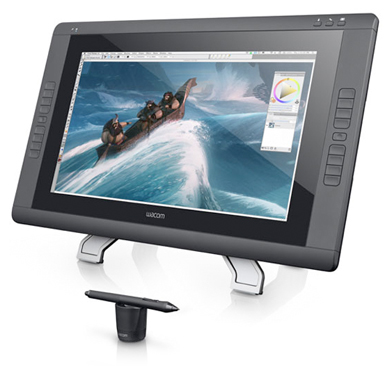
(Image courtesy of Wacom.com)
Graphic tablets work similarly to the old fashion pencil and paper. The tablet’s flat surface accompanied with a stylus pen can really capture the user’s penmanship, drawings, signatures and more. The tablets attach to any computer just like any other external device such as a mouse or keyboard would. The work isn’t displayed directly on the tablet, but can be viewed on the computer monitor.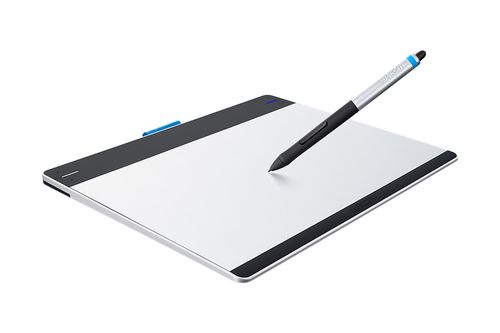
(Image courtesy of Wacom.com)
As the technology has gotten better over the years they have become a little easier to use and in addition the stylus pens have gotten more advanced. The pens now have a combined pressure-sensitive tool with multi-touch capabilities, so you can'treat your tablets as your own canvas. They are able to detect the pens pressure, tilt and when using them in any graphic software program you can adjust the brush size, shape, opacity and colour.

(Image courtesy of Wacom.com)
Down below are some popular YouTube videos that really showcase the creativity and how amazing these devices are.
Have fun!!
Greg
One thought on “Graphic Tablets”
Sure would be Great if the Library could find it possible to get some of these awesome Graphic Tablets devices for use in projects in software like Photoshop – Spreading touch screen to computers all over – the Graphic Tablets – with amazing abilities you already know !
We are taught at an early age to put pen to paper to write, sketch, draw, create or fix and erase our projects, so it’s great idea to copy this already taught skill & ability to our software through the accurate & effects we have alright developed with a device like the Graphic Tablets connected to our computer.
The ease of working with a Graphic Tablet has a learning curve that is so intuitive, & second nature to you, to get the effect you want in a flash, from image altering and development, 3D software, animations, touch up software. With the Graphic Tablet’s pressure-sensitive pen, you can duplicate the feel and look of bold to light strokes as if used by a paint brush or shading by a pen/pencil, all done at the exact location at the point of the graphic tablet pen to the screen without fiddling with the mouse to find that special spot. BAM ! You got it !!
Even mistakes are easier to undo at the exact location require with same ease.
Touch-screen abilities for all computers – it can happen, with the Graphic Tablet with more control & abilities
.. Taking old school pen to paper & making the tech equivalent while making tech even easier to use .. Nothing wrong about that!