MakerBot Digitizer – 3D Scanner
If you’re like me and need all the help in the world in creating 3D objects and designs, look no further. Instead of designing an object from scratch, take an existing one and digitize it. Sounds easy and in fact it is. Most typical scanners I know work well with paper and all sorts of different film formats, but what scanner can actually replicate a file from an actual three dimensional item.

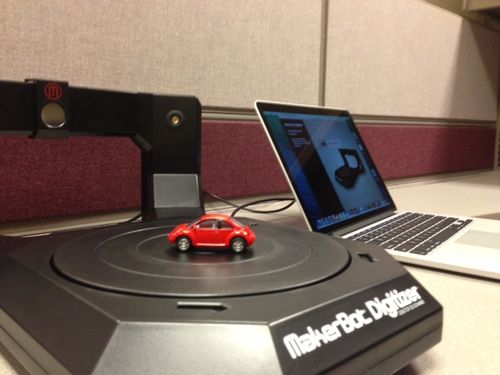
MakerBot, the designers of the 3D printer have also developed a 3D scanner called the Digitizer. It’s an easy scanner to work and will scan any item within the appropriate size. Place your item on a turntable looking wheel and away you go. Accompanied with some great user-friendly software the scanner will replicate an almost exact copy of anything. Because the scanner can’t grab everything in one shot, you’ll need to scan'the document a few different times. To capture the multiple angles, like the top and bottom will require you to place the item on its side. The entire process isn’t that difficult and one scan'takes about 8 minutes.
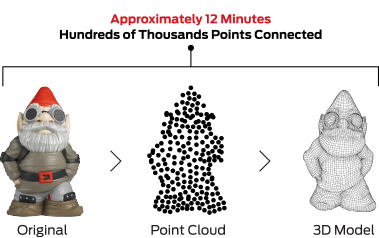
Some Specs about the MakerBot Digitizer:
Scan Size: 8 x 8 inches
Scan Speed: 8-12 Minutes
Steps Per Rotation: 800
Optimal Light Conditions: Artificial Indoor Light
Maximum Weight on Turntable: 3 KG (6.6 LBS)
Operating Systems: Windows, MAC and Linux
Exported File Types: STL, THING
Connectivity: USB Connection
Camera: 1.3 Megapixel CMOS Image Sensor

Below have a look at some great videos that really demonstrate the process perfectly.
Stay tuned for updates about when the new Digital Innovation Hub is opening and when it does, be sure to drop by and take a look at this scanner in action.
Have fun!!
Greg
3 thoughts on “MakerBot Digitizer – 3D Scanner”
What a beaut !! 3D scanner in the house .. Things at the Digital Innovation Hub just getting better & better .. with the MakerBot Digitizer – 3D Scanner .. AMAZING !! For go the coding and onward to production – You just give your 3D pro type a couple of spins on the MakerBot Digitizer – 3D Scanner turntable, hook up to the information to transfer the 3D Printer and PESTO, we’re in business! You have a clone. It’s like MAGIC before your eyes !! Welcome to the third dimension ! Sounds like quite the show ! Fun times at the Library’s NEW Digital Innovation Hub, the magic in 3D style .. It’s happening !!
Hi Greg, Nice to meet you virtually. What is the best way to get a hands on lesson/demo on how this fascinating scanner works?
Many thanks, Jean, the former 2013 Entrepreneur-in-Residence
Hi Jean, be sure to come down when we have one of our Open Houses or whenever your in the area for a sneak peak.
http://www.torontopubliclibrary.ca/search.jsp?N=37867&Ntt=open+house
Thanks,
Greg