Microsoft Kinect and 3D Scanning
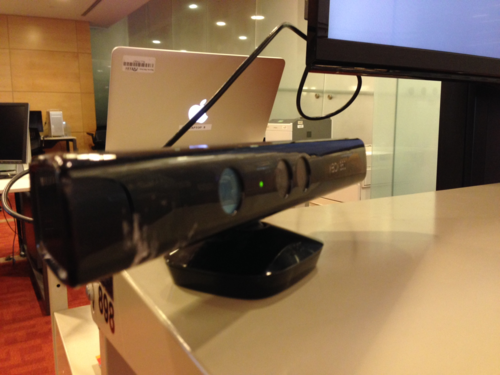
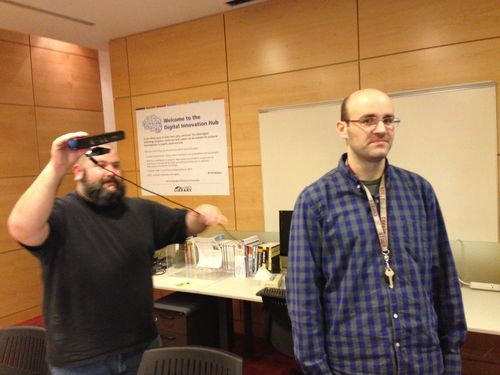
Great news to report, the Toronto Reference Library’s Digital Innovation Hub just bought a Microsoft Kinect camera. Why is this so exciting? For one thing it means you can come on down and get 3D scans made of yourself. Using the camera and the amazing software Skanect (which we also purchased), the camera allows users to come in and produce a 3D file of themselves.
3D Scanning Drop-In
Come by the Hub at the Toronto Reference Library on Saturday, October 18th between 10 a.m. to 12 p.m. and get yourself scanned by staff. No registration required, and scans will be done on a first come basis. Please note: Bring a USB or media device to save your file.
After you’re done, work on the file using 3D editing software and once it's ready, print it using one of the 3D printers in the Hub.
With a bit of practise, anyone can produce amazing projects using the Kinect camera. My coworker Andrew recently used the Kinect to create a 3D visualization, now installed in the Hub.

Using the Kinect camera and the Open Source Programming software Processing, Andrew produced a stunning visual incorporating people walking by the Hub on the main floor. As a customer walks by the camera, their image is reflected on the TV above using a system of either shapes or words.
Come to the DIH at TRL and try it yourself!
See you then!!
Greg
2 thoughts on “Microsoft Kinect and 3D Scanning”
This is quite an event .. so Saturday, October 18th between 10 a.m. to 12 p.m is the time for the production line to begin of your own mini mes .. a little 3D scanning with the New Kinect camera then off to the 3D printer for some 3D action figures of yourself building right before your eyes
.. Great Stuff with Andrew’s work on the using the Kinect and the large TV screen to reflect the animated movements of the visitors that drop-by the Digital Innovation Hub – where Amazing Tech Action is always happening .
.For extra fun sign up for the Arduino classes .. Andrew teaches ..
The Part 1 teaches the basic fundamentals of the Arduino
and then you are ready for Part 2 where you get the fun of building a number of projects .. using code and some wiring action to get this little circuit board to do amazing stuff
Sign up – Enjoy the fun of learning .. you will amaze yourself .. you actually did it .. with the staff that make the understanding and doing so easy .
Check out and sign up for the New Adobe illustrator basics classes the Digital Innovation Hub is offering ..
Paul and Greg
Where will the Arduino classes be running?
The Illustrator class is full. Will you run another one either on a weekend or after 5pm on a week night?