Learn Online: Video and Audio Editing
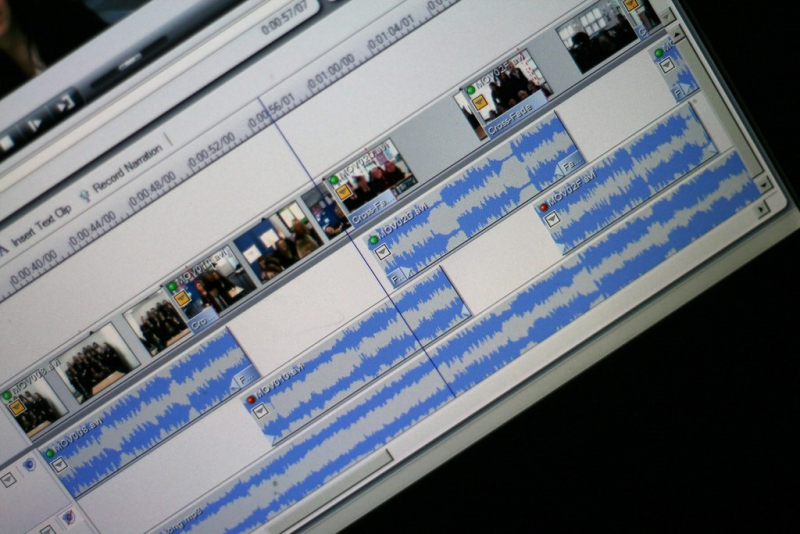
Are you interested in video editing? Toronto Public Library has many online resources to guide you through the post-production workflow, also known as editing. These resources are free to use with a valid Toronto Public Library card. Two examples of resources are:
- Lynda.com – Creating an account at Lynda.com provides access to online tutorials in which you can'track your progress.
- Safari Tech and Business Books Online – Safari provides streaming e-books and a variety of online video courses.
Since the post-production workflow has different stages, I have grouped the online resources from our Lynda.com and Safari databases for each stage. I have also grouped them according to popular video editing software that you may wish to learn about. You may be asked to sign in with your library card to view these resources.
Step 1: Choosing Non-Linear Video Editing Software
There are many non-linear editing (NLE) software applications to choose from. Many have similar user interfaces. Choosing one is based on your personal preference. Here are a few of the most popular:
Adobe Premiere Pro CC
Adobe Premiere Pro CC is the industry leader in non-linear video editing. It provides a complete suite of functions from editing, sound mixing, compositing, title design and colour correction to create broadcast quality productions.
Learn Online:
- Adobe Premiere Pro CC 2019 Essential Training: The Basics – Learn the basics of Adobe Premiere Pro CC and get an overview of how to use the program to complete the entire post-production process. Here are some related Lynda.com courses on Adobe Premiere Pro.
- Adobe Premiere Pro CC Classroom in a Book – This book will show you how to use Adobe Premiere Pro CC and how to incorporate other Adobe products such as Adobe Photoshop, Adobe After Effects, and Adobe Audition as part of your post-production workflow. Find related Safari Tech Books on Adobe Premiere Pro.
Final Cut Pro X
Final Cut Pro X is a professional post-production program for video projects. It will feel like a natural segue for anyone familiar with the user interface of iMovie – Apple's entry level non-linear editing system.
Learn Online:
- Final Cut Pro X 10.4.4 Essential Training – Learn the basics of Final Cut Pro X from ingesting footage to color grading and finalization using real world examples and projects.
- From iMovie to Final Cut Pro X – Those interested in making the jump from iMovie to Final Cut Pro X will learn about the key differences between the two programs. Learn to produce high quality productions using the suite of features available in Final Cut Pro X.
Avid Media Composer
Avid Media Composer is still the industry standard for digital cinema post-production. It offers many of the same functionalities as the other editing programs mentioned. If you have watched a movie or a television show recently, you've likely seen a production edited on an AVID non-linear editing system.
Learn Online:
- Avid Media Composer 8 Essential Training – Get a primer on the editing process from preparation and organization of footage through to the final cut. Learn about audio mixing and colour correction in Avid Media Composer.
Step 2: Audio Editing and Mixing
Sound and music is crucial for most productions. These online resources offer both insight and technical understanding of audio editing and mixing for video.
- Audio for Video Editors: Essential Terms – If you are interested in learning the fundamentals of sound mixing and key terms as well as how to achieve a professional sound mix, this is a great resource. The tips apply to many non-linear editing applications that permit users to produce final sound mixes.
- Music Editing for Film and Television – Learn how to compose and edit music for your production. This book will show you how to make creative and technical decisions to elevate your production with effective music usage.
Step 3: Visual Effects, Animation and 3D Design
You may want to add visual effects, animations, 3D design and compositing to provide polish to your production. One popular software used for compositing, visual effects and motion graphics is Adobe After Effects. Adobe After Effects won a Scientific and Technical Achievement Academy Award in 2019.
Learn Online:
- After Effects 2020 Essential Training: The Basics – This course will teach you the basics of the program. Includes how to composite, create animations and effects, and make 3D designs.
- Adobe After Effects Classroom in a Book – This book will provide a primer on the After Effects interface. Covers how to create motion graphics, animations, chroma keying and colour correction, and much more.
Step 4: Colour Grading
Colour grading establishes the colour palette of your production. Different palettes can establish different tones and aesthetics to a video.
DaVinci Resolve is a popular and powerful colour correction software, but also includes many non-linear editing features including editing, audio mixing and visual effects.
Learn Online:
- Learning DaVinci Resolve 16 – This course will familiarize you with toolset, interface and workflow of DaVinci Resolve 16. Topics include how to color grade and adjust tone, saturation and contrast for a professional looking final product.
Comments