Didn’t Get That Job? Your Social Media Presence Might Have Ruined Your Chances

"It takes 20 years to build a reputation and five minutes to ruin it." — Warren Buffett
Has this ever happened to you? You applied for your dream job, spent days crafting the perfect resume, coached your references to provide the ideal recommendation and felt 100% certain your qualifications and personality would be a perfect fit for the company — only to hear crickets from the employer? You might end up racking your brain trying to figure out what went wrong. What you might not realize is that your "party-time" photo, bleary-eyed, chugging beers (which got over 167 friend likes!) could have ruined your chances at your next job.
A 2014 Career Builder survey of 2,138 hiring managers found that 43% of employers research candidates on social media and 51% of those say they have found content that made them decide not to hire the candidate. “It’s very common practice [among recruiters] to search and see what they can find on a social network,” David Lewis, president and CEO of Operations Inc., an HR outsourcing and consulting firm, told FastCoExist.

In today’s day and age, anyone can access huge troves of information about you. Employers are now checking out your digital footprint to gain insight into who you are. They are googling you, scrolling through your pictures and posts on Facebook, reading your tweets, watching your videos and making judgements about you.
Your online presence is just as important as your resume. Below are some top tools for building yourself online so that employers can find you, develop a positive opinion of you and hopefully decide to hire you.
Top Tools
Blogging
Example: WordPress.com, TypePad.com, Tumblr.com
Blogging has been around for over 15 years. A blog is simply a regularly updated "log" or account of events or ideas posted on the web. Blogs are free, quick to set up and can either have a specific focus (like cooking) or present a collection of random entries of your thoughts and opinions. Your blogs can speak well of you by creating content that is positive and showcases your passion, keen insight or creativity.
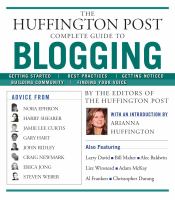
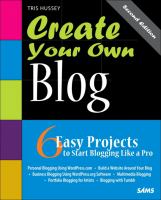
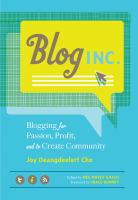
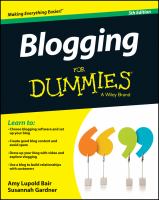
Learn how to blog at Toronto Public Library with one of our classes. Or check out one of our books:
 |
 |
 |
 |
 |
Twitter is a very powerful tool for staying connected to individuals and companies that carry the most influence in their area of interest. Once you've set up your account, upload a professional photo of yourself and include any relevant information in your bio including links to your LinkedIn profile, personal blog etc. Start building your account by finding and following personal and company twitter accounts — and anyone who you think has wisdom to share — that are a good fit for your career. Throughout the day, view your Twitter feed to see what others are tweeting. Read the links and retweet the ones you like the most. Once you're comfortable, start adding thoughts to these retweets. Your main objective on Twitter should be to establish a Twitter presence that suggests you are on top of current professional trends and that you're part of the conversation.
Pick up more tips and tricks with one of our books:
 |
 |
 |
 |
 |
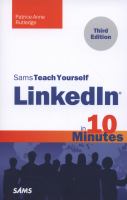
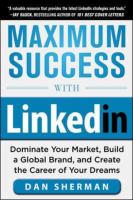
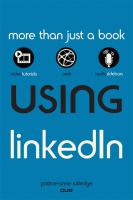
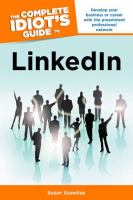
If you do not have any other social media presence, LinkedIn is one that you definitely shouldn't ignore. Creating a LinkedIn profile is free and may take some dedicated time to set up since it should include all your professional information including a professional photo of yourself. Recruiters and hiring managers refer to LinkedIn to understand who candidates are and it is the easiest way to share someone's resume. This is also a great place for professional networking. You can find and reconnect with colleagues and classmates, learn about companies and get industry insights, tap into the knowledge of your network and discover new career opportunities.
Get an introduction to Linkedin with one of Toronto Public Library's classes. Or check out one of our books:
 |
 |
 |
 |
 |
Facebook.com
Facebook is an online dashboard for your social life with a centralized display that gives you up to the minute data on what your friends are up to, what is on their minds and what they are planning. In addition to strengthening social connections, Facebook also provides a set of tools for sharing information and promoting anything that interests you or creative projects you are working on. Facebook is like your own personal broadcast network. Once you have an account, make sure to become familiar with its privacy settings and avoid posting or commenting on material that might potentially be career-limiting content. Also remember to regularly review your photo albums, profile picture, photos you're tagged in, your info page, wall posts and status.
Learn how to create a Facebook page with one of Toronto Public Library's classes. We also have lots of books on the topic:
 |
 |
 |
 |
 |
YouTube
YouTube is not for everyone but is the ideal place for uploading and sharing your originally-crafted videos. Your videos may impress potential employers but only if you have a talent for creating good videos. Since Google owns YouTube, if an employer googles your name, the search engine will produce video results with yours near the top. When you upload your videos, it is important to make sure that your name appears at least once. When commenting on videos or responding to comments on yours, always aim to leave the best impression.
Learn more about YouTube with one of the following titles:
 |
 |
 |
 |
 |
Dos and Don'ts
Now that you hopefully have all the tools at your fingertips, remember to think twice before releasing anything into the online world. In their article "Employers reveal the social media gaffes that tank your chances of getting the job", Workopolis provided some useful insights into what does and does not work online when applying for a job:
The top 10 things that caused employers to eliminate a candidate:
- Provocative or inappropriate photographs or information (46%)
- Posts about them drinking or using drugs (41%)
- Bad-mouthing their previous company or fellow employee (36%)
- Poor communication skills (32%)
- Discriminatory comments related to race, gender, religion etc. (28%)
- Lied about qualifications (25%)
- Revealed confidential information from previous employers (24%)
- Candidate was linked to criminal behavior (22%)
- Unprofessional screen name (21%)
- Candidate lied about an absence (13%)
The top 10 things that made hiring managers more likely to hire a candidate:
- Felt the job candidate would be a good fit within the company culture (46%)
- Candidate’s background information supported their professional qualifications for the job (45%)
- Their social media presence conveyed a professional image (43%)
- Candidate was well-rounded, showed a wide range of interests (40%)
- Great communication skills (40%)
- Creative (36%)
- Received awards and accolades (31%)
- Other people posted great references about the job candidate (30%)
- Candidate interacts with company’s social media accounts (24%)
- Have a large amount of followers or subscribers (14%)
While you may feel that your social media presence does not affect your job search, no presence whatsoever can be just as problematic. Most employers will never let you know whether what they did or did not see online affected their hiring decision.
When you are beginning any job search, remember to evaluate your presence from an outside perspective and keep all inappropriate material offline ;).
Additional Resources
For additional help on optimizing and constructing a professionally appropriate digital footprint, on May 26, Toronto Reference Library hosts Digital DNA with Marketing and Events Coordinator Towa Beer. She discusses how to set up your Facebook, Twitter, LinkedIn and website, so you are secure in your Digital DNA.
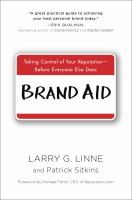
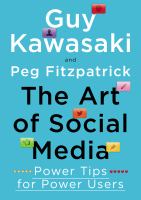
If you prefer to read up on the topic you can check out these titles:
 |
|
 |
 |
 |
We also have various online resources available 24/7 including video tutorials from Lynda.com:
 |
 |
||
 |
 |
Happy online building!
Comments