Email with Care
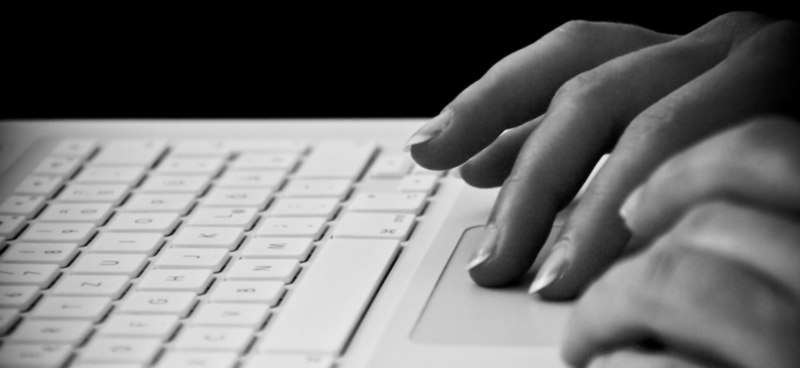
Email is one of the most important ways in which people communicate in today’s workplace. Studies show that the average employee spends about 25% (as quoted on Inc.com) of each workday simply sorting through, responding to, and creating their email messages. As it’s an instant way of getting in touch with others, it’s easy to overlook the basics of business correspondence such as spelling, grammar and punctuation in emails. It’s important to maintain a high standard whenever you communicate with others and to know when to switch from being overly formal to carrying a more casual conversation.
Here are some tips, tricks and advice for writing great emails
1. Clearly identify the subject of the email
Our emails are constantly flooded with a high volume of messages each day. Ensure that every email you send has a clearly identified subject that is brief and to the point. This will help your receiver to prioritize and decide what is important in their inbox. If you send multiple emails about the same subject, include a date or version number to ensure your recipient reads the latest version of information. For example:
- Project status — Draft 4
- New meeting date — Monday, May 23, 2016
- Monthly report
- Order for John Doe - Delivery Status
TIP: If you’re writing a business e-mail, avoid using "Hello" in the subject line. It annoys some people and may put them off from reading the message.
2. Be as concise as possible
Email is intended to be a short form of communication. It should be brief, to the point and the main points of the message should be easily understood. If you need to go into some detail, break your message into small chunks with a heading before each section.
3. Check your spelling and punctuation
Emails sent from your work account hold the same status as official letters and other printed materials. Having a messaged filled with spelling mistakes and bad grammar reflects poorly on the image of the company and on the sender.
TIPS:
- The popularity of text message lingo has begun to be used in emails. While most individuals will understand "mtg off" or "C U @ 10", it's best not to include this type of abbreviations
- Most popular email programs include spellcheckers. If your system does not, prepare your message in a word program, check it, and copy and paste it into you email
- Use upper and lower case letters accordingly. Messages written in all lower case suggests something was written in haste and a message written in upper case may appear as if you are shouting
- Avoid using acronyms unless you explain what they mean at the beginning of your message. They may make sense to your colleagues but might be meaningless to others.
4. Use an appropriate style
There is no single style for email. However, you can use an informal style when contacting a colleague or friends and a more formal style when contacting a customer or external contact. For colleagues or familiar contacts you can open with "Hi", "Hello" or just a name ("John"). For formal emails use "Dear Mr/Mrs/Miss" or "Dear John" if you're on first name terms with your email recipient.
TIP: At the close of the e-mail, modify your sign-off to your relationship with the recipient.
Different ways of signing off:
Informal: Cheers, Thanks, Thx, All the best, Later, See you
More Formal: Best, Best wishes, All best, Many thanks, Regards, Kind regards, Best regards
Very Formal: Yours ever, Yours sincerely (if you know the name of the recipient), Yours faithfully (if you don’t know the recipient’s name and have addressed your message to "Dear Sir" or "Madam")
5. Request the action or information you need
Some emails provide the recipient with information while others request action or information. Make sure you phrase your request clearly and if you are targeting a number of people, provide individual instructions so that everyone knows of their role. For example:
To successfully implement this new policy we need to meet the following targets:
Bob–Obtain statistical data June
Jane–Complete report by July
Tim–Present findings to board by August
6. Explain how urgent your message is
Some email systems allow you to highlight an email's level of importance. Make clear whether your email is routine, important or urgent. Do not abuse this feature. If you make all your emails urgent your email recipients may start to disregard messages that you mark as urgent. Also, refrain from using too many capital letters as this can be regarded as 'virtual shouting'.
7. Use attachments to provide detail
Use attachments to send detailed information to your correspondent. Use this feature with caution. Some attachments (ex. video clips, photographs, spreadsheets, presentations) may take some time to download by your recipient especially if they do not have broadband (which allows for fast transmission of large amounts of data). Keep this especially in mind when dealing with small businesses or individuals who work from home.
8. Include further contact details
Add a signature to the end of your message, especially if writing to someone for the first time, to provide some extra context about what you do and who you work for. A signature should include your name, job title, business name, postal address, telephone and fax number. For example:
John Doe
Manager
Cafe Barista
123 Main Street
T: 416-123-4567
F: 416-123-4568
TIP: Some email systems allow you to create a default signature which gets automatically added to the end of each of your email messages. Check the settings section to set this up.
9. Don't forget to reply!
It is proper etiquette to reply to emails. Silence to email provides too many opportunities for errors, disappointments and expensive assumptions to be made. If you get caught in a situation where it’s almost embarrassing to respond because you are really late in sending your email, remember that it’s better to send a late response than never send one at all.
For all those miscellaneous, oh-gosh-I-really-should-have-replied emails, you can use this template as a starter:
Dear ________,
As I was looking through my drafts, I realized I had never [emailed/responded to] you about [subject]. My sincerest apologies for not getting back to you sooner.
[Respond to initial email]
Apologies again,
Jane
More of the above information can be found in the book Email Etiquette by A&C Black Publishers.
Additional Resources

If you need additional help or help with setting up an email account:
- Attend one of our Email Made Easy classes or,
- Book an appointment with one of our librarians via our Book a librarian service.
Comments