Internet Safety for Your Kids

Image Courtesy of Toronto Star Archives
one are the relatively innocent days of MSN Messenger and Friendster.
Today, the internet is littered with social media “celebrities” acting obnoxiously, trolls, cyberbullies, opinions masquerading as facts, half-truths and outright lies, deepfakes, misinformation and disinformation campaigns, internet scams, disturbing YouTube videos, conspiracy theories and dangerous challenges.
Late last year, a social media “celebrity” travelled to another country to blatantly disregard laws in a juvenile and obnoxious attempt at humour, having gone so far as to comment on and show a dead body in a forest. Yet, behaviour like this is rewarded ("I'll see you all at the merch booth") by an adoring and impressionable crowd of mostly 7-11 years olds.
How do you prepare your child for the internet and social media when this is the type of content they come across online?
The Talk
Here are some things to explain to your child before they go online.
Social Media "celebrities" and Trolls
Social Media "celebrities" create content to make money. Trolls post to sway opinions and spread mis/disinformation. A post is not true simply based on the number of likes/shares as bots (computerized accounts) can easily manipulate the number. Trolls and cyberbullies use the anonymity of the internet to say things they would not say offline.
Online Neighbourhood
There may be individuals who approach them for information, individuals engaging in scams, individuals who seek to harm, etc. Your child should be wary of individuals online, just as they are offline.
Assume Content Doesn't Disappear
While your child may think a private message to friends will remain confidential, it’s possible that the message will be forwarded to others without your child knowing. Even if you delete your social media account, some content posted doesn't disappear, so tell your child to refrain from oversharing.
Find Facts with a Library Database
While individuals are entitled to their own opinions, they are not entitled to their own facts. Locating factual information is much easier when using a library database. Have your child opt-in to being an educated online citizen.
Internet Scams
These may re-direct to webpages that harvest personal information, install viruses/trojans, etc. Someone online might ask what your favourite ice cream is, but that also happens to be an answer to your social media account security question. Never give out any personal information online, this includes addresses, phone numbers, passwords, etc. Limit what is shared online.
Monitor
If you decide to let your child explore the internet, you may decide to install filtering software. However, filtering software is no replacement for a paren't/guardian who takes an active role in teaching their child about the internet and social media. If you are concerned about your child's internet use, consider keeping the computer somewhere you can easily see.
Set Rules
Perhaps you decide that your child’s online friends should only be those your child actually knows offline. Perhaps you set your child’s account to the highest privacy level so random individuals can’t add or message them. Set out ground rules so your child knows what to expect. Let your child know that you are there to help them.
Learn
Here are some websites that deal with internet safety:
- RCMP- Internet Safety Resources
- Cybertip.ca
- Media Smarts
- Paren'ting Magazine- Keeping Your Child Safe on the Internet
- Wired Magazine- The A-B-C’s of Keeping Your Kids Safe Online
Books
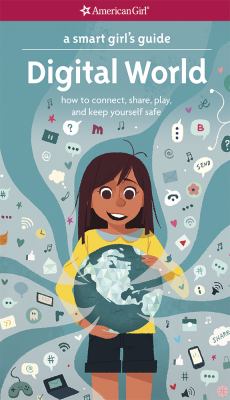
Here are a couple of books about internet safety.

iRules by Janell Burley Hofmann
Comments