How to Find Journal Articles Using JSTOR: Search Tips and Tricks
So you have a research assignment and you have to find academic journal articles on your topic. Or maybe you've already graduated from your studies and you want to keep learning. Or perhaps you just have a hunger for knowledge and need to feed your mind. What should you do?
Get to Know JSTOR
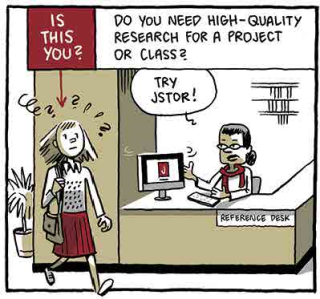
JSTOR (tpl.ca/jstor) is a full-text digital archive that contains over 2,000 academic journals. Content comes from more than 900 publishers in more than 50 disciplines spanning hundreds of years. And you can access JSTOR with your Toronto Public Library card, from anywhere in the world, at any time, for free. Yes, free.

Black Books gif via Book Riot
One of the unique things about JSTOR (which stands for Journal STORage) is that it digitizes the full run of journal titles and makes them available from the very first issue up to the most recent two to five years depending on the journal. So when you search JSTOR you are searching across all the major disciplines, for almost all the years of a journal's publication, and in all the text.
Pretty great, right? Yes! Until you realize that searching all the text of all the articles in all the journals across all those years and in all those disciplines will bring back about a gazillion results.

But don't despair. The library is here to help.
JSTOR Search Tips
First, learn the basics of searching JSTOR. The library has a video tutorial for that.
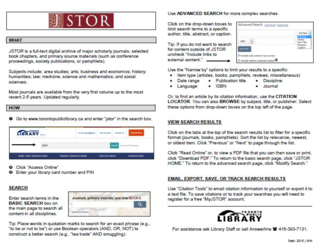
We also have a JSTOR info sheet to view online or download in PDF format.
Next, try a few search tricks.
Phrase Search
- To find items that include an exact phrase, place it in quotation marks.
- Example: "to be or not to be"
Boolean Search
- To find items that include ALL of your search terms, use AND.
- Example: unicorns AND maidens
- To find items that include ANY of your search terms, use OR.
- Example: unicorns AND (maidens OR damsels)
- To eliminate items that contain a term, use NOT.
- Example: unicorns AND (maidens OR damsels) NOT myth
Wildcard Search
- Use a question mark to vary a single letter in a word.
- Example: wom?n = women, woman, womyn, etc.
- Use an asterisk to vary letters at the end of a word.
- Example: bird* = bird, birding, birds, etc.
For a deeper dive into JSTOR search tips and tricks, check out their Core Functionality webpage.
Bonus Tip! Citations
Always remember to cite your source. JSTOR has a built-in citation generator. Search to find the item you want, click the blue “Cite This Item” button in the upper right corner, and JSTOR will do the rest. All you need to do is choose a citation style (APA, MLA, or Chicago) to copy and paste into your document.
Need Help? Just Ask!
If you get stuck, ask library staff for assistance. Librarians are expert searchers and we are happy to help.
Until then, what are you waiting for? Connect to JSTOR and do your research!

Sherlock gif via destruction-mode.tumblr
Related:
- Looking for a High Quality Research Resource? Try JSTOR! – Toronto Reference Library Blog.
- Articles and Online Research – More online research resources from the library, including article databases.
4 thoughts on “How to Find Journal Articles Using JSTOR: Search Tips and Tricks”
Thank you, I really enjoyed this article and it reminded me that this very well-respected source is available for free through the library.
🙂
Thank you, I really enjoyed this article and it reminded me that this very well-respected source is available for free through the library.
🙂
Thanks for reading and commenting, donna. I’m glad you enjoyed this little reminder about JSTOR.
It’s easy to forget just how much the library has to offer because, well, there’s just so much.
I remember the first time I discovered JSTOR it almost blew my mind. And JSTOR is only one of many wonderfully rich, highly reputable, and potentially mind-blowing online resources you can access for free with your library card. There’s also Lynda for video tutorials, Safari for tech ebooks and evideos, Zinio and Flipster for magazines…Criterion for film…
Thanks for reading and commenting, donna. I’m glad you enjoyed this little reminder about JSTOR.
It’s easy to forget just how much the library has to offer because, well, there’s just so much.
I remember the first time I discovered JSTOR it almost blew my mind. And JSTOR is only one of many wonderfully rich, highly reputable, and potentially mind-blowing online resources you can access for free with your library card. There’s also Lynda for video tutorials, Safari for tech ebooks and evideos, Zinio and Flipster for magazines…Criterion for film…