New Tablet? Welcome to the Library!

Did you get a new tablet, phone, laptop or ereader recently? Are you looking for things to do with it?
You're in luck! Toronto Public Library has a fantastic selection of digital books (ebooks), audiobooks, magazines, movies, music and television shows that can be downloaded to smartphones and tablets or streamed on desktop computers and laptops. Because they're accessible online, you can get them even when branches are closed.
And you don't have to worry about returning them! For most items, the downloaded computer file will either disappear or just stop working after the borrowing period has ended. The borrowed book, magazine, music or video doesn't need to be returned, and there are never any fines.
Library Cards
If you already have a Toronto Public Library card, you're all set. You just need the number from the back of your card and your PIN (usually the last four digits of your phone number) to start borrowing digital books, movies, music and magazines.
But if you don't have a card yet, and can't make it in to a library branch to get a full-access card, that's okay. As long as you live in Toronto, you can get a Digital Access Card. Digital Access cards are just what they sound like — they give you access to all of the digital content the library has to offer, including digital books, audiobooks, movies, magazines and research databases.
New! Seniors' Tech Help
From January 4th until March 12th, weekdays from 9:30-4:30, seniors can call 416-393-6225 for help with phones, laptops, tablets and much more! For more info, visit tpl.ca/seniors.
OverDrive: Digital Books (eBooks), Audiobooks and Magazines
OverDrive eBooks and Audiobooks is an outstanding collection of fiction and nonfiction books, audiobooks, magazines and comics, for children, teens and adults. With a valid library card, you can borrow ebooks and audiobooks for up to 21 days, up to 30 items at one time. You can also place "holds" — request items that aren't available at the moment — on up to 30 items at a time. If you need to keep them for longer than 21 days, OverDrive eBooks and audiobooks can be renewed within three days of the end of the borrowing period. If other people have placed holds on your title, then you won't be able to renew, but you can place another hold.
Apple, Android and Windows smartphones and tablets are all compatible with OverDrive. You can get the Libby eReader app or the OverDrive app through the app store for your device (the App Store, Google Play, or the Windows Store).
Have an eReader? Many Kobo eReaders are also compatible with OverDrive. Depending on the model, you may have to plug them into a desktop or laptop computer to download books. But some newer Kobo models will allow you to download OverDrive eBooks directly to your device through wifi. Amazon Kindles are generally not compatible with Overdrive in Canada, except for the Kindle Fire Android tablet. If you want more accessible reading settings, such as customizing font sizes or styles, or if you use a screen reader, OverDrive is the recommended app to use.
To get started with OverDrive, visit our Getting Started with OverDrive webpage. Make sure to pick the "Getting Started Guide" written for your type of device.
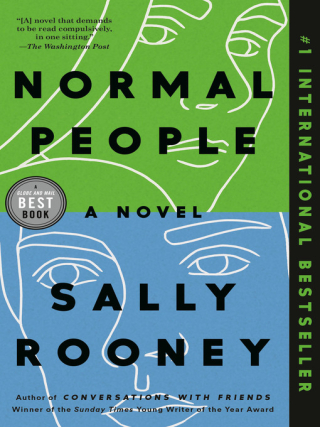
Here are a few of the popular eBooks and Audiobooks available through OverDrive:


Hoopla: Movies, Music, Television and Comics
Hoopla has a great collection of movies, television shows, music, graphic books and comics. You can stream them through a web browser (Internet Explorer, Safari, Chrome etc.) on a computer. Or you can enjoy them offline by downloading them to the Hoopla app on an Apple or Android smartphone or tablet.
With a valid library card, you can check out eight Hoopla items per calendar month. You can borrow television shows and movies for 72 hours (three days), music for seven days and graphic books and comics for 21 days. The full collection is always available to borrow.
To get started with Hoopla, visit our Getting Started with Hoopla page.
Here are some of the popular items available through Hoopla:



And if you're specifically looking for media with captions, we have a guide for that too.
PressReader: Magazines and Newspapers
PressReader has more than 7,000 international newspapers and magazines available to borrow, in over 60 languages. You can read them online in a browser, or download the app to save publications for offline reading.
To get started with PressReader, visit our Getting Started with PressReader page.
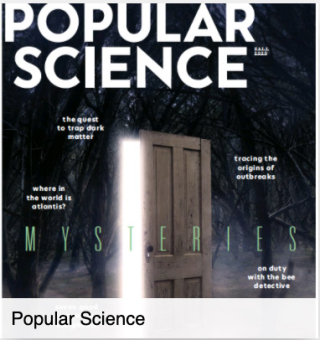
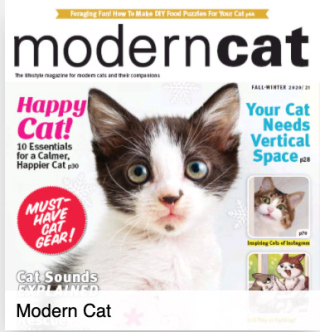
Here are a few of the popular magazines and newspapers available through PressReader (you'll need to log in to PressReader and then search or browse to find them):


More Things to Try
OverDrive, Hoopla and PressReader are three of our most popular digital services. Once you've explored them, make sure to have a look at some of the others:
- Kanopy: thousands of movies and documentaries, including The Great Courses and PBS documentaries
- Flipster: magazines such as Chatelaine, Macleans, People, Toronto Life and Entertainment Weekly
- Medici.tv: classical music, opera and ballet performance videos and musical master classes
- Streaming Theatre Collection: audio and video recordings of great theatrical performances
- NYTimes.com: full text online articles from the New York Times
- LinkedIn Learning (formerly Lynda.com): video classes on a huge range of professional and technical skills
- So much more: see our eBooks & Online Content webpage
Do you still have questions or need help using these services? You can contact our Answerline service.
Related posts:
- 38 Ways to Use the Library from Home
- Good News! Your Library Card Now Gives You Access to NYTimes.com
- Learn Online: Recently Added Courses on Lynda.com
- Free Online Creative Writing Courses
- What Toronto Read in 2020
Note: This is an update of a 2017 post.
Edit: Added Seniors' Tech Help link, Jan. 5, 2021
11 thoughts on “New Tablet? Welcome to the Library!”
Nice rundown of services. I’ve been receiving RBDigital magazines on its Android app (tablet and phone) for some time. Am now getting a notice that the magazines (following audiobooks) are going to the OverDrive service at the end of January. I recently installed the Libby app for OverDrive ebooks, which seems to be officially recommended. Libby mainly works better than the OverDrive app, especially for in-book navigation. Now I’m not clear whether the RBDigital magazines will be available only in the OverDrive App or also available in the Libby app.
I’m also hoping RBDigital’s very good Text reading view (as alternative to the PDF copy of the paper magazine) will carry over to the OverDrive service.
Hi Jeff,
Magazines currently available through RBDigital will be available through the Libby App (as well as the OverDrive app). In fact, they’ll be merging with the existing collection of magazines on OverDrive/Libby.
To find them, in the Libby app, select Library. Then, you have two choices: you can scroll down (keep scrolling…it’s a long way down) until you find “Always Available Magazines”. Or you can select “Preferences” > “Magazines”. Next, select “See over 4,900 titles” to search or browse the whole collection (tip: if you’re browsing, you might want to select “Refine” and sort by “Popularity” to see the most relevant titles.)
I just checked out a few titles in Libby to see if Text reading view was available, and it seems like it is in some titles (e.g. Newsweek) and not others (e.g. the New Yorker). I’m not sure what the reason is for this – I suspect titles that have this feature might have migrated from RBDigital early, while titles that don’t have been on the OverDrive platform all along. I’ll try to find out and post a reply, but it could take a few days. Meanwhile, I hope you enjoy reading magazines in Libby!
Thanks a lot for the follow-up. I hope something can be done to implement the Text mode consistently, as sometimes the most complicated page layouts are the most difficult to read in PDF replica on a small screens. Regards, JB
Not to be a bother again, but just tried PressReader (both online and via Android app) for the first time in a year or so. It used to work fine. On Desktop it logs in through the TPL All Databases link. I have an active email account for PressReader that is then properly recognized and shows previously listed newspapers. BUT, opening any newspaper shows all the pages empty with “locked” watermarks and a big screen advertising various paid commercial subscriptions or “hotspot” reading locations.
On the Android app, there is no listing to sign in under TPL or Toronto via its library lookup menu, while some other Ontario libraries, e.g. Guelph, Missisauga, are there.
Would appreciate help if I’m missing it somehow, or if there’s a fixable problem with TPL’s relation to PressReader. Thanks, JB
Hi Jeff,
Not a bother at all – I’ll pass your question on to the person responsible for PressReader. (For what it’s worth, I just tried it and I’m able to log in and read newspapers in my browser via the TPL site on my desktop, but I’m having the same problems as you with the app.)
I’ll also nudge about text mode in OverDrive magazines.
Hi Jeff,
I just heard back, and the PressReader app is working properly – it’s just very counterintuitive. Because of the way we authenticate apps, TPL won’t show up on the list of libraries. Instead, we have a two-step, not-very-obvious procedure for signing in:
1. On tpl.ca, navigate to PressReader (by search or via the A-Z list of databases). Select “Access Online” and sign in with your library card number and PIN (if you’re not signed in already). You’ll be given access to PressReader.
2. Once you’re in PressReader, select the little “person” icon at the top of the screen, which leads to the Account sign-in page. You have to create an account with your name, email address and a password. If you’ve already created one, you can sign in with it – otherwise, select “Sign Up” to create an account.
3. Now that you’re signed in with BOTH your library card/PIN and your email/password, it should work for you. You can open the PressReader app (you might have to sign in again with your email and password), and it should recognize you and allow you access.
Each sign-in lasts 48 hours, so you’ll have to go through the process again in a couple of days. But it should work – let me know if you run into any problems.
Hi, Thanks but that’s what is NOT working as it used to months ago. I just tried on desktop again – logged in through A-Z (successful), my old account is still shown upper right – yesterday’s log in would be active as you describe it. My old list of newspapers is correctly shown under (My Publications),
If I choose Toronto Star for example, it brings up today’s current front page (Na-na-na-na Goodbye, Ms. Payette). But cliking that to load the paper, ALL the pages have grey key icons instead of anything legible. The row of navigation pages below shows paper layout and photos, but clicking to launch the pages full size brings up the locked blank screens again. And there’s a peristent commercial ad for free trial and paid subscription alternatives. Same is true for the Guardian and twelve other papers.
I’m going to try logging out of the email account, restarting the service from TPL and creating a new account under a different email address from scratch. I’ll write again if that works, but of course the process of looking up and creating a personal list of a dozen papers is pretty laborious and no idea if another account would be more dependable.
I’ve got to admit, I’m stymied – I’ve just followed all the steps above and I’m not running into the same problems. If creating a new account doesn’t work, you can’try contacting our Answerline service – (416) 397-5981, or answerline@tpl.ca. They can either offer you better tech support than I can, or put you in touch with PressReader’s tech support directly.
I hope this gets sorted out! Let me know how it goes.
Logging out of the existing PressReader account, closing and relaunching its website via the TPL A-Z page, and creating a new account with a different email address is working now – on both the desktop and in the Android app. There seems to be a problem with PressReader recognizing the old log-in as properly TPL-linked, possibly because of the months lag in my use of it. Thanks for your attention. Best regards, JB
Glad to hear it, and thanks for posting the solution here – it might help other people who are encountering the same problem.
Unfortunately it was short-lived. As of Sunday 24th the new account is locked up entirely, including the Toronto Star and Independent that were working fine the other day. I have nothing printable more to say about the PressReader service, except that if other patrons are having the same experience, TPL should terminate PressReader and spend the money on something better. Thanks for your responses. JB