What’s New in Digital Magazines

You know the feeling: you're scrolling through your social media feeds and you see an intriguing article. Or a friend tells you about a great recipe (or knitting pattern, or woodworking technique) they found in the latest issue of a magazine. You go to find it, and — paywall.
We can't all subscribe to all the magazines all the time. But don't despair! Your library card gives you digital access to most of the magazines you're likely to want. And finding them just got a little bit easier.
OverDrive Magazines
In order to give you a broad selection of magazines, Toronto Public Library subscribes to a few different digital platforms. One of these, OverDrive, just acquired another, RBDigital (formerly Zinio). All of RBDigital's magazines will be moving over to the OverDrive platform at the end of January. What this means for you: you can now find more digital magazines together in one place.
So, how do you find them? It depends on what device you're using.
On a computer or laptop
Go to tpl.ca/overdrive, scroll down to Magazines Unlimited, and select See All. (Or, if you like, you can bookmark this link to OverDrive Magazines.)
On a smartphone or tablet
- Make sure you've downloaded and logged in to the Libby ereader app from OverDrive.
- Open Libby and select "Library".
- Select "Preferences", then "Format", then "Magazines", then "Apply Preferences".
OR scroll down to Always Available Magazines and select "See over 6,000 titles".
Here are some of the most popular magazines now available on OverDrive Magazines:
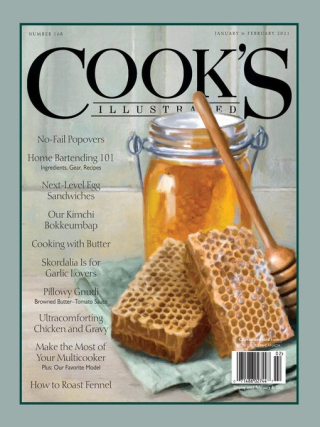








There are also specialty magazines for every imaginable hobby. And there are magazines in 19 different languages, including French, Spanish, Chinese, German, Japanese, Italian and Russian. (You can filter the list of magazines by language. Scroll down to "Always Available Magazines". Select "See all", then "Filter", then "Language".) OverDrive Magazines always available with no holds, and don't count towards OverDrive's 30-item checkout limit.
Flipster: Canadian (and other!) Content
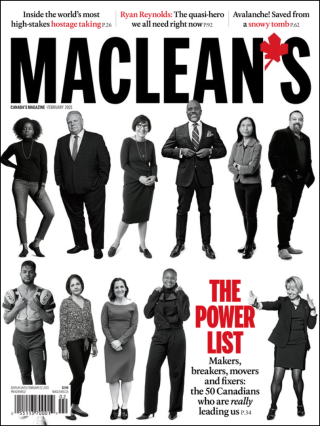
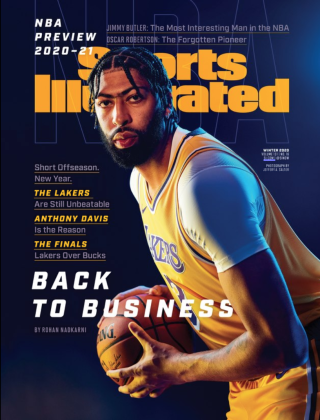
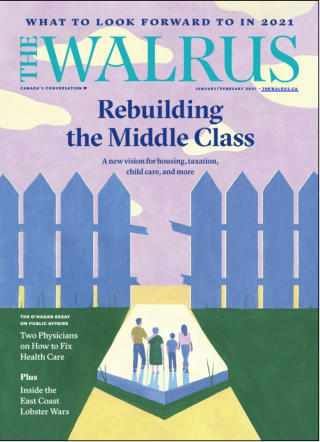
Looking for Maclean's, The Walrus, Toronto Life and other top Canadian titles? You'll want to explore Flipster eMagazines, another of our digital magazine platforms. (It also has some U. S. titles that aren't available elsewhere.) Here are a few of the magazines you can expect to see:



PressReader: International Content
Want to catch up on the latest news or celebrity gossip in Melbourne, Mumbai or Buenos Aires? PressReader has newspapers and magazines from over 100 countries, in over 60 languages. Log in with your library card and PIN to browse them all.
Do you read digital magazines? Let us know in the comments!
3 thoughts on “What’s New in Digital Magazines”
Thank you so much for your enduring commitment to knowledge. Never have I been more grateful. An aside, I recently watched the feature film adaptation of Ray Bradbury’s inimitable Fahrenheit 451. Not quite as magnificent as the ink on the page, but the universal message was deeply satisfying nonetheless.
Be well everyone, I miss you so much, especially the wonderful library staff at the Toronto Reference Branch at Yonge/Bloor.
Thank you Toronto Library. I’ve enjoyed your services for many years. I’ve noticed the software for e-magazines has been changed from RBDigital to Overdrive. I’m only sad to see RBDigital go because readers are no longer able to read e-magazines in text format, which was a feature available with RBDigital. Looking forward to seeing the feature back!
I find the Libby app (Android) much better than the OverDrive app for magazine and ebook display and navigation. For mags there is a “Read the Article” toggle to Text mode at the bottom of the display window. (I don’t read on PC that often.) I liked RBDigital’s app a bit better, but the main thing I miss is permanent download and quick back issue access, without the 21 day borrowing limit.