Choosing an e-Reader, Part Two: Review of the Chapters-Indigo Kobo
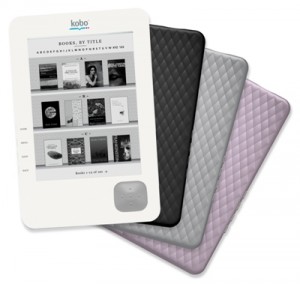 (Kobo Wi-Fi)
The next product featured in our series of e-reader reviews is the Kobo, available from Chapters-Indigo.
This review focuses mainly on Kobo’s penultimate release, but I’ve included a few notes at the end about the latest version currently available in stores, which includes a touch screen similar to the iPad or Nook.
The Kobo has a lot going for it in terms of its size, weight and user-friendly functions. It’s small and light, making it possible to slip into one’s purse or pocket ease. Unlike the Amazon Kindle, the Kobo is also compatible with PDFs and EPUB books downloaded from the Toronto Public Library website, or using the built-in wireless access to Chapters’ online store. (It is not compatible with MP3s or audiobooks). This, obviously, is a huge draw to library customers. Many I’ve spoken to are amazed at how easy it is to transfer books from their library account to the Kobo, which is a simple matter of dragging the desired items to your Kobo folder in Adobe Digital Editions, once it’s plugged in to your computer via USB. Users familiar with Apple iTunes will find the interface quite similar.
With only a single joystick button, navigating through book pages and menu options on the Kobo is uncomplicated and convenient, even if scrolling through the alphabet for text entry can be rather time-consuming. Although there are four buttons along the side – Home, Menu, Shop, and Back – in my experience the only one of the four I use regularly is the Home button, since the menu can also be accessed from inside a book by pressing the centre button on the joystick. This is a potential boon to customers with limited mobility, as it is possible to navigate using a single finger when holding it with the same hand, or if the device is propped up somewhere. The Kobo also allows you to make text bigger or smaller just by pressing up or down on the joystick, rather than navigating through various menu screens each time. Like many other e-readers on the market, there is also a built-in dictionary for looking up unfamiliar words.
That being said, I still would not call this device very accessible; there is no text-to-speech option and, even at its largest, text might still prove difficult to read for users with limited vision. Like other eInk-based readers, the screen is anti-glare, but there is no built-in backlight; those with limited vision might find reading exceptionally difficult in low-light conditions. Additionally, the menu text remains quite small and difficult to read, with no way of enlarging the size; sighted help could be required to configure the device or navigate menus.
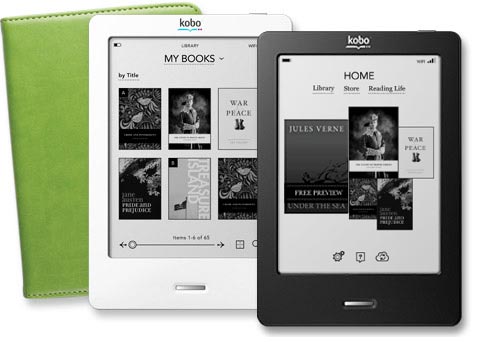 (Kobo Touch)
As I mentioned, Chapters/Borders recently released the Kobo Touch, a touch-screen version. While browsing might be faster in some ways for the able-bodied, this is not necessarily for those with a disability. Using the Kobo Touch requires both hands if the device is not sitting flat or propped against a sturdy surface; the previous version is easier to use with limited mobility. With the Touch, it’s also easy to flip pages by accident or select the wrong menu option altogether. A steady hand helps most, which is an issue that might pose particularly difficult to mobility-challenged users.
Verdict: The Kobo is an excellent product for its small size, comprehensiveness and simplicity, and is compatible with eBooks downloaded from TPL. While users with limited mobility might find using single-button joystick feasible, the device poses significant challenges to those with limited vision.
One thought on “Choosing an e-Reader, Part Two: Review of the Chapters-Indigo Kobo”
This gadget is quite accomodating. Moreover, it support for pdf formats. Small size and very portable. This is enough for accompanying us while on the go.