Getting Started with CARDonline
CARDonline contains listings of Canada’s top media companies and their offerings. The listings include advertising rates, circulation, specifications, contact details and more. It is a helpful resource for business owners as well as media buyers, planners, researchers, and other industry professionals.
While rates information is included for the vast majority of newspaper and magazines, some media with greater pricing changes may not provide static rates. In this situation, direct contact info has been provided.
How to Access CARDonline:
- Go to tpl.ca and search for CARDonline in the search box.
- Select Access Online under CARDonline
- Enter your library card number and PIN.
- Select Continue.
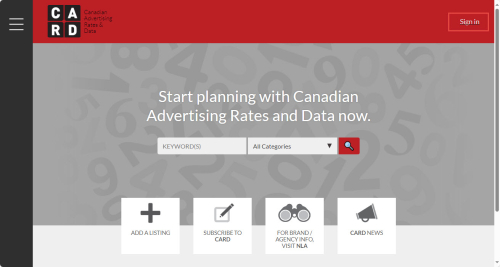
Please note: The 'Sign in' button will continue to appear when logged into CARDonline through the library.
Searching by keyword
The keyword search is useful to find a company by name. The keyword search looks for any of the words to appear anywhere in the individual listings.
- Type the name of the media company of interest in the keyword search box.
- Select the appropriate category. The categories include newspapers, advertising agencies, magazines, newspapers, radio, television and several others. Digital is a separate category.
- Select the magnifying glass icon to start the search.
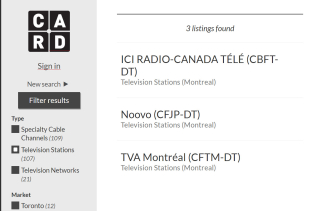
If needed, refine the search results using the filters on the left-hand side. After selecting a filter(s), select Filter results to display the updated results.
Searching by category
Often the name of a specific media company is not known. In this case, search using categories and filters.
- Leave the keyword search box empty and Select a category
- Select the filters on the left-hand side to refine the results further. The filters available will vary depending on the search results. They can include type, topics, market, format, publisher, language, city and several others.
- Select Filter results to update the search results.
For example: To find French-language television stations in Montreal, search by the category television, then limit to Television Stations (under Type), Montreal (under Market) and French (under Language).
Viewing Listings
- To view a listing from the search results, select the title of the listing.
- Listings include general information, contacts, advertising rates, circulation and other information. To quickly jump to a specific section within a listing, select the link in the contents list.
- To return to the search results, select Back to results.
Please note: Custom lists are not available through the library's subscription to CARDonline
Help
Posted May 8, 2024
Comments