Averting a Computer Disaster
 Something terrible happened to me the other day. I came home after work and noticed my power in the house went out. As I reset the clocks, I finally got to my office and wasn’t surprised to see my computer turned off. I flipped the switch and nothing happened.
I tried everything as I feared the worst. Unplugged the cord and tried a different socket, but unfortunately nothing was working. My computer was dead, and as usual I hadn’t made a backup of my files in a really long time. I noticed my motherboard had a green light on, so now my worries got worst but was happily surprised to see that online a lot of other people posted similar comments and I was able to diagnose that it was the computer's Power Supply Unit (PSU). The PSU pretty much got fried when the power went out.
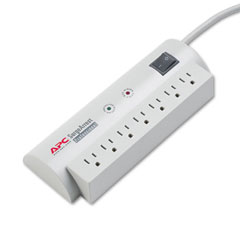 Now I know what you’re saying, why don’t you have your computer plugged into a surge protector? I did. I also found out online, that a lot of surge protectors expire. I have had this particular one for quite some time and would never have guessed to get a new one. The guy at the store recommended that I buy every 4 years or so. Needless to say I was stunned.
I went to a few computer repairs shops and to get the computer fixed, if my diagnosis was correct, would of cost me anywhere from $125 to about $175, including parts and labour. Now I am no computer expert, I use them, but I have never attempted to fix something this complex before. I headed to a computer part store and bought the exact replica of my dead PSU. I was going to attempt to do this on my own.
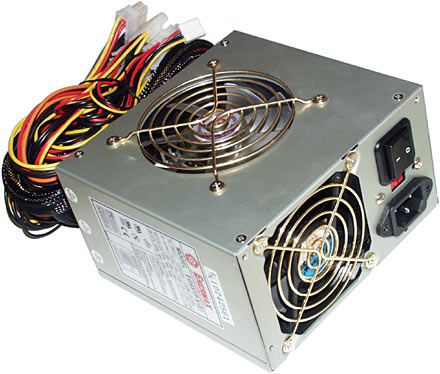
An hour later, my computer was alive. I had that moment where I was never more proud of myself. The guy at the store who sold me the part gave me a few pieces of advice before I started, like making a note of where all the cords were plugged in. I had also gone online and watched a few videos on the process, just to get myself more prepared.
All in all, it was a successful recovery, my PC is back up and running and the total cost of the repair was $65 (and that included a new Power Surge Protector).
Here are also some great books to help you through some repairs. If you take some of these on to do yourself, it can save you a bit of money.
 The complete PC upgrade & maintenance guide 9th ed.In simple, easy-to-follow language, this problem-solving wonder shows how to prevent disasters and fix them when they occur. Based on Minasi's extremely popular world-wide PC upgrade and repair seminars, this book gives PC owners or support persons all they need to know to handle 99 percent of their PC problems. The CD-ROMs include diagnostic and utility programs and a multimedia product called PC Tune.
 Upgrading and fixing laptops for dummies
Keep your laptop on top of its game! Find out how to care for your laptop, what can go wrong, and what you can fix. A laptop is much more than a PC that shrank. It has unique needs, and this book shows you how to meet them. You'll discover how to diagnose and fix common problems, replace parts, add external upgrades, and develop workarounds. You'll even get the lowdown on networks, and find out when to repair and when to replace your laptop.
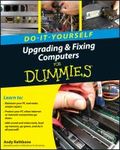 Upgrading & fixing computers for dummies : do-it-yourselfWhether you want to prepare your computer for Windows 7, avoid investing in a new one, or just "go green", this fully illustrated guide has what you need. You'll learn how to add printers and new keyboards, boost your PC's performance and increase memory, improve power consumption, rev up your multimedia capacity, and much more. Step-by-step instructions are accompanied by photos that show you exactly what you should see at every stage.
Have fun!!
Greg
3 thoughts on “Averting a Computer Disaster”
averting?
Thanks Lynne.
Thanks for the great inspiring words and information ..I never knew that a surge protectors would wear out or had expiry dates.
Glad to hear it all ended with a functional working computer as you had before. Way to Go on the handy work and only one hour, impressively cool. Now you are the man that knows computers inside and out.