Free Science Events in Toronto for February 2016
The Science and Technology Department of North York Central Library compiles a monthly calendar of free science and applied science events in Toronto. Applied science includes health, gardening, pets and food; all subjects found in the department's collection. Here is the February calendar (PDF).
February's highlights include:
- February 5: Respiratory System – Find out how the respiratory system works and learn more about prevention, diagnosis and treatment of chronic obstructive pulmonary disease and asthma.
- February 14: From Web-Based Personal Ads to Sex Under Silk Sheets: Courtship and Communication in Black Widows – A discussion on the sophisticated sexual communication system of the black widow spider.
- February 20 & 21: Bloor-Yorkville Icefest 2016 – Enjoy a showcase of incredible ice sculptures and live ice carving demonstrations.
Toronto Public Library also offers many free science and applied science events:
- Science & Technology
- Health & Wellness
- Computer & Library Training
- Our Fragile Planet: Environmental Programs
At the library, February's highlights include:
- February 3: Your Brain on Exercise: How Physical Activity Can Improve Your Mental Well-being, at North York Central Library. Explore how the brain responds to exercise to prevent and manage symptoms of depression.
- February 11: The Germ Files, at Runnymede branch. Come and learn more about germs. Some items are purely fun, some are there to boggle the mind, some might just save your life. All are designed to improve our relations with germs for the benefit of human health and happiness.
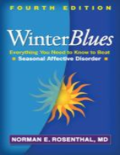
- February 18: Winter Blues, at Morningside branch. A discussion on Seasonal Affective Disorder (SAD) that teaches you about the signs and causes of depression and how we can deal with it.
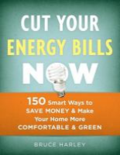
- February 23: Home ECOnomics, at Agincourt branch. A discussion about energy efficient home upgrades that can save you money on your energy bills.
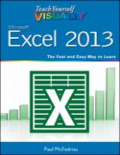
- February 27: Excel Basics Part II, at North York Central Library. Learn to create charts and tables, sort your data and more using Microsoft Excel. Basic keyboarding and mouse skills required. Recommended prerequisite: Excel Basics Part 1.
Can't attend a program or want to read more about the topics covered? Try some of these books:

Comments