Computer and Library Training
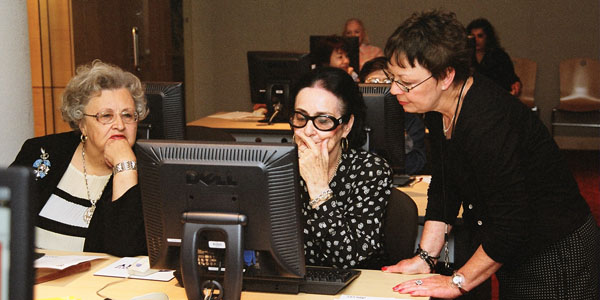
Need to brush up on your computer skills, find just what you’re looking for? Are you having problems downloading eBooks? What is social networking? When is it best to use an online journal?
The Toronto Public Library offers a wide variety of classes for anyone wanting to use information effectively, either in print, or electronically. It’s free.
Classesare offered in 15 branches of the library system, equipped with “learning centres,” specifically designed to deliver public training. Each branch advertises its classes on the web site, or locally through flyers. Many, though not all, require registration.
Something for Everyone
If you have no computer experience start with courses like Move that Mouse, and Web Basics for Seniors Parts I and II. We will teach you everything you need to know to find information on the internet.
You can'then move on to courses like Web Basics I, II, and III, and Research Skills, as well as instruction on specific library resources like online journals, genealogy and eBooks.
We also teach you how to use web sites to share information, like Yahoo Mail, Facebook and Flickr. Classes are also offered on the use of Microsoft Word, Excel and PowerPoint.
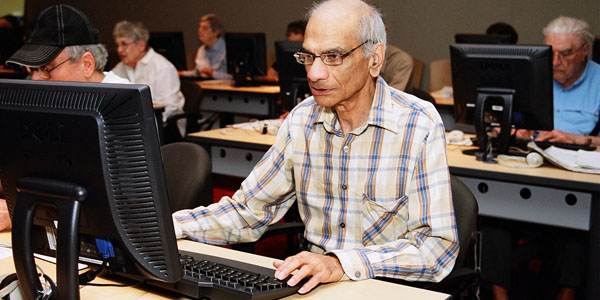
Toronto Reference Library and North York Central Library offer regular drop-in sessions where seniors can practice their computer skills, share information with peers and learn new computer skills.
Learning can be fun. Over the years we’ve seen how our patrons, who started with no computer skills, have progressed through the wide array of courses we offer. They are now effectively using complex online journal databases and e-content. These same patrons took courses such as Digital Design Studio Basics and are now building their own web sites using Photoshop and its equivalent open source software!
Helping the Young Researcher
Students benefit from the library’s outreach librarians’ visits to Toronto schools, where they teach the basic skills required to do research. High school teachers regularly bring their classes to the library too, where they will be offered orientation to library collections, and/or classes specifically tailored to their research needs.
One-On-One training
We offer short sessions, tutorials, where we help you learn a specific skill, such as setting up an email account, or borrowing eBooks.
To find out about our classes and learning opportunities, click on the Programs, Classes & Exhibits link on the library’s home page and select "Computer and Library Learning" from the menu. You can also call or drop in to you local your branch.
Help us expand and tailor our computer and library learning services:
1. Have you taken classes at any of the branches of the Toronto Public Library?
2. What kinds of classes, not currently offered at the library, would you like us to offer?
6 thoughts on “Computer and Library Training”
have you need of and capacity for volunteers to help with the training?
Hi from the library and thank you for your interest. From my understanding, no volunteers are required to run these programs.
But there are other opportunities to volunteer at the library – such as through our Leading to Reading and Adult Literacy programs. Here’s more info: http://www.torontopubliclibrary.ca/support-us/volunteering
French classess would be beneficial, as paren’ts need to learn to help their children, who are starting French at grade four and so on.
thanks for the reply.
helping people get the most out of their computers is my primary interest.
I’ll look into what I can do at my local branch.
b
Hi Raji, The Toronto Public Library is very interested in exploring ways of teaching internet skills in French, so your comment is greatly appreciated.
Although the Toronto Public Library does not offer language classes per se, we do have a wide array of language learning materials, including audiovisual kits that are meant for self-instruction. They can be found through the library’s website, by doing an Advanced Search (upper right, next to the main search box). Additionally, staff at your local branch will be happy to guide you to just the resources, including information about classes offered by other institutions in the city.
Information literacy and education ought to be a priority for all age levels at the library, and even more so at priority branches. A new information and technological age is dawning. The public library ought to partner with a provincial initiative to make Ontario citizens more economically productive by offering free and accessible information literacy and education.