Easy Reading With RSS (Google Reader Part 1)
In a previous post I wrote about the benefits of using RSS feeds to keep abreast of new posts, articles or changes on web sites. RSS Feeds themselves aren't particularly useful without something to read them with. At one time RSS readers were big business and there was quite a bit of competition. Gradually as the ability to interpret and display RSS feeds was integrated into email clients and other websites and software products, the demand for independent readers dwindled. Another major factor in the decline of the independent feed reader was Google's entry into the market with Google Reader.
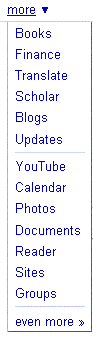 As with many of Google's products, Reader is accessible via the More menu along the top of the main Google search page. For those with a Google or Gmail account Reader is accessible without the need for any further registration; otherwise the usual registration process is required. One of the advantages of Google Reader is its integration with the rest of the Google ecosystem through a single Google account.
Typical of Google, Reader offers a fairly utilitarian user experience and a relatively limited feature set. Despite its limitations like most of Google's products Reader is fast and efficient. Initially feeds are displayed in much the same fashion as emails in most email clients with  each the title of each post in a feed occupying a single line. Clicking on the post causes it to expand revealing the full text of the post.
Google Reader offers a number of additional features including the ability to share posts with others via a personal RSS feed. I'll look at some of the more useful features, particularly those involved in discovering new and related feeds in a later post.
Comments