Focused Reading with Instapaper
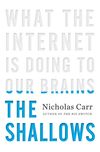
I recently read the book The Shallows: What the Internet is Doing to Our Brains by Nicholas Carr. Carr’s proposition is not new; that the constant distractions caused by the barrage of information and visual stimuli to which we are subjected any time we sit down at a computer aren’t good for us. However, he is the most recent and contributes some novel ideas and information to the argument. Reading his book caused me think about a web based service I use quite regularly called Instapaper.
Not long ago I wrote about how RSS feeds and feed readers make dealing with large quantities of information easier. Feed readers let one move quickly through many discrete pieces of information, one news story or blog post after another. RSS feeds let us embrace the barrage of information and take in as much as we can. Instapaper is much the opposite. Rather than helping you to move quickly from one piece of information to another it encourages lingering, facilitating a more focused intense kind of reading.

Instapaper works primarily through a nifty piece of technology known as bookmarklet. I’m sure most have used bookmarks before, generally as a means to get back to previously visited pages. As it turns out, bookmarks are capable of far more then simply linking to web pages. An increasing number of web services are using bookmarks or more precisely bookmarklets, to extend their services and features onto other web sites. Bookmarklets, rather than containing a link as is the case with traditional boomarks, contain a small computer program that gets to run when the bookmarklet is clicked. These programs can do many things but for the most part are used to send information about one web site back to another.
Instapaper’s bookmarklet  when clicked has the almost uncanny ability to identify the important text on a web page which it then sends back to the Instapaper site where it’s saved. By important text I mean the primary focus of the page, the new article, blog post, etc. By identifing the important piece of page the Instapaper bookmarklet is able to ignore ads, comments, links to other parts of the site, headlines for additional articles, and anything not relevant to what you want to read. Perhaps even more remarkable is the bookmarklet’s ability to take an article or post that’s spread out over a number of pages on a site and find it in its entirety.
Anything saved with the bookmarklet can be read later on the Instapaper site. What makes Instapaper special is that rather then simply saving a copy, distracting ads, images, comments and all, Instapaper keeps only the text and later will display only that saved text. To further limit distraction, Instapaper hides itself when displaying saved articles, adding only a small link back to the site at the bottom and top of the text.
To use Instapaper just sign up on the Instapaper site, perhaps the shortest sign up process I’ve encountered. Once you’ve signed up drag the Instapaper bookmarklet 
to your bookmark bar. Now that you have the bookmarklet all that’s left is to visit a site and click the bookmarklet to save the text of the page. Instapaper will flash a message at the top of the site to let you know it was successful. Then navigate back to the Instapaper site to read the text distraction free.
2 thoughts on “Focused Reading with Instapaper”
I just registered and started to use this. Useful, and very easy to use. Some of what it can do may help in what a few friends are working on now — finding ways that work best for us to share information about what we’re reading. There’s another project that may be interesting to follow: Open Bookmarks — http://www.openbookmarks.org/ “Imagine a future where instead of lending someone a book, you lend them your bookmarks. Where your notes, annotations and references are synchronised across platforms and applications. Where your bookmarks belong to you, and a record of every book you read is saved and stored securely, no matter how or where you read it. We’re nearly there, and that’s why we need Open Bookmarks.”
I’m glad you’ve found it useful, their are a few similar services but Instapaper is by far the most straight forward. Openbookmarks looks interesting, I’m curious to see how it progresses. A lot of good ideas came out of this years Frankfurt Book Fair.
I to would love to be able to easily share info on what I’m reading. I do a lot of reading in Google Reader which has quite a few sharing options. I’ve also looked at the major book oriented social networks, Goodreads, Shalfari, et. al. Google’s newly live online ebook reader (http://books.google.com/) has potential and if they build in the same sort of sharing options that Reader has it could be an ideal solution.
On another note if you like Instapaper and narrative journalism give Longform.org a look. The two sites are tightly integrated and really compliment each other.