I’ve taken all the classes. Now what?
At the end of Computer Training classes, people often ask me for suggestions on ways that they can continue to learn more about computers and the Internet. When it comes to computers, the only things that never changes is that there is always something more to learn!
Here are some suggested resources to keep you learning:
Books
Print Books
I'm sure you are not surprised to find books as the first suggestion. Books are a great source for learning about computers – and anything else for that matter. Here are a few of the many computer-related print books that may interest you:
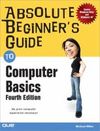 |
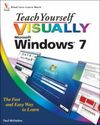 |
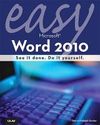 |
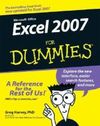 |
eBooks
The best resource for technology-related eBooks in the library is Safari Tech Books Online. This collection contains technology-related eBooks for the novice through to the expert user. For more information on this resource, please read the Safari Tech Books Online blog post on the Career and Job Search Help Blog. Here is a small sample of the eBooks available:
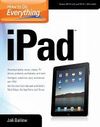 |
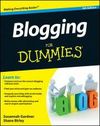 |
 |
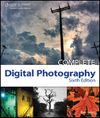 |
Online Tutorial Videos
Safari Tech Books Online also offers training videos that can be streamed to your computer. Here is a selection:
 |
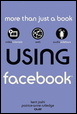 |
 |
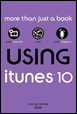 |
Online software video tutorials are available to all Ontario residents through the LearnOntario portal of Knowlege Ontario. This is a great collection of video tutorials and includes software such as Adobe Photoshop Elements, Camtasia Studio, Flash CS4, Flickr, LinkedIn, Microsoft Access 2007, Picasa, Skype and many more.
Magazines
Toronto Public Library subscribes to many magazines (both in print and 'e'versions) on behalf of library users. The electronic version of magazines are found in our collection of databases. Below is a selection of the technology-related magazines that are available. The electronic versions can be accessed from home with a valid library card.
- PC World (both print and e)
- MacWorld (both print and e)
- Smart Computing in Plain English (print format only)
Each @ Your Fingertips class focuses on a specific topic about the Internet. The subjects range from using the library website and catalogue to uploading photos, Facebook, and Job Searching.
Finally, keep checking back to this Computer and Library Learning blog for more information on the world of computers and the Internet.
4 thoughts on “I’ve taken all the classes. Now what?”
Wow…. this is so useful. Thanks!
Top Notch Work .. Brilliant
.. Just when I think the library is so amazing
you guys show how over the top fantastic great work is done to get the information I need in the fast lane
.. Super .. Great Blog .. my hat is off to you Kelli
Well done!
Now I have to do my part and get to the homework. = )
Thanks for the step up
Great post – I get the same questions! (I may have to borrow this idea for our library blog… if you don’t mind 🙂 )
Jana, Paul and Krista,
I’m happy to hear that you all found the post helpful. Thank you for taking the time to comment.
Krista – of course I don’t mind! I’d love to read it. Please include the link to the post in another comment.