Previewing Files on Google Drive
Google
Drive has continued to tweak its services for its users by offering the
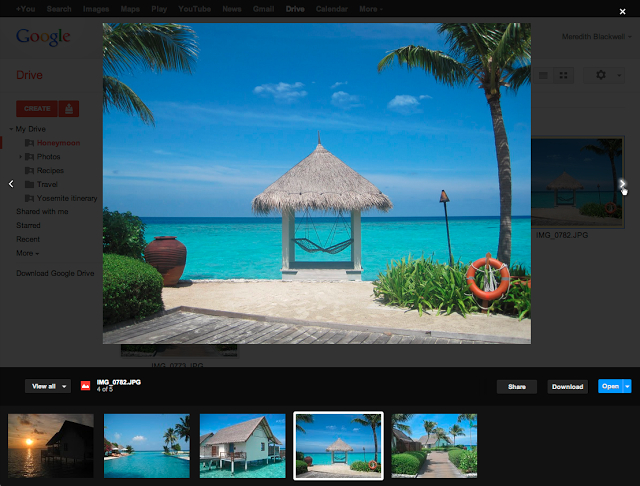
option of previewing files (including documents, photos, and videos). The
announcement was made on February 20, 2013 on the Google Drive Blog under “Preview
files in Google Drive”. The blog announced that the feature (that began to
be rolled out on February 20, 2013 over several days) would allow users to
preview more than 30 file types (including Microsoft Word, Excel, and
Powerpoint files – See the full list of supported file types here.)
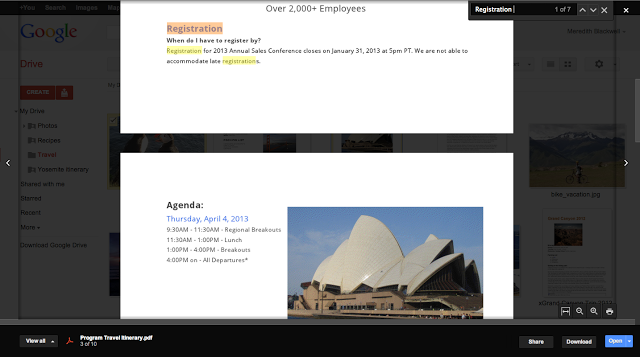
To preview a file, right-click on the file name and select “preview”. The
preview window will then open; one can use the left or right side arrows to
change to other files (or flip through an image group), or stay within the file
and watch a video, view an image, or turn pages of a multi-page document. One
can zoom in and out within a document to examine details more closely. One has the option of selecting and copying
text from a preview (including Microsoft documents and Adobe Portable Document
Format) with one-click access to download, share, print, and open a file (for
editing).
Emil Protalinski of The
Next Web described the preview update as “a
welcome addition for a cloud storage service”, especially if someone is
visually oriented. Whitson Gordon of Lifehacker.com
echoed those sentiments and emphasized
the convenience of the feature for those who synchronize their files to Google
Drive or those who use Google Docs, and especially for those who do not
wish to engage in full-scale editing at a given moment. Edwin Kee of Übergizmo
offered that the Google Drive file preview was “a step in the right direction in increasing
productivity levels” in an office environment.
What do you think? Are you a Google Drive user?
Comments