Microsoft Office Software Training at Toronto Public Library and Beyond
Many Toronto Public Library branch locations
offer workshop instruction (or even one-on-one training) on various Microsoft
Office software products, including: Microsoft Word 2010 (word processing),
Microsoft Excel 2010 (spreadsheets), Microsoft Powerpoint 2010 (presentations),
and Microsoft Publisher 2010 (desktop publishing). For those who are unable to
attend Microsoft Office training at Toronto Public Library branches, one can also
download the various handouts here in PDF format for extended practice and
self-learning:
Microsoft Office Training Handouts from Toronto
Public Library
Word Basics Part I (June 2013)
Word Basics Part II (June 2013)
Customers wishing to continue further study or self-learning on
Microsoft Office software products may consider borrowing the following example
book titles from Toronto Public Library collections:
Books
Example #1: Microsoft Word 2010
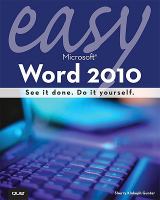
Easy
Microsoft Word 2010 by Sherry Gunter. 2010. Call number: 005.52
GUN – Also available as an eBook.
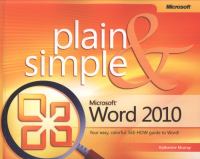
Microsoft
Word 2010 plain & simple by Katherine Murray. 2010. Call number: 005.52
MIC MUR – Also available as an eBook.

Teach
yourself visually Word 2010 by Elaine J. Marmel. 2010. Call number: 005.52
MIC MAR
Example #2: Microsoft Excel 2010
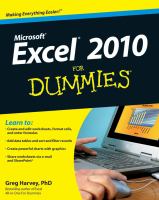
Excel
2010 for dummies by Greg Harvey. 005.54 MIC HAR
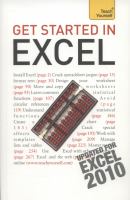
Get
started with Excel 2010 by Moira Stephen. 005.54 MIC STE
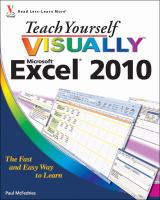
Teach
yourself visually Microsoft Excel 2010 by Paul
McFedries. 005.54 MIC MACF
Or, alternatively, consider streaming computer
eBooks online through Safari Tech Books Online:
Safari Tech Books Online
– How to Connect Online
This is
a research tool accessible via the library’s website: tpl.ca.
You must be connected to the Internet and have a
valid library card to read these eBooks or watch
the eVideos (as applicable).
- In the search
box type: Safari Tech Books and click Search. - Click on the
link to Safari Tech
Books Online and select Access Online. - Type your
library card number and PIN in the boxes, Sign In and click the Continue
button. - Use the top
search box to find eBooks on (Microsoft) Powerpoint
2010 or (Microsoft) Publisher 2010, for example, and read them online.
(Downloading is not required in this case as these books are streamed online.)
Help
on the Internet
The
workshop handouts also list websites on the Internet that can provide
additional instruction for computer software learners, for example:
Keyboarding and typing websites
Microsoft Word 2010 Help
- http://www.gcflearnfree.org/word2010
- http://office.microsoft.com/en-us/videos/introduction-to-microsoft-word-2010-VA102709039.aspx?CTT=1
Microsoft Excel 2010 and other Excel training resources
Microsoft PowerPoint
2010 tutorials
Microsoft Office Workshops
at Toronto Public Library
For those interested in free workshop instruction
on Microsoft Office software at Toronto Public Library branch locations, search
by workshop name below (denoting software of interest):
Word Basics (including Parts 1 and II)
If you are not sure whether your local Toronto Public
Library branch location offers Microsoft Office software workshops (or
one-on-one training), please contact your local branch directly.
Or, alternatively, consider training with
educational institutions (but don’t forget to check with those organizations
for their scheduling and fee requirements).
Other locations which offer Microsoft
Office courses
- www.learn4life.ca (Toronto District School Board)
- www.ryerson.ca/~lifeinst/pages/computer.html
Comments