Checking Out eBooks or eMagazines Over The Holidays?
If you think that you may be getting (or giving) a new eReader, tablet or smartphone over the holidays, here are a few things to check to make sure you are ready to checkout eBooks from our OverDrive eBooks & eAudiobooks collection and/or eMagazines from our Zinio collection.
1. Valid library card. Your library card will need to be in good standing. To check to see if you need to renew your card, sign into your Your Account. You will see a message in the Account Summary section, if you need to renew your card. 
To renew your card, visit your local branch with some of the required indentification.
While in Your Account, have a look to see if there are any fines. If you owe more than $30.00, or have more than 15 items overdue, your account will be blocked which will restrict your use of eBooks. Visit or call your branch for information on your fines and to pay them. Online payment of fines is now available.
Did you know….that people who live outside of Toronto but work, go to school or own property in Toronto are eligible for a free Toronto Public Library card? Read the Your Library Card webpage for more information.
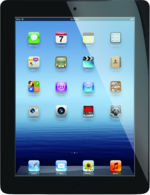
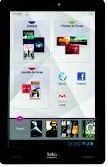
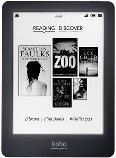
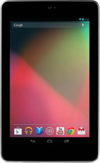
2. Make sure that the device you are buying for your libary user (or yourself) is compatible with our OverDrive eBooks & eAudiobooks service. Most Kindle eReaders (including the Paperwhite) are not compatible with OverDrive in Canada. Only Kindle Fire, which is an Android tablet, can access OverDrive eBooks.
Here is a link to all compatible eReaders and mobile devices (tablets and smartphones) for OverDrive. Zinio has an app for Apple, Android, and Windows 8 devices.
 |
 |
 |
 |
|
3. If you are interested in eBooks, check out our Getting Started with Library eBooks webpage. Here you will find user guides to the service organized by device, another link to the compatible devices lists and links to help videos from OverDrive showing how to use their service.
If you are interested in eMagazines, have a look at our Getting Started with Zinio eMagazines for information on how to use our Zinio service, including a link to the a printable user guide and a tutorial video demonstrating how to use the service.
While Library branches will be closed from 1 p.m. on December 24 until December 27th, our online services will be available, including the Toronto Public Library website, the OverDrive website and the Zinio eMagazine website.
3 thoughts on “Checking Out eBooks or eMagazines Over The Holidays?”
Very informative!! Thanks.
Thanks for the easy to follow tips.
Curly2
Jana and Ellen,
I’m glad you found this post helpful!