Time Is Running Out for Windows XP Support…
(Credit: YouTube – Financial Times – End of the road for Windows XP – Published on February 23, 2014)
(Credit: YouTube – Cyclone Technologies – Alternatives to Windows XP: Q4OS, Lubuntu, Zorin OS, Ubuntu – Published on March 7, 2014)
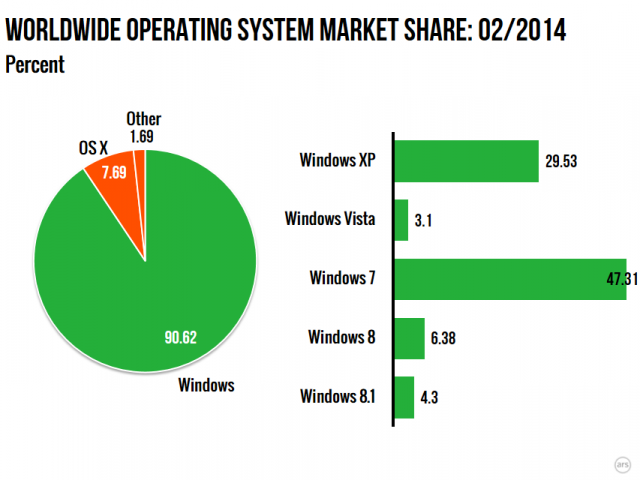
(Source: http://arstechnica.com/information-technology/2014/03/weeks-before-expiration-date-windows-xp-still-has-29-os-market-share/ – Information from URL: http://netmarketshare.com/ – Desktop Operating System Market Share – February 2014)
Microsoft Corporation announced on April 9, 2012 through a blog post that the company would be ending official support for the operating system Windows XP and Microsoft Office 2003 on April 8, 2014. Windows XP went on sale in October 2001 (while Office 2003 commenced sales in October 2003). The Windows lifecycle fact sheet (updated in February 2014) confirmed that the end of extended support for Windows XP Service Pack 3 is April 8, 2014. Microsoft explained that after April 8, 2014, (free) technical assistance for Windows XP will end, including the automatic downloaded Windows updates intended to protect one’s personal computer and the ability to download Microsoft Security Essentials for anti-malware signature updates (to work with Windows XP). In fact, for desktop operating system usage on a global basis in February 2014, Windows XP still commanded about 29.53% of the market, compared to 47.31% for Windows 7, 7.69% for Macintosh OS X, 6.38% for Windows 8, 4.3% for Windows 8.1, 3.1% for Windows Vista, and 1.69% for other operating systems.
Naturally, in answering the question “How do I stay protected?”, Microsoft offers the user a “Microsoft solution”, either of upgrading one’s PC to run Windows 8.1 (provided that the system requirements are sufficient), or getting a new PC and migrating data with a free tool called PCmover Express for Windows XP, produced by Laplink. Interested users can download the free version of PCmover Express here but need to do so on both a computer using Windows XP and a computer using one of Windows 7, 8, or 8.1 operating systems. (Apps/applications will not be migrated.) Alternatively, Microsoft Windows Easy Transfer can be used to transfer files, email, pictures, and settings to a Windows 7-enabled computer. Users will need to determine whether their old PC’s central processing unit (CPU) operates on a 32-bit or 64-bit version of Windows.
For those Windows XP users considering a “non-Microsoft” solution to the Windows XP situation, Chris Hoffman, writing on PCWorld.com, offers some interesting ideas to consider: Choose software smartly (for example, if the user decides to keep using Windows XP, then stop using the Microsoft Internet Explorer 8 browser and consider using Mozilla Firefox or Google Chrome (Google has guaranteed to support Chrome for Windows XP until April 2015.); Remove unsecure software or disable browser plug-ins (Examples include Java, Adobe Flash and Adobe Reader.) to reduce the risk of system contamination; go offline with a Windows XP-enabled computer, if at all possible; use a limited account rather an administrator account (unless the need to install/update software beckons) on a Windows XP-enabled workstation to reduce the likelihood of malware infection; consider setting up a virtual machine on which to install Windows XP using free virtualization software such as VirtualBox or VMware Player; or consider free, non-Windows XP operating system alternatives such as Ubuntu Linux or Lubuntu.
Here are some additional articles to consider:
Tim Greene, “9 must-do's if you must stick with Windows XP: F-Secure tells SP users how to maximize security and minimize risks as Microsoft ends support”, NetworkWorld.com, March 5, 2014.
Ian Paul, “3 easy Linux alternatives for Windows XP refugees who don't want a new PC”, PCWorld.com, March 14, 2014.
PR Newswire, “Moving from Windows XP and Office 2003 to Windows 8.1 and Office 365: Top Tips for a Smooth Transition”, Sys-Con.com, March 17, 2014.
Simon Quicke, “F-Secure warns of increasing security challenge with XP”, Microscope.co.uk, March 5, 2014.
Tim Stone, “Top 4 ways small businesses can protect themselves against the end of Windows XP”, ITProPortal.com, March 5, 2014.
Jack Wallen, “Let Zorin OS pick up where Windows XP left off”, TechRepublic.com, March 14, 2014.
Derrick Wlodarz, “Forced to use Windows XP past April? 10 ways to make the best of a bad situation”, Betanews.com, March 12, 2014.
Andy Wolber, “Does security matter to you? Ditch Windows XP for one of these upgrade options”, TechRepublic.com, February 5, 2014.
Consider the following titles for borrowing or accessing from Toronto Public Library collections:
Microsoft:
Computer basics Windows 8.1 / Michael Miller, 2014. eBook (Access Online) format.
Easy Windows 8.1 / Mark Edward Soper, 2014. eBook (Access Online) format.
My Windows 8.1 / Katherine Murray, 2014. eBook (Access Online) format.
Using Windows 8.1 return of the start button / Kevin Wilson, 2014. eBook (Access Online) format.
Windows 8.1 new features [1 streaming video file – 1 hour 18 minutes 14 seconds] / ClipTraining, 2014. eVideo (Access Online) format.

Windows 8.1 for seniors for dummies / Peter Weverka and Mark Justice Hinton, 2014. Book. Adult Non-Fiction. 005.44608 WEV
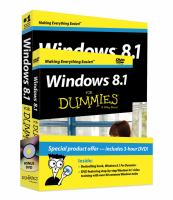
Windows 8.1 for dummies / Andy Rathbone, 2013. Book. Adult Non-Fiction. 005.446 RAT
Also available in eBook (Access Online) format.
Windows 8.1 step by step / Ciprian Adrian Rusen and Joli Ballew, 2013. eBook (Access Online) format.
Easy Windows 8 / Mark Edward Soper, 2012. eBook (Access Online) format.
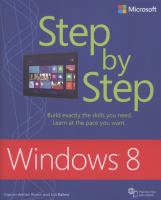
Windows 8: step by step / Ciprian Adrian Rusen and Joli Ballew, 2012. Book. Adult Non-Fiction. 005.446 MIC RUS
Also available in eBook (Access Online) format.
Easy Windows 7 / Mark Edward Soper, 2010. eBook (Access Online) format.
Non-Microsoft:
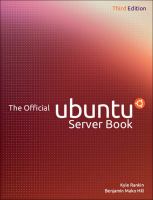
The official Ubuntu server book [Third edition] / Kyle Rankin and Benjamin Mako Hill, 2014. Book. Adult Non-Fiction. 005.432 RAN
Also available in eBook (Access Online) format.
Learning Ubuntu Linux [1 streaming video file – 5 hr., 22 min., 55 sec.] / Ric Messier, 2014. eVideo (Access Online).
Instant Ubuntu / Christer Edwards, 2013. eBook (Access Online).
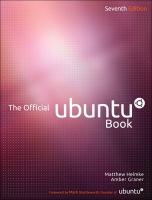
The official Ubuntu book [7th ed.] / Matthew Helmke and Amber Graner, 2013. Book. Adult Non-Fiction. 005.432 HEL
Also available in eBook (Access Online) format.
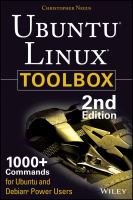
Ubuntu Linux toolbox: 1000+ commands for power users [2nd edition] / Chris Negus, 2013. Book. Adult Non-Fiction. 005.432 NEG
Also available in eBook (Access Online) format.
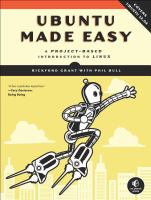
Ubuntu made easy: a project-based introduction to Linux / Rickford Grant with Phil Bull, 2012. Book. Adult Non-Fiction. 005.432 UBU GRA
Also available in eBook (Access Online) format.
VMware workstation no experience necessary / Sander van Vugt, 2013. eBook (Access Online) format.
Instant VMware view virtualization how-to / Ramesh Geddam and Prasenjit Sarkar, 2013. eBook (Access Online) format.
Getting started with Oracle VM VirtualBox build your own virtual environment from scratch using VirtualBox / Pradyumna Dash, 2013. eBook (Access Online) format.
(See also: Time Running Out for Office 2003 Support… )
Comments