Gmail, Outlook.com, and Yahoo! Mail: Email Made Easy at Toronto Public Library
(Credit: CNN.com Video – Google's Gmail: 10 years of dominance – CNN's Max Foster speaks to tech expert Alex Wood about how Google's Gmail dominates the consumer email space – URL: http://edition.cnn.com/video/data/2.0/video/world/2014/04/01/ctw-google-gmail-turns-10-alex-wood-intv.cnn.html )
(Credit: Daily Mail (UK) – 5 tips for staying safe on the web – Article: Google encrypts Gmail in an attempt to make it 'NSA proof' and stop mass surveillance, Daily Mail, March 22, 2014 – URL: http://www.dailymail.co.uk/news/article-2586849/Google-encrypts-Gmail-thwart-NSA-attempts-snoop-emails.html#v-3377740707001 )
On April 1, 2014, Gmail celebrated its 10th anniversary after its launch on April 1, 2004 as what turned out NOT to be an April Fool’s joke or prank by Google. Gmail remained in beta format by invitation-only until 2007 when registration became more widespread and from 2009 onwards when the “beta” moniker for Gmail was discontinued. The advent of Gmail pushed the major competition at the time (and still), namely then-Hotmail.com (now Outlook.com) and Yahoo! Mail, to offer their email users more storage space (which they now have), an early version of what has now morphed into “cloud computing”.
For those interested in the historical development of Gmail, Harry McCracken of Time Magazine wrote an interesting article entitled “How Gmail Happened: The Inside Story of Its Launch 10 Years Ago”. McCracken that many at the time (including himself) initially thought that the Gmail launch was an April’s Fool joke but found that it turned out to be “…real, and revolutionary.” Combining the benefits of large storage with the features of the Google search engine as well as a sleek interface and some advanced features, McCracken opined that Gmail “…may have been the first major cloud-based app that was capable of replacing conventional PC software, not just complementing it.”
Gmail inaugurated the “conversation view” that clustered discussion threads (or conversation strings) together with duplicated text hidden from view. The increased use of JavaScript facilitated the use of this and other features. A debate within Google itself about whether to offer a free email service was decided by the introduction of advertising (paid for by outside companies) within the inbox and environs based on keywords within one’s email messages inside the inbox. Even though a machine rather than a human being “scanned” email messages for keywords to generate text-based advertisements, many concerned about privacy issues were wary. In fact, Microsoft’s Scroogled campaign went after Google in late 2012/early 2013 on this point and has been criticized for its negative aspects, even though its Bing search engine results partly relied on paid inclusions as well. (However, Microsoft’s Bing search engine is arguably superior on the “social search” aspect.) One positive aspect from the Microsoft camp was its improvement and metamorphosis of Hotmail into Outlook.com, including its SkyDrive (now OneDrive) online cloud computing storage and accompanying Microsoft Office Web apps. Those users comfortable with the Microsoft universe (Microsoft Office, Hotmail/Outlook.com etc.) will find OneDrive a logical cloud computing extension of their available online tools. (Outlook.com users can also avail themselves of the option of the “conversation view” as can Yahoo! Mail devotees.) Conversely, those comfortable with the Google approach (including Gmail, Google search engine etc.) will find Google Drive (previously Google Docs) with its cloud computing capabilities and its suite of web apps a logical fit with their needs.
Google announced on its Official Blog on March 20, 2014that as of that date, “Gmail will always use an encrypted HTTPS connection when you check or send email. Gmail has supported HTTPS since the day it launched, and in 2010 we made HTTPS the default.Today's change means that no one can listen in on your messages as they go back and forth between you and Gmail’s servers—no matter if you're using public WiFi or logging in from your computer, phone or tablet.” Google’s confident assertion about Gmail was battered somewhat by the announcement of the Heartbleed bug and its effect on websites and services using a particular version of the OpenSSL cryptographic software program, including Google and Yahoo! amongst others. The Google Online Security Blog issued a post on April 9, 2014 entitled “Google Services Updated to Address OpenSSL CVE-2014-0160 (the Heartbleed bug)” in which Google described the Heartbleed situation in these terms: “…a flaw in OpenSSL that could allow the theft of data normally protected by SSL/TLS encryption. We’ve assessed this vulnerability and applied patches to key Google services such as Search, Gmail, YouTube, Wallet, Play, Apps, App Engine, AdWords, DoubleClick, Maps, Maps Engine, Earth, Analytics and Tag Manager…”
Google reported that the vulnerability in their Secure Sockets Layer system was repaired early by patches, meaning that Google/Gmail users did not need to change their passwords. Others such as mashable.com disagreed, arguing for Google/Gmail users to change their passwords as a precaution following the patching, using the justification of “better safe than sorry.” Yahoo! services, including Yahoo! Mail, were also patched, leading to a recommendation by mashable.com and others to change one’s Yahoo! password once those services were patched. Microsoft’s Outlook.com and other services do not use OpenSSL and consequently, were not affected by the Heartbleed bug.
Yahoo’s predicament was similar to Google’s in that Yahoo!, on April 2, 2014 (prior to the announcement of the Heartbleed bug vulnerability), had announced an improvement in its encryption procedures for Yahoo! Mail, Yahoo! Homepage, traffic moving between Yahoo! data centres, and the implementation of TLS 1.2, Perfect Forward Secrecy, and a 2048-bit RSA key for Yahoo! Mail, Homepage, Digital Magazines and other properties. Yahoo! users can initiate encrypted sessions of Yahoo! services by typing “https” before the web site address. A new, encrypted version of Yahoo! Messenger is to be rolled out in the future.
Email users (and those interested in learning to use email) might wonder about which free web-based email service might be best suited for their needs and temperaments. Obviously, the answer will vary depending on the individual but those seeking guidance might consider reading a recent article in PC Advisor by Roland Waddilove on March 10, 2014 entitled “What's the best free email service? We compare the top 6 providers: Gmail, Outlook, Yahoo, iCloud, AOL and GMX compared”. Waddilove offered the reader his 5-point ratings for Gmail (5/5), Outlook.com (4.5/5), and Yahoo! Mail (4/5), complete with descriptions of various features associated therewith as well as appeal factors (Gmail: Improved appearance and the addition of new features on a regular basis; Outlook.com: Emphasis on organizing email and a clean, tidy inbox; Yahoo! Mail: Attractive appearance and flexible interface allowing for different views.). For those seeking email alternatives, Roland Waddilove also provided evaluation and ratings of Apple iCloud (3/5), GMX Mail (4/5), and AOL Mail (3/5). In offering a final “verdict”, Roland Waddilove was of the opinion that Gmail AND Outlook.com were “equally good”, had used each of them since each email system’s inception and recommended them both. Personal preference thus becomes the determining factor and whether one is comfortable using either Google/Gmail or Microsoft Outlook.com/web app tools. Android mobile phone or tablet users might logically gravitate towards Google/Gmail for instance, while those using a Microsoft Surface tablet, Microsoft Office, and/or Windows 8 might tend towards the use of Outlook.com and other Microsoft services. Gmail account holders using their smartphones can now take an advantage of a new feature that facilitates quick embedding of albums and photos taken on one’s smartphone through Google+ (Google Plus) into a Gmail message with Auto Backup. Yahoo! Mail and GMX Mail also received good reviews but they do not belong to a larger suite of web services in the same manner as either Gmail or Outlook.com.
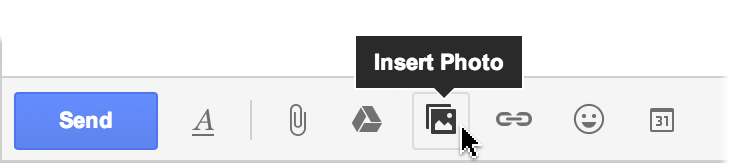
(Credit: Official Gmail Blog, The photos from your phone, now one click away , April 15, 2014 – URL: http://gmailblog.blogspot.ca/2014/04/the-photos-from-your-phone-now-one.html )
Toronto Public Library offers basic email instruction through its Email Made Easy workshops or through its Book a Librarian program. Check the TPL website or contact your local TPL branch location for details. For beginners wishing to learn how to use email, consider the following handouts from the Email Made Easy workshops as a guide:
Gmail (Also available in PDF format)
MS Outlook Hotmail Part I (Also available in PDF format)
MS Outlook Hotmail Part II (Also available in PDF format)
Yahoo Email (Also available in PDF format)
Comments