Getting Started with Encyclopædia Universalis
Encyclopædia Universalis is a comprehensive French-language resource featuring 38,000 articles authored by over 6,400 respected individuals, including authors, historians, professors, and Nobel Prize winners. The content covers a wide range of subjects and includes 25,000 multimedia elements to aid in learning and engagement. The resource has an atlas, dictionary, encyclopedia and a country data comparison tool.
How to access Encyclopaedia Universalis
- Go to tpl.ca and enter 'Universalis' in the search box or find 'Encyclopaedia Universalis' in the A to Z List of Databases.
- Click "Access Online"
- Enter your library card number and PIN
- Click "Continue"
Searching in Encyclopaedia Universalis
Encyclopaedia Universalis is the French-language general encyclopedia available through Britannica Library. Encyclopaedia Universalis is intended for an advanced researcher audience featuring articles written by dedicated staff and expert contributors. Users can select between intermediate (Intermédiaire) and advanced (Avancé) resource content. Searching through the Avancé database will retrieve the highest number of search results, and is recommended.
Click on a linked search result to view the article in French. See the image below for an example of a search done through the Avancé database for 'monet'.
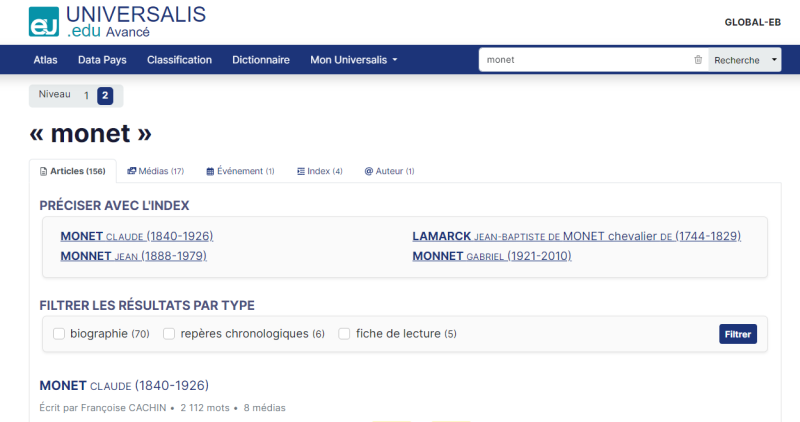
Articles
Select an article within your search results.
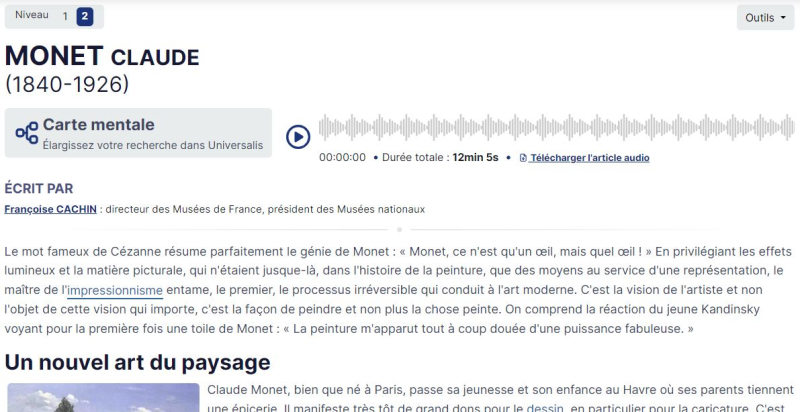
You can change the reading level by selecting through 'Niveau'.

Double-click on words in the article to read their definition provided by Cordial Dico.
Click on hyperlinked words to read related articles, or access related articles through Encyclopaedia Universalis's mind-map tool.
To access a visual mind-map related to your search topic, click on Carte Mentale.

Read articles related to your search topic by clicking on the links in the mind-map. The mind-map is a visual representation of each article's relation to the original search topic.

Listen to articles by playing the audio file.

Access the search topic's classification information at the bottom of the article.

Find citation information at the bottom of the article. Change the citation format by clicking on Formats de citation.

Royalty-free images are also provided at the end of the article, including source information.

Mon Universalis Account
You can save articles with a Mon Universalis account. Create an account to save articles for future reference by creating an account through the Mon Universalis tab.

Click on Mes Favoris to get to the login page. Click on Créer un compte to create an account.

For more information or for help, please contact our Answerline service.
Revised: January 29, 2025
Comments