Getting Started with Britannica Library
Britannica Library is an encyclopedia of articles, images and videos, biographies, as well as a country comparison tool, and a world atlas. The resource includes Britannica Library Children, Britannica Library Young Adult. and a link to Encyclopaedia Universalis.
How to access Britannica Library
- Go to tpl.ca and enter ‘Britannica Library’ in the search box
- Click on Access Online under Britannica Library
- Enter your library card number and PIN
- Click on ‘Continue’
Searching in Britannica Library
Begin by selection a reading level.
‘Children’ is recommended for researchers ages 9 and under, and will appear as Level 1 in Britannica Library. ‘Young Adult’ is recommended for researchers that read at a Grade 6-8 level, which is referred to as Level 2 in Britannica Library. ‘Reference Centre’ is recommended for the general adult reader, Level 3, and is suitable for researchers that read at the high school level and up.
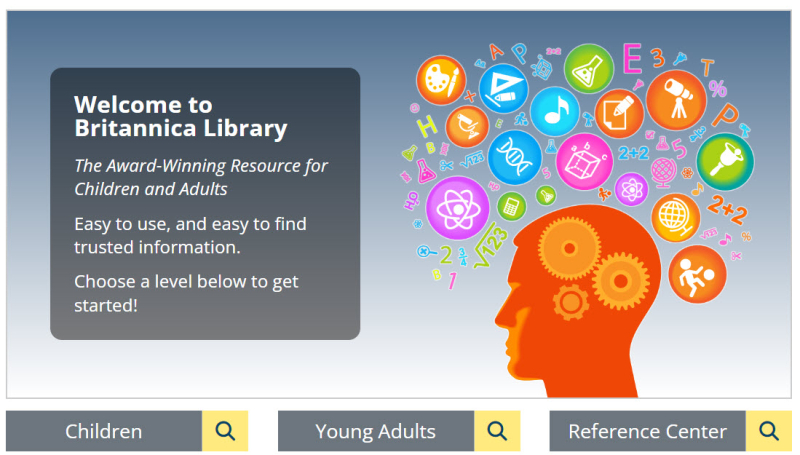
Children
If you know what you are looking for, select the magnifying glass tool and type it in the search bar.
On the results page, you may select your reading level by clicking on either 1, 2 or 3. Changing the reading level will adjust the content and search results to suit beginner, intermediate or advanced readers.
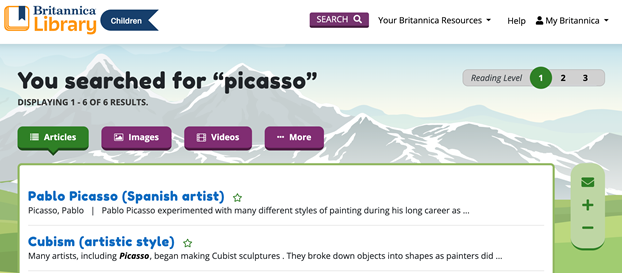
Filter the search results by clicking between the categories e.g. Articles, Images, Videos, Dictionary, or Web’s Best Sites.
Articles
Select an article related to your search results.
You can change the reading level by clicking on the numbers that appear in the reading level bar. If only one number appears in the reading level bar, that article is available only at that reading level.

Find a variety of support tools on the top left where you can navigate to sections of the article, change font sizes, cite, save, send, print, or get related resources (articles, items).

Double-click on unfamiliar words to see the definition. A pop-up box will appear with an explanation of the word’s meaning provided by Merriam-Webster Dictionary.
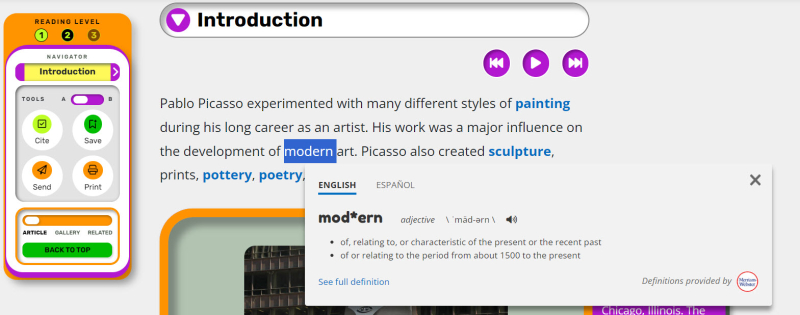
Click on the hyperlinked words to see articles on that subject.
Explore
Browse the Britannica Library Children’s page and check out the sections on: Animal Kingdom: Canada in Focus; Explore (Biographies; Pictures & Videos; Articles), Geography (World Atlas; Compare Countries; Geography Explorer); In the News!; Interactives; and Video of the Week.
Young Adults
If you know what you are looking for, select the magnifying glass tool and type it in the search bar.
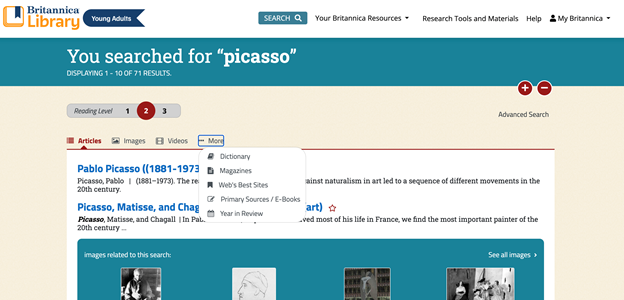
By default, the reading level will be set at 2. For Young Adult researchers, Primary Sources/E-Books and Year in Review are available as search categories by clicking More on the top tabs.
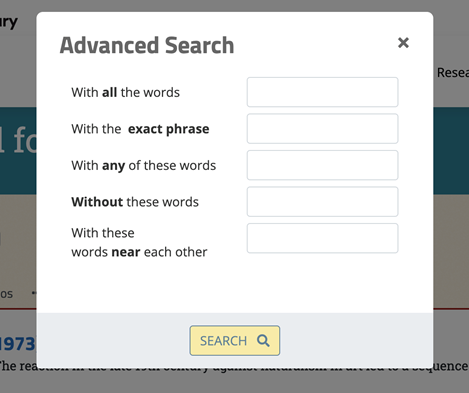
Use the Advanced Search tool to refine your search results.
Articles
Features available when in article view include support tools on the top left where you can navigate to sections of the article, change font sizes, cite, save, send, print, or get related resources (articles, items). The forward/backward icons at the top of the article navigates to the images within the article and the down arrow jumps to the article containing the image. The article can be read aloud/rewind, play/stop or fast forward.

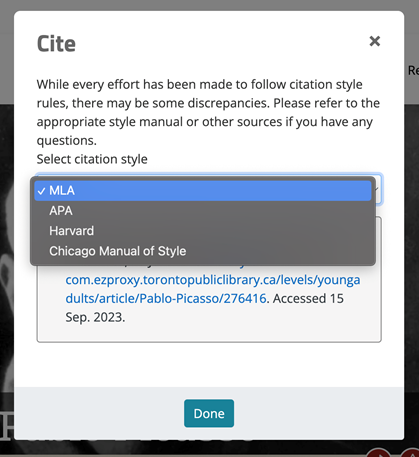
Choose from a variety of auto-generated citation styles from the drop down menu.
Explore
Browse the Britannica Library Young Adult’s page and check out Canada in Focus; Collections; Geography (Compare Countries and Territories; World Atlas); Did you Know?; Explore (Biographies; Pictures & Videos; Articles); In the News!; Interactives; and Primary Sources.
Translation to another Language (Children and Young Adult)
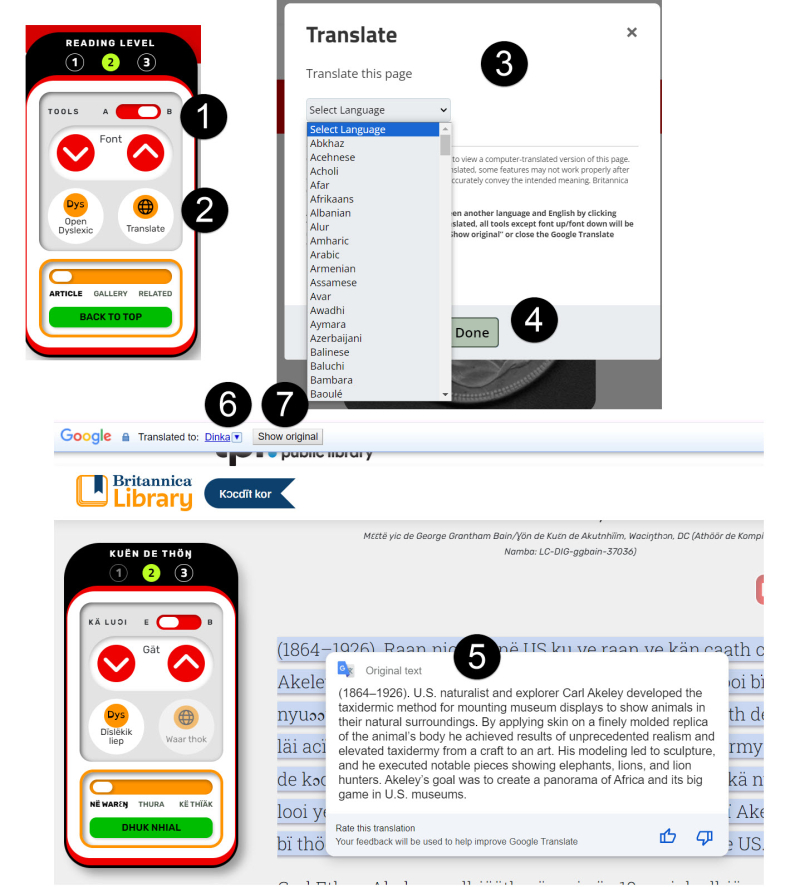
Articles can be translated into over 80 languages. At the Tools section,
- switch to B
- click Translate
- choose a language from the Select Language menu to view a computer translated version of the page
- click Done
- hover over the translated text and the original untranslated text will appear
- toggle to another language by clicking the drop-down menu on the Google Translate toolbar OR
- click Show Original to return to the original untranslated page
Notes:
- Text with images is not translated.
- Some features may not work properly after translation.
- Translation may not accurately convey the intended meaning.
- While translated, all tools except font up/font down will be unavailable – to re-enable them, close the Google Translate toolbar completely or click Show Original.
Reference Centre
If you know what you are looking for, select the magnifying glass tool and type it in the search bar.
By default, the reading level is set to 3 for Britannica Library’s Reference Centre selection. Searching in Reference Centre will retrieve the highest number of search results, as well as the most comprehensive. Articles and entries in Reference Centre are broken up into subject headings, and listed in a Table of Content, as demonstrated below. While the same tools found in Young Adult search will appear in Reference Centre, changing the reading level will divert you out of the Reference Centre selection.

Explore
Browse the Britannica Library Reference Centre page and check out: Canada in Focus; Geography (Compare Countries; World Atlas; Explore (Biographies; Pictures & Videos; Articles); Flash Facts; My Britannica / My Content where you can save articles and content for later and organize them; New & Revised Articles; News of the Day; On this Day; Primary Sources; and Science in Pictures.
My Britannica
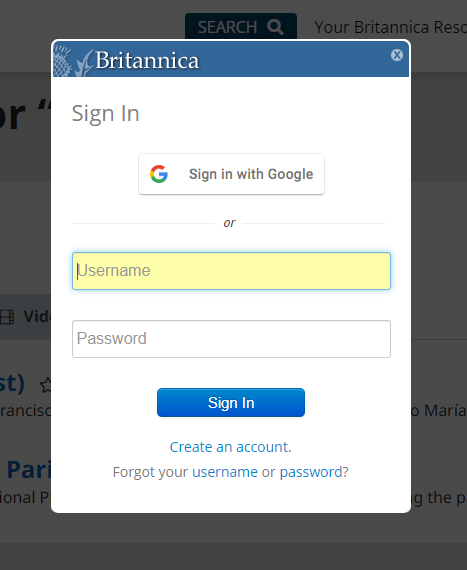
My Britannica allows users to save articles for future reference. Create an account by clicking on My Britannica.
Research Tools and Materials
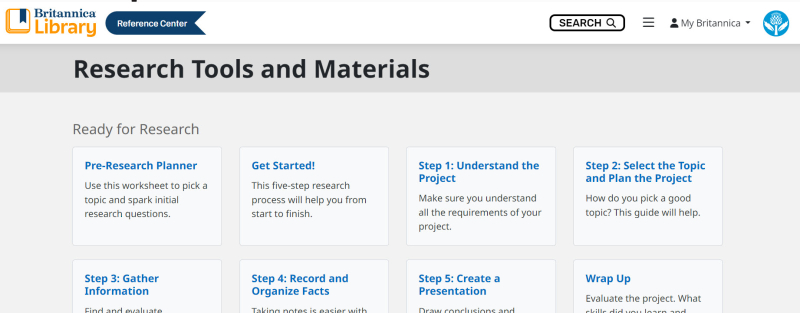
Access a selection of research guides and tools through the Research Tools and Materials link on the top right in Britannica Library’s Young Adult or Reference Centre pages. Here you will find tools to help you get ready for research, as well as guides on how to share your research.
Go to Getting Started with Encyclopædia Universalis for information on how to access Encyclopædia Universalis.
For more information or for help, please contact our Answerline service.
Revised: December 31, 2024
Comments