Getting Started with Medici.tv
Medici.tv is a streaming video collection of live and on-demand classical and jazz music concerts, operas and ballets. Medici.tv also includes access to master classes by leading musicians and music documentaries. Medici.tv is available in English, French, Spanish and Russian.
How to access medici.tv
- Go to Medici.tv or https://tpl.ca/resource/medici-tv/
- Select Medici.tv>> (the title)

- Enter your username or your 14-digit library card number (no spaces) and PIN/Password. Select Log in.
Browse or search medici.tv
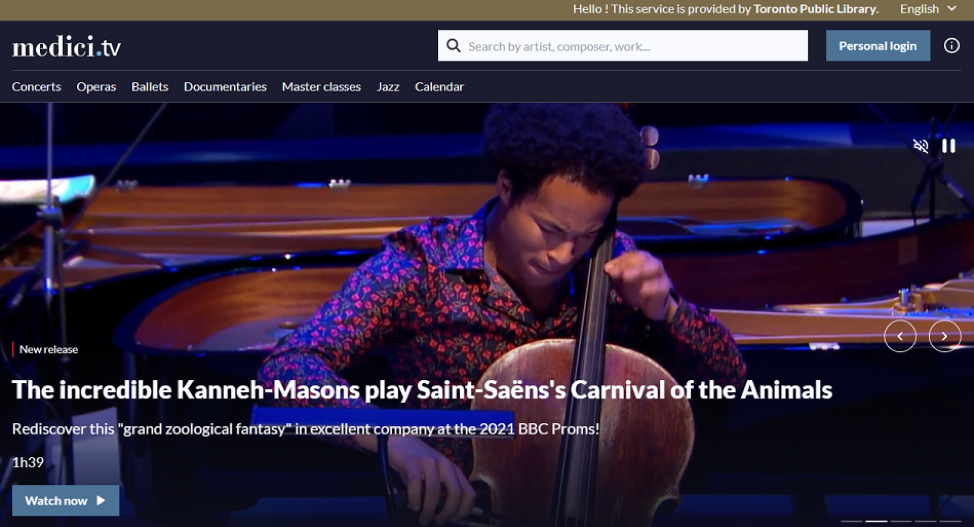
Browse the homepage or one of the categories (concerts, operas, ballets, documentaries, master classes or jazz). Select the magnifying glass to search by artist, composer or works.
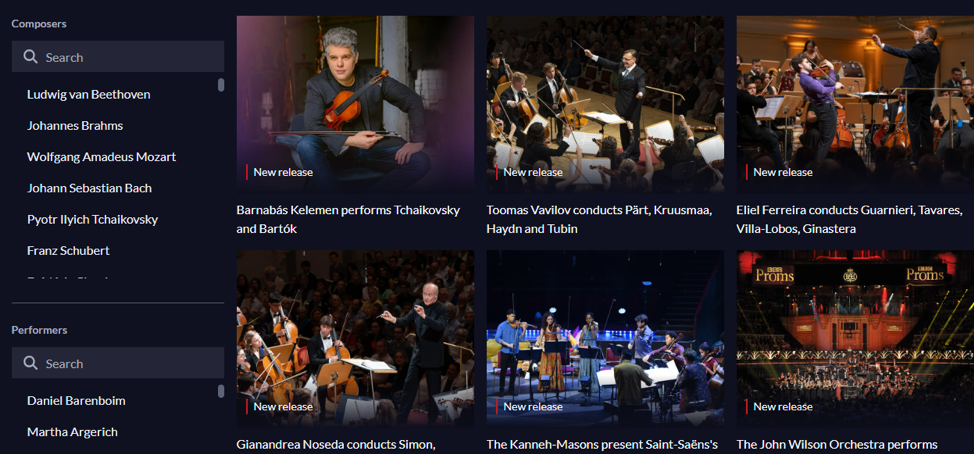
When browsing, use the filters on the left side to refine results by various preferences such as composers, performers, periods, instruments or directors. Options vary by category.
Upcoming events
Scroll down the homepage to find the upcoming events. This is a list of recently recorded and upcoming live events streamed from concert halls, opera houses, festivals, and competitions. You can add event reminders to your calendar (Google, iCal or Outlook) or enter your email address to receive an email reminder.
How to watch Medici.tv streaming video
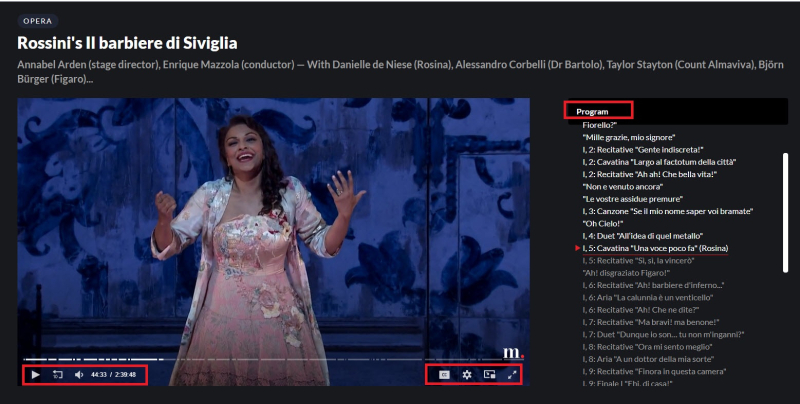
Select any performance to start watching, listening and enjoying. Play/pause, rewind 10 seconds and change the volume are all available in the toolbar at the bottom of the video player. Use the options on the end of the toolbar to access settings, picture in picture and full screen mode.
Subtitles are available for some performances, documentaries and master classes. If available, click on the Close Captioning [CC] icon in the toolbar to see the list of subtitle language options.
Navigate through different sections of the performance using the program list on the right.
Create a medici.tv account.
A medici.tv account is optional, but recommended. The personal account will allow you to save your favourite concert, documentary or master class videos, view your list of previously viewed videos and subscribe to the weekly newsletter. A personal account is required to use the medici.tv for libraries mobile app.
To create an account, select Personal login then Sign in. Enter a valid email address and create a password of your choice.
medici.tv for libraries app
The medici.tv for libraries app is available for both Android and iOS devices. Use the app to cast the streaming video to your television.
- Start by accessing medici.tv through the library’s website, as explained above.
- Create a medici.tv personal account, as explained above.
- Download and install the medici.tv for libraries app to your mobile device. The medici.tv for libraries app is different than the medici.tv app used by individual subscribers.
- Sign into the app with your medici.tv account. Select a performance to get started.
Customers using the medici.tv for libraries app will need to sign into their medici.tv personal account through the library’s website every 180 days. This will reconnect your TPL access with your medici.tv account.
Help with medici.tv
- Visit the medici.tv Help Center for FAQs or submit a support request.
- Schedule a Book a Librarian appointment at a local branch.
- Contact us with your questions.
Comments