Getting Started with MIT Press Direct
MIT Press Direct offers a selection of MIT Press scholarly eBooks covering topics such as economics, philosophy, science, technology, and society.
The library’s subscription provides access to MIT Press eBooks. MIT Press offers several open access journals as well. Further information is available in the Open Access Journals section on the MIT Press Direct website.
How to Access MIT Press Direct:
- Go to MIT Press Direct or https://tpl.ca/resource/mit-press-direct/
- Select MIT Press Direct >> (the title)

- Enter your username or your 14-digit library card number (no spaces) and PIN/Password. Select Log in.
Toronto Public Library will appear in the upper right-hand corner of the MIT Press Direct homepage. Please ignore ‘Register’ and ‘Sign In’. Personal accounts are not available for public library subscriptions.
Searching MIT Press Direct
When searching MIT Press Direct, ensure “All Books” is selected.

- Search by entering the subject, title, and/or author keyword in the search box.
- In the search results, the default sort is relevancy. This can be changed by using the “Sort by” dropdown selection.
- Results can be filtered by format (book or book chapter), subjects, book series, date and availability.
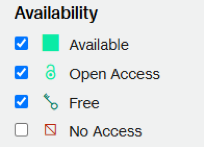
- A few eBooks on the MIT Press Direct platform are not available through TPL’s subscription. To limit your results to only available titles, select Available, Open Access and Free in the Availability filter.
Browsing MIT Press Direct
- Select Browse Books, located under the search box in the Books area of the website.
- Use the subject, series, date and availability filters on the left to limit the ebooks listed to those of interest.
Opening, Reading and Saving MIT Press Direct eBooks
Read online in the MIT Press Direct website or offline by downloading chapters of MIT Press Direct eBooks as a PDF files.
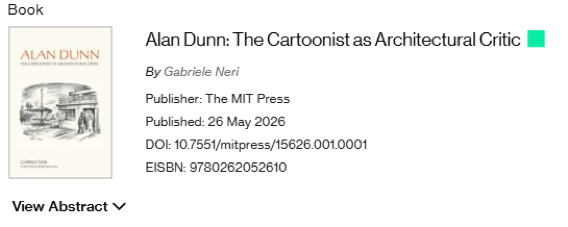
- Select the title or cover image of any Book or Book Chapter from the search results to open the detail page for the ebook.
- To read the ebook online, select Reader in the toolbar under the description. A new tab will open with the selected book available in the Reader software.

- To read offline, scroll down to the Table of Contents. The eBook is available in chapters in PDF format. Select on the PDF icon for your preferred chapter to open the file in your PDF reader. The chapter can'then be read, printed or downloaded.

Citations
Each book has citation information available under “Tools” in the toolbar. This toolbar is located between the description and the Table of Contents.

- Select Tools.
- Select Cite to copy or download the citation information to a citation manager.
Help with MIT Press Direct
- Contact the MIT Press Direct Customer Support.
- Schedule a Book a Librarian appointment at a local branch.
- Contact us with your questions.
Comments