Now What? Managing Not Just Passwords but also the Password Manager?

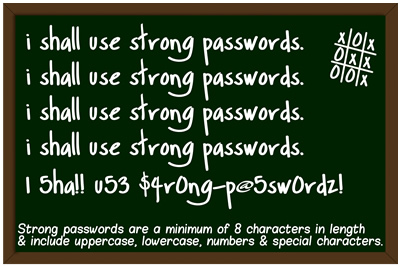
(Source: http://mindfulsecurity.com/2009/10/23/free-passwords-security-awareness-posters/ )
(Credit: YouTube – Get Secure: How To Use A Password Manager – Published on August 15, 2013)
(Credit: YouTube – Password Managers: Why You Need Them – Keepass – Published on November 10, 2013)
(Credit: YouTube – How to Store Passwords Safely with Free Password Manager Software – Published on September 29, 2013)
One reads a fair bit these days about online (email and other) accounts being hacked and often passwords have been laid bare and/or published on the Internet for all to see. In the background of these developments is the continuing debate about whether the password as a security measure has outlived its usefulness or whether it can continue to play a role with some help.
Searching the Internet for keywords such as password management using a search engine such as Bing, DuckDuckGo, Google or Yahoo will find much information but users would want to instill limits on their search by time period, format, sources (i.e. news/media) to find relevant, timely information. Let us consider some recent examples that I found in a literature search:
Let us go back in time to February 2004 when Microsoft Chairman Bill Gates predicted the demise of the password as it was not up to the challenge of maintaining the security of important information.
Samuel Gibbs, writing on February 3, 2014 on theguardian.com, offered the reader several steps to follow when one’s email account gets hacked and how to avoid it in future, including: get into one’s email account and change the password; log into other online accounts and change the passwords accordingly; check for spam or phishing emails in your email account to determine a possible point of entry; sort out one’s apps if accessing email and other online accounts through a variety of devices; protect oneself for the future by: not re-using passwords, not using real words in passwords, by using a combination of lower and upper case letters, numbers, and punctuation symbols (or consider random generation of longer password strings but remembering them might prove to be difficult) etc.; consider using two-step authentication tied into a specific device as well as a password management program such as LastPass or 1Password. On the other hand, Andrew Conry Murray, writing on January 31, 2014 in an article entitled “I Hate You, Passwords” on Informationweek.com, acknowledged the frustration of using passwords and admitted to writing down his passwords as he used a variety of username/password combinations for work purposes alone. On the issue of password managers, Murray said that a password management program is not “a solution – it just takes a bad system and raises the stakes”.
Raj Sabhlok, writing on February 6, 2014 on BusinessSpectator.com.au, made a case as to “Why passwords are here to stay”, noting that passwords are not the problem but rather their poor management is. Sabhlok suggested one possible solution as using “enterprise-class password managers” as a means to automating access management. Biometric facial authentication systems can be hacked by using phony photographs representing real people.
If one is interested in learning more about password managers, then consider the following articles from ITProPortal.com:
Do you have one of the worst passwords of 2013? (January 21, 2014) by Chloe Albanesius
A guide to cleaning up your passwords (January 21, 2014) by Jill Duffy
A closer look at the best password managers (January 22, 2014) by Neil J. Rubenking
A closer look at the current state of password security (January 22, 2014) by Neil J. Rubenking
Top security tips for using your laptop with public Wi-Fi hotspots (January 27, 2014) by Samara Lynn
Please also consider the following article by Canadian technology journalist Matthew Braga:
1Password, the popular password app you didn’t know was Canadian (Financial Post, January 30, 2014)
(An abridged version of Matthew Braga’s aforementioned article appeared in the Montreal Gazette on February 4, 2014 as “Getting a lock on online passwords”.)
Consider an interesting idea being developed by academics Ari Juels and Thomas Ristenpart called “Honey Encryption” (clicking the previous link will take the reader to an article in the MIT Technology Review) that builds upon security layers provided by passwords and password managers by exposing hackers to incorrect or irrelevant data (i.e. false passwords) referred to as “honeywords”. Ari Juels is working on a fake password vault generator tied into the honey encryption concept that will be used to protect password managers. Click here to read the paper (in PDF format) written by Ari Juels and Ronald T. Rivest entitled “Honeywords: Making Password-Cracking Detectable”.
Consider the following eBook titles (for streaming online) from Toronto Public Library collections:
Take control of 1password / Joe Kissell, 2013. eBook. Access Online.
Take control of your passwords / Joe Kissell, 2013. eBook. Access Online.
Comments