OverDrive Update: Personalize Your Display Settings
Last week there were some significant updates to OverDrive. Hopefully you have already read about the new hold suspension and automatic hold checkout features. If not, please find out all about them in the New features for managing your OverDrive eBook holds post on the Web Team blog.
Maturity Level:
Another new feature is the Maturity Level display control in the Settings section of your OverDrive account. This setting allows for control over which maturity level of books are displayed when you are signed into your OverDrive account. The four levels are Juvenile, Young Adult, General Adult and Mature Adult.
So, if you are an adult who prefers not to see children's books in your browsing or search results lists, then you can change your maturity level range from Young Adult to Mature Adult.
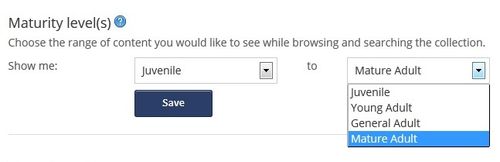
If you want to limit your lists to just children's books, instead of using the maturity levels setting, have a look at the OverDrive For Kids eReading Room website instead. For more information on the Maturity Levels setting, please read the Maturity Levels information page on the OverDrive Help website.
Mature Adult Cover Images:
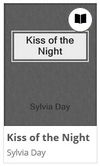
Another new setting is the Cover Images control. This setting will allow you to change the book covers of 'mature adult' books to a basic book cover when you are signed into your account. The Kiss of the Night book cover below is an example of the basic book cover.
 |
 |
Recommended For You:
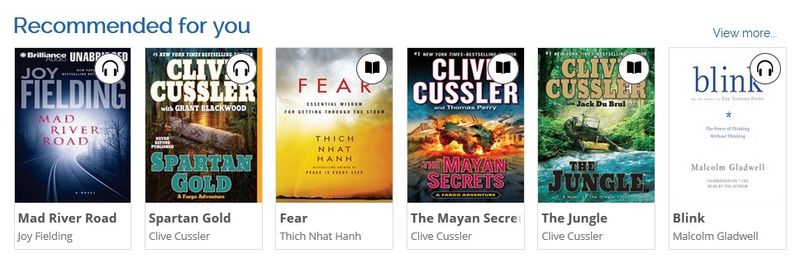
Another new feature is the Recommended For You list. This is a collection of recommended titles that will appear on the OverDrive homepage after you sign into your OverDrive account. Recommended titles are eBooks and eAudiobooks that are currently available for checkout and are suggested based on titles you currently have checked out or on hold. If you do not have any checkouts or holds, this collection will not appear.
Searching Changed from "Or" To “And” Between Keywords:
Up to now, the OverDrive search engine automatically assumed an 'or' between the search words. This has now changed so that the search engine assumes an 'and'. For example, when searching for the book The Fault In Our Stars by John Green, you can now type in "green stars" and the search results will list books that only have both these words in either the title or author's name, instead of all the books that have either "green" or "stars" in the title or author name. Your search results lists will now be shorter, but they should be significantly more relevant.
3 thoughts on “OverDrive Update: Personalize Your Display Settings”
Great, but still waiting for the Renew feature to be enabled for TPL Overdrive books. Thanks.
is there a way it can filter out all the romance novels? or is that code for mature? if i block mature, will i still see james joyce or david foster wallace?
Janet – I’m glad you like the new features and thank you for the feedback on the Renew feature.
TGH – Thank you for the question. If you block mature adult books, you will definitely be able to see books by James Joyce and David Foster Wallace. The mature adult level refers to some of the erotic literature in the collection. You can not block all romance books, but you can use the filters on the left-hand side of the screen to better refine your display.