Getting Started with JSTOR

JSTOR is a full-text digital archive of scholarly books, journals and research reports. Subjects include area studies, arts, business and economics, history, humanities, law, medicine, science and mathematics and social sciences. JSTOR also includes access to many primary source and image collections.
How to Access JSTOR
- Go to JSTOR or https://tpl.ca/resource/jstor/.
- Select JSTOR >> (the title).

- Enter your username or your 14-digit library card number (no spaces) and PIN/Password. Select Log in.
JSTOR Books, Journals and Research Reports
JSTOR provides access to academic books and top scholarly journals from countries around the world. Many of these archive journals are available from the first issue up to the most recent 2-5 years. JSTOR also contains open access books and journals, with new content being added all the time. More information on the JSTOR Book and the journal collections is available on About JSTOR.
JSTOR’s Research Reports are collected from policy institutes around the world. They provide current analysis on many issues from a diversity of perspectives. More information is available on the Open Research Reports webpage on the About JSTOR website.
Searching JSTOR
Enter keywords in the search box to search all content (including images).

To narrow the search results, use the filters available under Refine Results. Use Search within results to enter additional search terms. The other filters are content type, publication date, subject, language and access type.
Use Advanced Search to limit a search by a specific field (author, title, abstract or caption), item type (articles, books, reviews etc.), language, publication date, journal or book title, ISBN and journal discipline.
Search tips:
- Put the search terms in quotation marks to search for an exact phrase (e.g. “Winnipeg General Strike”).
- Use the question mark (?) as a wildcard for one character (e.g. wom?n) or the asterisk (*) as a wildcard multiple characters (e.g. pharmac* for pharmacy, pharmacist, or pharmaceutical).
- Use Boolean operators (AND, OR, NOT) to construct complex searches (e.g. “tea trade” AND smuggling).
- Search results default to “Content I Can Access”. To include all JSTOR results, select “All Content.” Content not included in Toronto Public Library’s subscription is marked with an ‘x’ next to the check box for that item.
- A link to JSTOR Search Help is available through the Advanced Search.
- Use the Browse menu to browse by subject, title, publisher, collection or images.
Working with the search results
The search results are sorted by relevance by default. Select one of the items in the search results by clicking on the title. This will open the detail page for that specific item (book, article, chapter etc.).
- The journal article, report or book chapter will be available as a PDF. Use the arrows to page through the document.
- Select Save to save the document to your Workspace. A free JSTOR account is required.
- Select Cite to see the citation information in various formats, including MLA, Chicago and APA. The citation can be exported to reference manager software.
- Select Download to save the article as PDF. Once the document is downloaded, it can be printed.
- Browse other articles in the same journal issue using Previous item, Next item or Table of Contents under About this issue.
- Click on the journal cover or the name to view all issues of the journal that are available in JSTOR.
JSTOR image collections
Images are available through JSTOR’s Open Community Collections. The Open Community Collections are from partnering institutions such as universities and museums as well as community and private collections. For this reason, image quality and size can vary. Each image in JSTOR has a Rights Notes with information on the license restrictions for that specific image.
Search tips:
- To search only the image collections, select the Images tab in either the basic or advanced search box.
- Use the advanced search to limit by specific fields (creator, title, subject, work type, style or period, location, culture, material), classification (drawings, paintings, prints etc.), by date range, country or collection.
- To browse, select Images under the Browse menu. Browse by collections, classifications or geography.
Primary Source Collections
JSTOR’s open access primary source collections include newspapers, programs, catalogues, pamphlets, promotional materials, and other documents from libraries, museums, archives, and historical societies around the world.
In addition to the open access collections, JSTOR Primary Sources collection is available through Toronto Public Library’s subscription. This collection consists of the 19th century British Pamphlets, Struggles for Freedom: South Africa and World Heritage Sites: Africa collections.
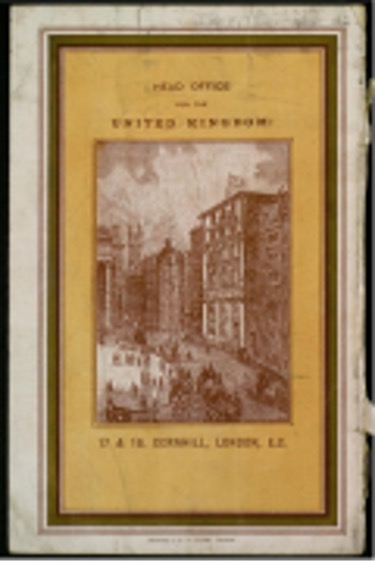
19th Century British Pamphlets collection contains thousands of the most significant 19th British pamphlets in the United Kingdom. It includes the Earl Grey Pamphlets collection. The 4th Earl Grey was a Governor-General of Canada. The Greys were particularly interested in parliamentary reform, colonial affairs and Catholic emancipation. The Wilson Anti-Slavery Collection has 19th-century anti-slavery pamphlets collected by Henry Joseph Wilson (1833-1914).
Struggles for Freedom: Southern Africa focuses on the complex and varied liberation struggles in southern Africa, with an emphasis on Botswana, Mozambique, Namibia, South Africa, and Zimbabwe. There are dozen of collections available, including the Anti-Apartheid Movement collection, the Canada and Southern Africa collection and the South African History Archive Poster collection.

World Heritage Sites: Africa links thousands of visual, contextual, and spatial documentation of African heritage sites for researchers in African studies, anthropology, archaeology, architecture, art history, Diaspora studies, folklore and literature, geography, history, and many other disciplines. It includes the Asante Ceremonies Collection from the University of Ghana, Earthen Architecture of Mali, Morocco and Egypt collection from the Getty Conservation Institute and the Timbuktu Manuscripts collection from Mamma Haidara and Imam Essayouti Libraries in Timbuktu.
Search JSTOR primary sources:
To search, use the basic or advanced search to generate search results and then filter with the primary source content filters listed under Content Type.
To browse the primary source collections, click on Browse in the menu, then select Collections. Browse by selecting a contributor, using a keyword search to filter the collections or scroll down to view all the primary source collection available.
Help with JSTOR
- JSTOR Support provides detailed information on using JSTOR, including video tutorials and guides.
- Contact JSTOR with your questions.
- Schedule a Book a Librarian appointment at a local branch.
- Contact Us with your questions.
Updated May 28, 2026
Comments